WHMCS Addons: What Are They & How Are They Important?

5 WHMCS Add on Modules

As you know, WHMCS is a famous client management and billing software web hosting providers use to automate and streamline their business operations. While WHMCS offers a comprehensive feature set out of the box, its real power lies in its extensibility through add-ons.

In this article, we will explore the world of WHMCS addons, explore what they are and understand their importance in enhancing their customization options and functionality option of your WHMCS installation. Whether you are a web hosting provider, reseller, or someone looking to start a hosting business, understanding WHMCS addons can help enhance your business operations. Let’s begin with the basics


What Exactly is Web Hosting?

Web hosting is the service of offering storage space and access to websites on the internet. When you visit a website, the data and files associated with that site need to be stored on a server so that users can view or access them from anywhere.

To make it easier, let’s understand web hosting; web hosting is like renting a plot of land where you can build your website. The web hosting providers provide server space to store your website’s file databases and other necessary data. They also offer essential infrastructure like network connectivity, hardware, and security measures to ensure your website is secure and accessible.


What Different Types Of Hosting Are There?

You can select the hosting provider based on your requirement, how far along you are in your business and the size of your organization. Here is a list of the several types of hosting that are available:

1. Shared Hosting 

Shared hosting, as its name suggests, is a hosting arrangement where multiple users share the resources of a single server. This type of hosting is highly popular due to its affordability, allowing organizations of all sizes to establish an online presence without incurring exorbitant costs. Shared hosting is particularly suitable for small businesses, bloggers, and individuals seeking to create websites for various purposes.

2. Dedicated Hosting

Dedicated hosting refers to a specialized form of web hosting environment that provides users with a heightened level of privacy, resource allocation, and control. In this arrangement, each dedicated server operates independently, maintaining complete separation from others. Consequently, customers are granted complete autonomy to configure their servers without concerns about potential impacts on other servers or vice versa.

3. Cloud Hosting

Cloud hosting is highly advantageous in terms of its flexibility, scalability, and stability. When considering hosting options for your company website, it is essential to prioritize cloud hosting. This is because your organization’s website must maintain fast loading times consistently, even during periods of increased sales or high traffic. Opting for cloud hosting will elevate the professionalism of your website.

4. VPS Hosting

A VPS hosting environment effectively emulates a multi-tenant scenario akin to a dedicated server environment. By allocating exclusive resources from the host server to each VPS hosting server, these systems offer exceptional levels of reliability and performance.

5. WordPress Hosting

WordPress hosting encompasses a range of web servers that have been specifically optimized to ensure optimal performance for a WordPress website. It serves as a dedicated location to store all the necessary files and folders that collectively form your website.

6. Reseller Hosting

Reseller hosting offers you the opportunity to create multiple sub-packages within the allocated Bandwidth and Disk Space of your primary package. With the assistance of WHMCS addon, you can even tailor exclusive bundles for your clients. Reseller hosting is the ideal choice if you aspire to establish your own web hosting business without fully committing to it.

Now, let’s delve into the numerous add-ons available to enhance performance.


Which WHMCS Addons Should You Look For Before Purchasing Web Hosting For Your Business Website?

In addition to hosting plans, hosting companies offer a range of supplementary services that can enhance the performance and professionalism of your website. These optional services typically come at an extra cost, and it’s entirely your decision whether to utilize them.

Our experts have carefully selected a list of top-notch addon services that can give your website an extra boost and deliver optimal outcomes. By availing these services, you can elevate the quality and presentation of your website:

1. SSL Certifications

SSL, also known as Secure Socket Layer, is a technology designed to safeguard the transmission of website data between users and servers. This technology ensures that data is encrypted during transmission and decrypted only upon reaching the user’s device. Consequently, SSL provides a high level of security by preventing interception of sensitive information.

Obtaining an SSL certificate is a recommended practice, even for websites that do not handle financial or sensitive data. Implementing SSL adds an extra layer of safety and security, contributing to a more professional and trustworthy online presence.

2. Website Security

The credibility of a website is greatly impacted by its security measures. Employing an anti-malware solution that conducts comprehensive daily scans to actively identify potential threats is crucial. Additionally, implementing the WHMCS Modules ensures the implementation of proactive security measures, allowing clients to focus on their businesses without the need for constant troubleshooting.

3. Automatic Backup Approach

The backup of your website serves as a crucial safeguard against the risk of losing all your data. In the event of a website crash or a security breach, relying solely on this backup may provide a limited window of opportunity to restore your website. The longer your website remains inaccessible, the higher the likelihood of user attrition. Hence, investing in a reliable and automated backup solution that ensures regular and consistent data backups becomes imperative.

4. Content Delivery Network

The speed of internet connectivity can be influenced by the physical distance that data needs to traverse from its hosting server to the end user. This inherent latency can result in longer loading times for websites or online content. However, a solution known as a content delivery network (CDN) comes into play to address this issue. By duplicating website data across an extensive network of computers, a CDN significantly enhances page load performance and efficiently responds to user requests by utilizing the nearest server location.

5. Business Email Hosting

To establish authentic credentials for your company and garner trust from users, it is essential to promptly acquire a domain-matching email. Utilizing a free email account for commercial purposes undermines professionalism and may hinder your business’s credibility.

6. eCommerce Merchant Accounts

Enabling credit card acceptance on your website is essential for efficient management of an online store. To facilitate this, it is imperative to obtain a merchant account. By opting for a merchant account, you can avail yourself of WHMCS addons that offer cost-effective monthly rates, absence of annual fees, 24/7 customer support, and a streamlined application process without any associated fees.

Top 5 WHMCS Add-on Modules  

1. .qa WHMCS Domain Registrar Module

This module enables WHMCS users to easily register and manage .qa domains, Qatar’s country code top-level domains (ccTLD). It also supports domain registration, renewal, transfer, and DNS management, particularly for Qatar-based domains.

2. Marnet WHMCS Domain Registrar Module

The Marnet module is designed to integrate WHMCS with Marnet, a popular domain registrar. This module facilitates domain registration, renewal, transfer, and DNS management. It is suitable for users looking to manage a variety of TLDs offered by Marnet.

3. .in Registry Domain Registrar WHMCS Module

This module integrates WHMCS with the .in Registry, enabling the management of .in domains, which are the ccTLDs for India. It supports domain registrations, renewals, transfers, and other essential domain management functions.

4. WGS Gandi.NET WHMCS Domain Registrar Module

The WGS Gandi.NET module allows WHMCS users to connect with Gandi.NET, a well-known domain registrar. It supports many TLDs and offers functionalities such as domain registration, transfer, renewal, and advanced DNS management. 

5. Neustar .vu Domain Registrar WHMCS Module

Choose our Neustar WHMCS Domain Registrar module which provides full functionality coverage for the .vu extension domains. After the successful payment of your module purchase, our module plays a key role in building a bridge between WHMCS and Neustar API by allowing your customers to purchase .vu extension domains with ease. We have created this module for users who wish to sell .vu domains. 


What Further Information Do You Require About WHMCS Addons Domain?

1. SEO

It is conceivable that your website’s reliability and speed may be compromised if the resources allocated to your web hosting account are insufficient to handle the websites you are hosting. Consequently, your search engine optimization efforts may be negatively impacted.

2. Duplicate Content

You won’t have to worry about having duplicate material if the configuration is done correctly. Google only needs you to send in a single URL, and it will be the one that gets indexed.

3. FTP Access

You have the capability to establish an FTP account for your addon domain, which will operate similarly to the FTP account linked to the main domain of your account.


Top 5 WHMCS Modules

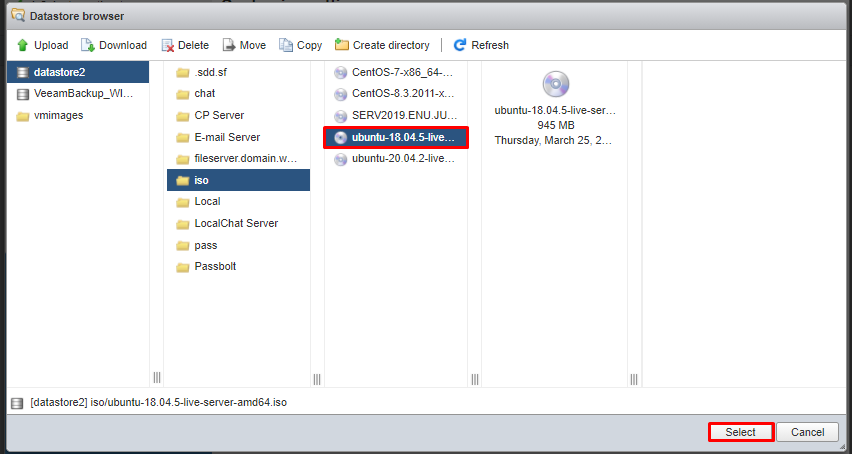
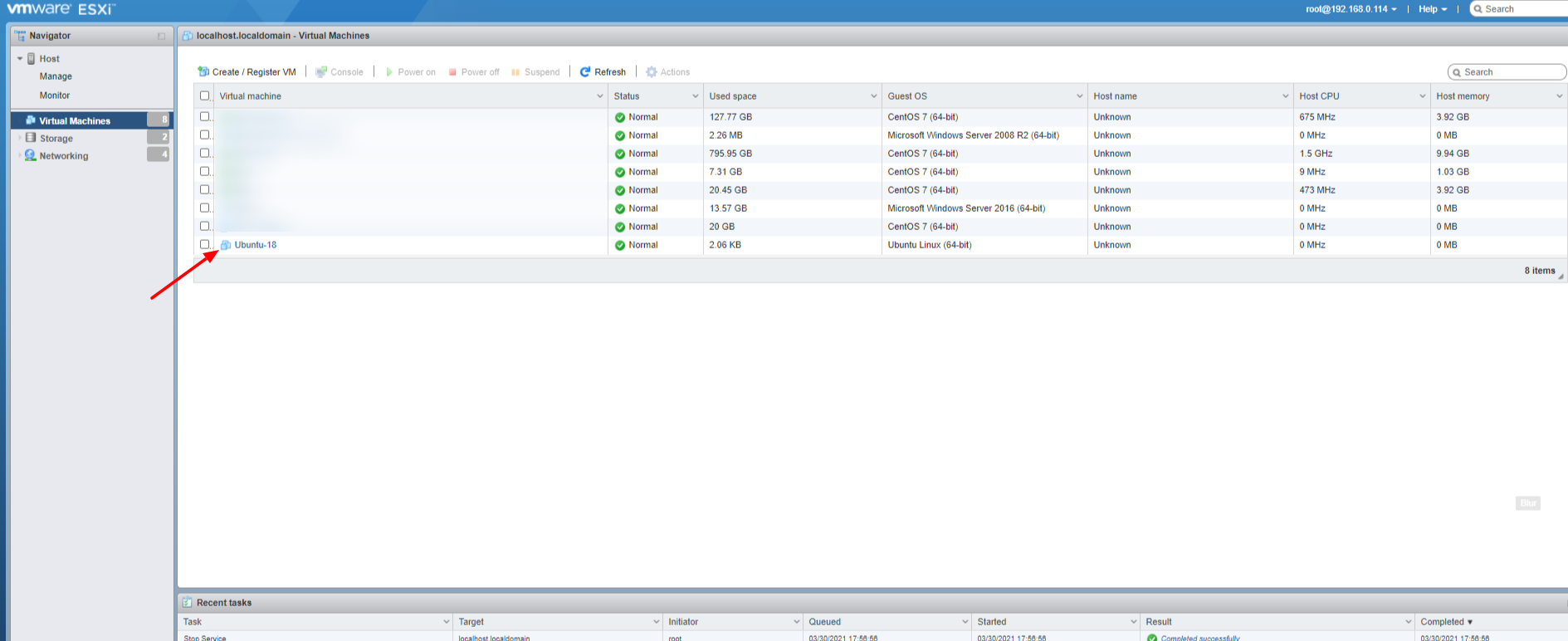
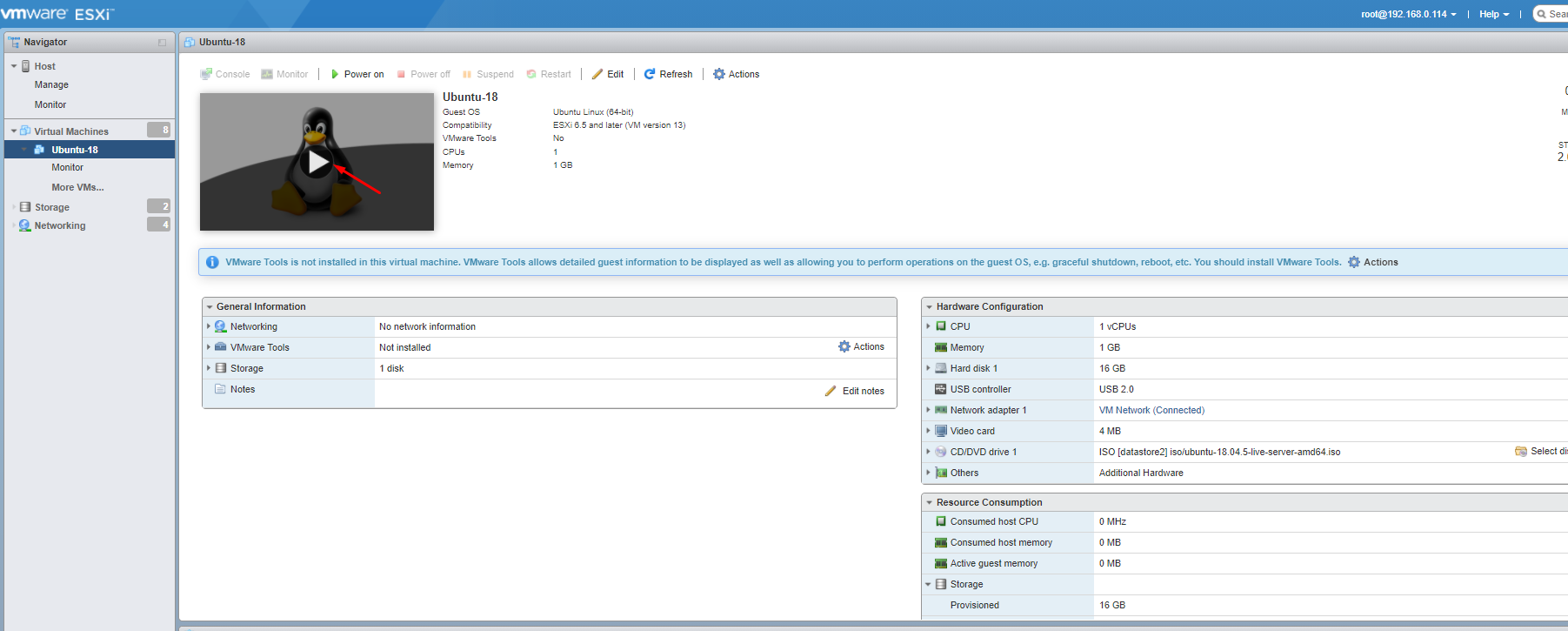
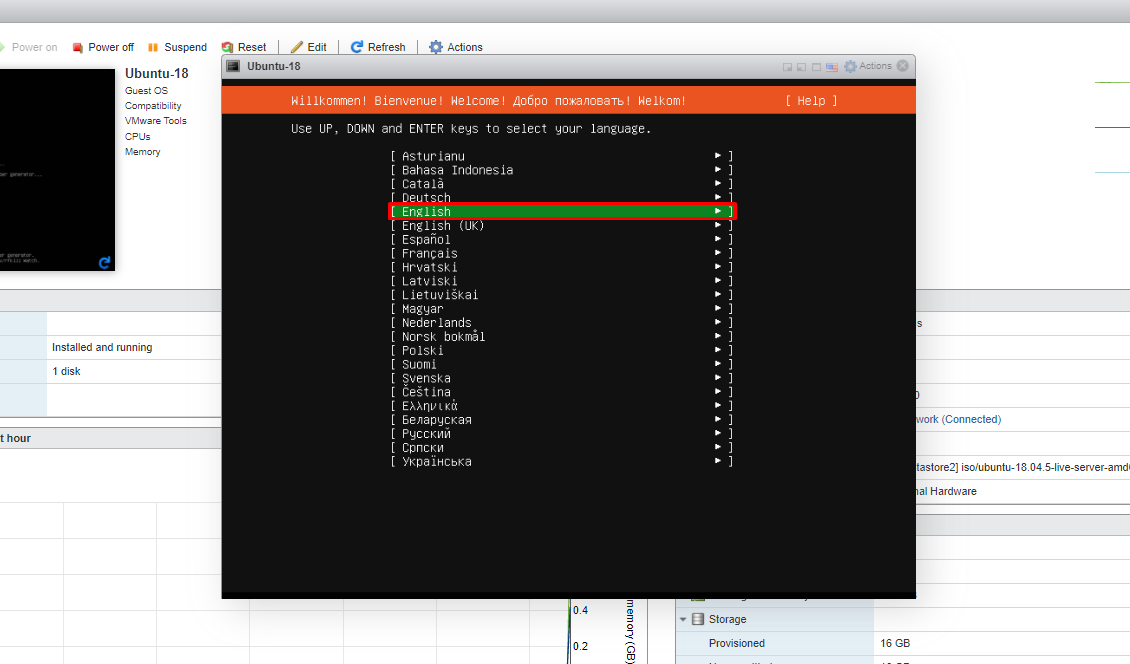
1. VMware WHMCS Module

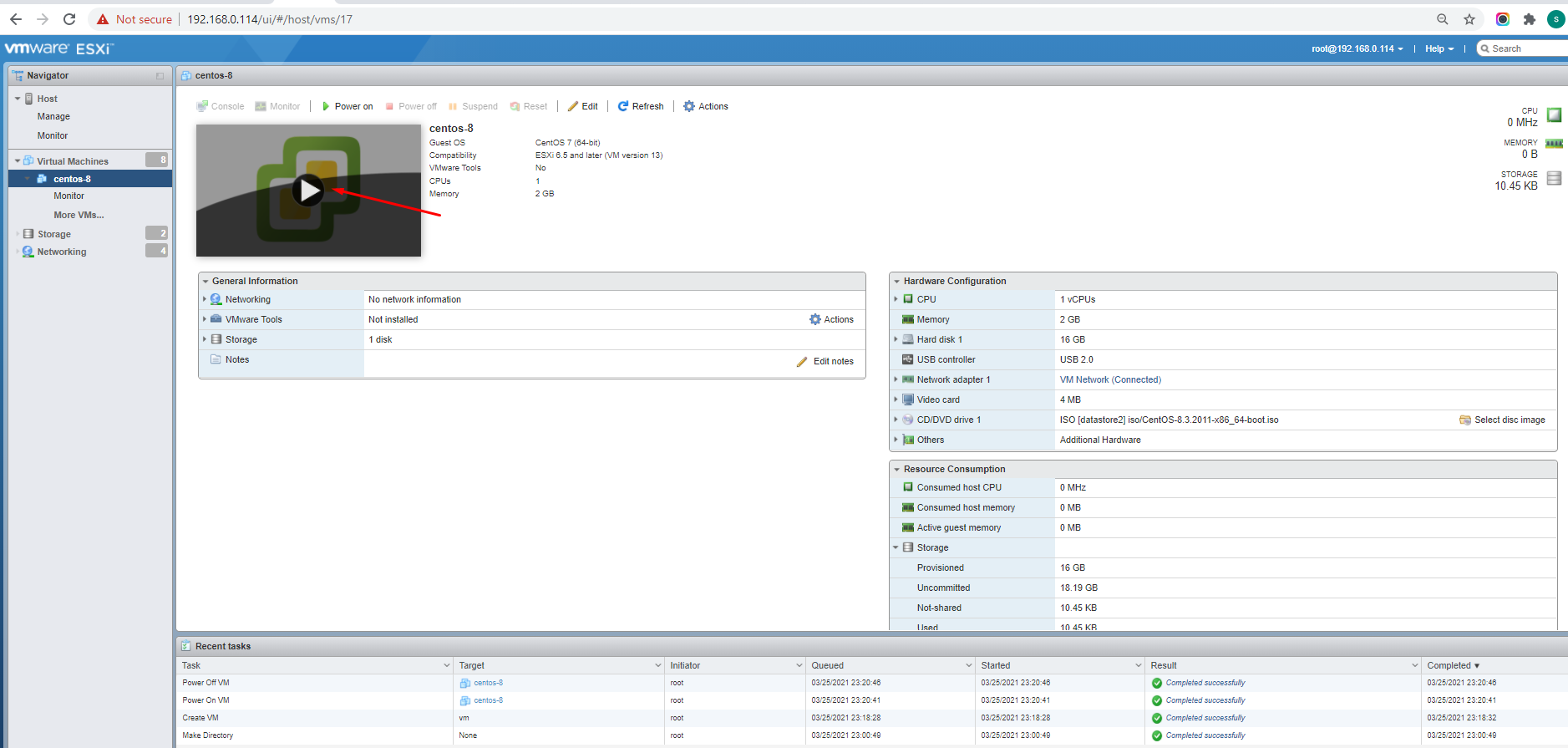
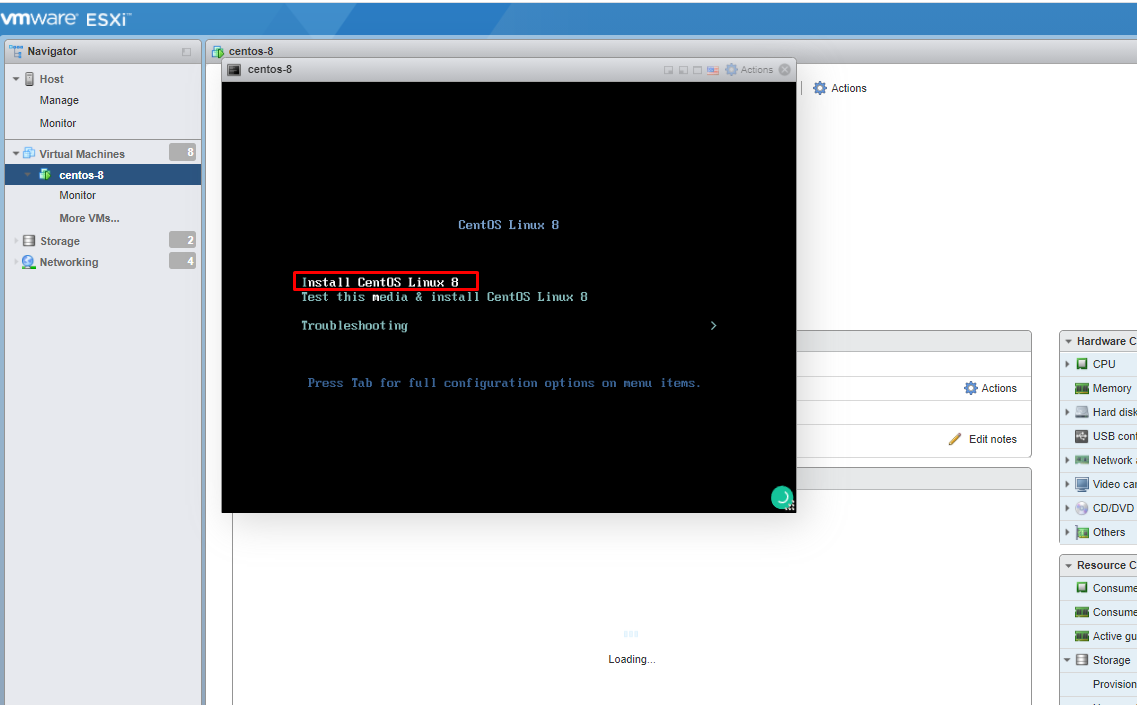
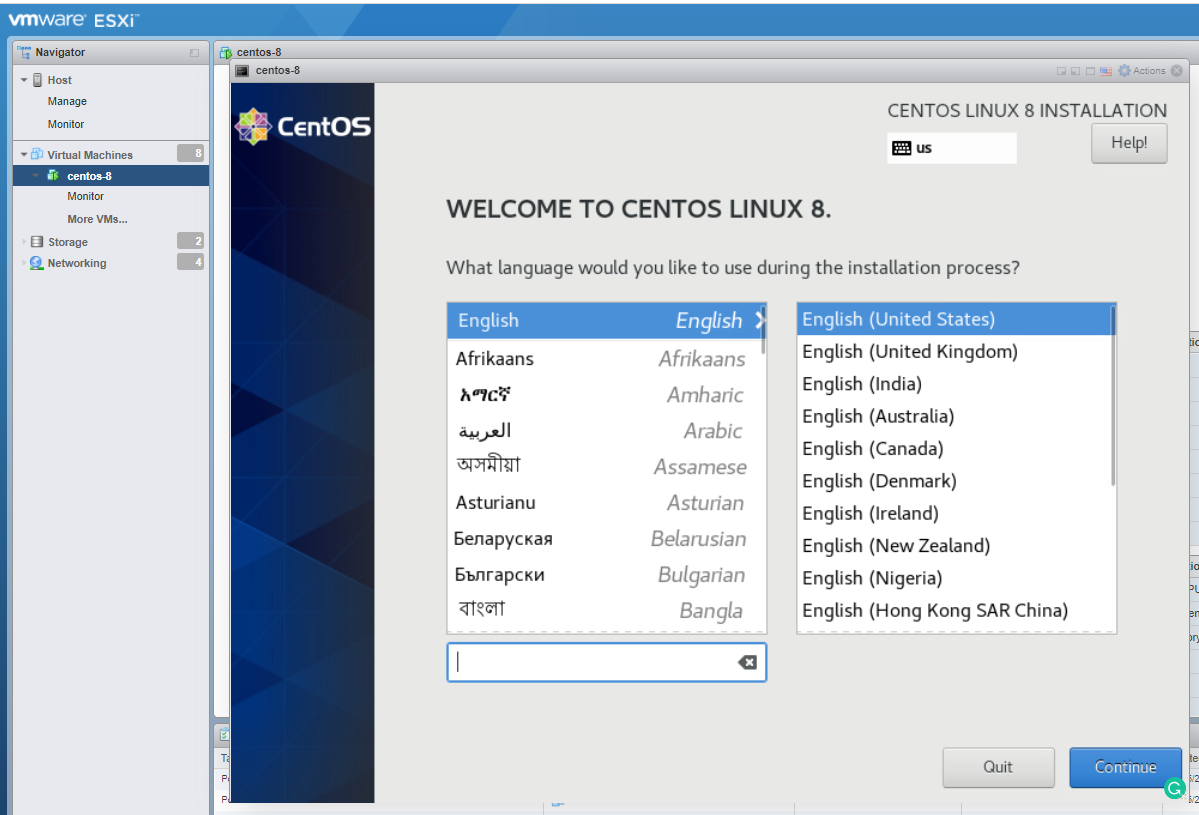
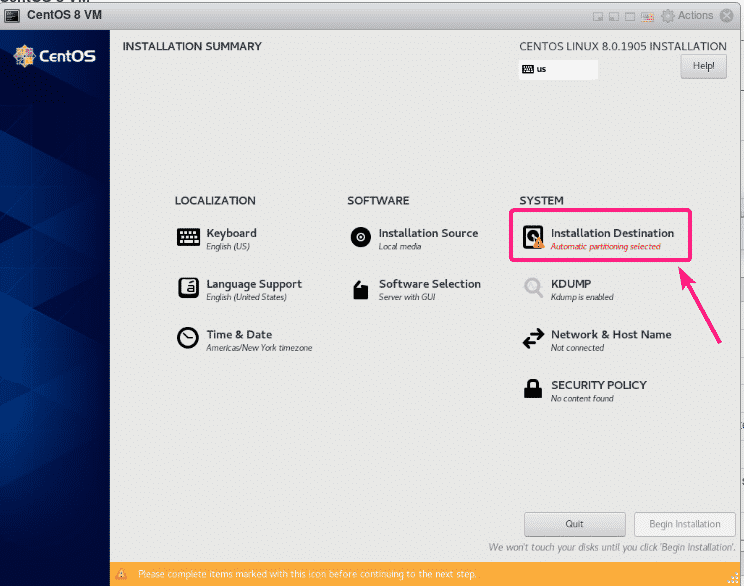
VMware WHMCS module reduces IT costs by 90%. Once a user orders the service, the admin doesn’t need to manually build VMs or install OS. The network adapter handles itself, and after the server is provisioned, the module sends end-user details. This WHMCS add on module provides a sophisticated client UI where users may start, stop, reinstall, and manage server snapshots.

Key Features

  • This module supports automatic provisioning of VMware virtual machines, enabling clients to order and deploy VMs instantly without manual intervention.
  • Extensive flexibility in terms of offering configurable options to customers.
  • Module integrates with VMware’s management APIs, enabling users to perform various VM management tasks directly from the WHMCS interface.

2. Cloudflare WHMCS Module

Our Cloudflare WHMCS Module allows you to resell Cloudflare plans on your WHMCS website, giving you a competitive advantage. In addition, hosting companies can resell Cloudflare’s DNS services for free.

Key Features

  • Cloudflare offers a Userfriendly user interface, that helps to manage the DNS easily.
  • Manage cryptography settings.
  • Manage firewall settings without logging into the Cloudflare website.
  • Manage website Speed

3. GST WHMCS Module

The GST WHMCS module assists users in overcoming the early issues caused by GST. WHMCS does have tax rules settings where you can design your GST tax, however, our module has additional capabilities that set it apart and make it indispensable.

Key Features

  • Automatic set up of GST rules.
  • Old Tax labels.
  • GST module also allows you to add new quotes and perform invoices as per GST compliance.
  • Add authorized signature on invoice

4. Amazon Route 53 Domain Registrar WHMCS Module

Our Amazon Registrar WHMCS addon enables seamless domain sales using AWS Route 53, with automatic provisioning and activation. Users can purchase domains without the need to access the WHMCS AWS login panel. Once a purchase is made, the domain registration process is initiated, and activation occurs promptly upon receiving a response from AWS. Customers can conveniently monitor updates regarding their domain registration and payment status through the dashboard.

Key Features

  • Seamless domain registration functionality allows customers to effortlessly register domains without needing to access the AWS login panel.
  • The registered users can transfer their domain to our WGS Amazon if they find the third-party services disturbing.
  • With the help of this Toggle option, one can decide whether to enable or disable the owner’s contact details.
  • This module offers a registrar lock to stop unauthorized domain transfers.

5. iRed Mail Module

This module offers comprehensive information on iRedMail, a reliable solution for setting up a mail server. If you are looking to provide email hosting services to your customers and desire an effortless way to automate the provisioning of email accounts, the WGS iRedMail WHMCS Module is the ideal choice. This module excels in facilitating key functionalities such as domain management, seamless creation of email accounts, efficient suspension and termination processes.

iRedMail supports POP3, SMTP, and IMAP, over TLS, and has an excellent webmail app with full HTTPS support by default.

Key Features

  • Supports auto provisioning, allowing users to automatically set up and configure email services.
  • Offers a wide range of configurable options to customize the email server setup.
  • Comprehensive management interface that allows administrators to efficiently manage various aspects of the mail server.
  • Allow the customers to add multiple emails for specific domain

Conclusion

When purchasing web hosting for your new website, it’s important to consider additional features that can enhance your website’s performance and provide a better experience for your customers. These add-ons may be available as part of the hosting plan you choose, so it’s worth checking. By utilizing these add-ons, your website will load faster and become a more comprehensive resource for your customers. Moreover, it’s crucial to ensure that you have access to customer support at any time, day or night, seven days a week. WHMCS Addons includes all the necessary add-on features in their hosting packages. They also offer round-the-clock customer assistance for any inquiries or technical questions you may have, in addition to their hosting plans. This ensures a professional and reliable experience for your website.


Skyrocket Your Business Sales With Effective Web Hosting Design Tips

Web Hosting Design

The effectiveness and popularity of a website may be significantly affected by the design of the website’s interface. Website visitors are likelier to stick around and check out your material if they find it visually appealing and easy to navigate.

As everyone knows, web hosting themes is nothing more than an outgrowth of a person’s artistic abilities and creativity. Therefore it’s natural that not every web admin will have a solid understanding of effective web hosting design ideas.

You can still have a fantastic website design even if you lack artistic and creative ability. To get the most out of your layout and design, regardless of your level of artistic ability, you can follow some tried and proven procedures.

Why Is An Attractive Website Design Important For Your Business?

Web design is essential because it can influence people’s first impressions of a personal brand or a business. In less than 0.05 seconds, web users decide whether to engage with a site primarily based on its appearance.

Furthermore, web design contributes approximately 75% of a visitor’s judgment of the credibility of a person or business. As a result, if a website appears poorly constructed, people may suspect it of being a scam.

Furthermore, web design can significantly impact a customer’s purchasing journey. According to Toptal, 88% of online shoppers will not make repeat purchases if they have a terrible user experience. In addition, mobile visitors are five times more likely to abandon a website if it does not look or function properly on their devices.

Web hosting design is also crucial for brand recognition. Thus, maintaining visual consistency across all marketing channels can help your target audience identify your company’s identity.

Finally, website design is vital for SEO. If visitors find it difficult to navigate and find information on your site, search engines are likely to feel the same way. As a result, bots may have difficulty crawling the content for indexing and ranking purposes, particularly if you do not have a sitemap.

Ways to Follow to Incorporate Engaging Web Hosting Design for Your Website

Here are some tips to start the process of taking the benefit of existing web hosting themes and templates. Try to follow these tips below, and you’ll start learning the things required to design your website on your own.

1. Begin Somewhere – Modify An Existing Web Hosting Design Template

It’s perfectly fine if you lack the technical ability to create a visually appealing layout from scratch. Many others have already done your work for you by providing ready-to-use web hosting design templates. You can use one of these templates straight out of the box. So, start with that template and start tweaking elements from time to time. This will make you realize how things work, and eventually, you’ll be able to do everything independently.

2. Select The Right Web Hosting Theme

Choosing the appropriate theme is crucial for any website. If you choose a heavy theme, meaning that its design, layout, pictures, and loading speed do not meet industry standards, it will be extremely difficult for you to outperform your competitors.

Before selecting a theme, we must know that it must be adaptable, responsive, have a beautiful design, and load quickly. These are the most important characteristics a theme must possess. Below are the key advantages of having an appropriate or relevant business theme:

  • Enhances Your Website’s Appeal
  • Multiple Website Usability
  • Expandable Functionality
  • Produce Results More Rapidly
  • Maintain a Reliable Website
  • Quality of a Premium Standard
  • Features That Are Valuable
  • Assistance All Along the Way
  • Simple browser support

Therefore, you should choose themes that are easy to use and maintain. WHMCS templates and themes are suitable for all types of businesses and are highly affordable.

3. Choose a Modern Template

A website that is out of current may have unexpected functioning issues. Some of them may have trouble presenting the material correctly, struggle to rank well in search engine results and have formatting concerns. Therefore, if you need to update your website, a cheap web hosting design template is better than hiring a professional web developer.

Webmasters should realize that devices and browsers are continually evolving, and websites must adapt to these changes to prevent technical concerns. Websites must maintain their relevance, browser compatibility, and search engine optimization. If you intend to handle your website internally, understanding web programming is no longer a difficult undertaking. Numerous websites provide courses in web development and design at an exceptionally low price.

4. Refuse Clutter

These days, it’s really simple to become infatuated with visual components, especially in light of the fact that broadband internet has already made it possible to overwhelm individuals with images and films. The goal of a website is to deliver material, not to be the content. Thus you should keep that in mind when designing a website. Don’t overstimulate your visitors’ senses to the point that their ability to comprehend information is compromised (the human brain has a tendency to do this when provided with too many options.)

5. Use Colors Carefully

A business website should utilize a neutral color palette because it projects an elegant and sophisticated image. You need to make sure that the color scheme you are employing meets the objective of your site. Learning what certain colors project may seem overwhelming at first. It’s the one thing you must take care not to damage. Additionally, neutral color schemes are pleasing to the eye and may be used to direct viewers’ attention to content by using modest accents of non-neutral hues (particularly in headlines).

6. Choose Fonts That Are Clearly Accessible and Readable Regardless of Screen Size

There are two things you must remember regarding fonts. They’re typically client-side, so if you use a font that isn’t widely available. Visitors will likely see generic-looking fonts on their end (as their system replaces the missing font with whatever default they have set), thereby ruining your intended look, particularly if the layout was based on the font. Additionally, you should remember that not everyone uses a desktop computer to access the website, so you must ensure that the text is clear and aesthetically pleasing, even on the small screens of smartphones and tablets.

Important Things To Include For Making Compelling Website Designs

Here are essential elements that must be present in your website to make your website appealing:

1. Domain Name

The URL appears in the navigation bar for your website. This is the address where visitors can find you or where they are sent after a search takes them to your website. Creating a domain name is one of the initial steps in creating a website; you cannot have a functional website without a domain name. Make the domain simple and easy to spell so that visitors may locate your website without difficulty. If your business’s ideal domain name is unavailable, be inventive and think outside the box.

2. Navigation

On websites, navigation is the navigational system that allows users to engage and discover the information they need. Navigation is essential for retaining visitors to a website. It is essential to keep navigation clear, intuitive, and consistent across all pages. If the website’s navigation is unclear, users will abandon it and look elsewhere.

3. Call To Action

Calls to action, or CTAs, can range from “establish a login” to “book a demo” to “join our mailing list.” It is a persuasive appeal to visitors, urging them to take some form of action on your website that might lead to further interaction, and a reward frequently accompanies it.

4. Images

Your website should include a header picture or body image in order to offer visitors a visual. These images may be advertisements for your new spring collection or custom-made graphic for your website. Images aid in attention retention since they are easier to digest than large amounts of text. Images can be a slideshow or a video; any visual medium is preferable to a single page of text.

5. Social Media Links

Social media marketing’s effectiveness cannot be emphasized. Include social media buttons on the homepage or in the footer at the bottom of each page in order to attract visitors to your Twitter and Facebook accounts.

6. Contact Information

Contact information allows users to communicate with you. Include a phone number and possibly an email address for help or information on your about page. Thus, anyone with more questions or difficulties with your product or service can instantly get in touch with you.

Endnote

While you want to ensure that your business website is clean and professional, you don’t want to spend months perfecting it. Choosing the right web hosting template, design, and theme  for your website is analogous to purchasing a house for the first time. It appears to be a massive undertaking with the potential for numerous errors.

Step back and think objectively, making logical and fact-based decisions becomes easier rather than falling into the trap of selecting a template because it looks “pretty.” Take your time, and don’t be afraid to experiment with templates you like. If it does not fit your brand, proceed to the next template. You can contact WHMCS Global Services (WGS) for reliable web design hosting and maintenance. You can contact us or send us your queries at [email protected].

InsightDials Review Article

Web hosting business intelligence

I have been recently looking for a tool that helps in analysing my data scattered across multiple day-to-day tools. That is when I came across this newly launched platform InsightDials, which gives analytics for the day-to-day tools, specifically for the web hosting industry. They have integrations with WHMCS, Tawk.to and Google analytics. With a lot more of the hosting tools in the pipeline. This tool interested me a lot as I stumbled upon this when I needed an analytics tool the most. What struck me the most was that they are having a free beta, which let me try out the application without subscribing to a plan.

 So, if you are looking for a ‘business cockpit’ (as they call their platform) for your web hosting business, where key metrics from your day-to-day tools can be visualized on a central no-code platform, then you should definitely try out InsightDials. This platform is all you need to visualize your key metrics with easy and automatically, with zero manual effort involved. Not just for a few in the organization but for all your departments securely under a central platform with ease.

They currently have integrations with WHMCS, Tawk.to and Google analytics and a lot more in the pipeline (like QuickBooks, Blesta, HostBill, ClientExec, Zoho, FreshDesk, Nagios, Olark, Kayako etc). Also, they have different departmental dashboards for your different teams. So, if you are having trouble getting your key metrics from your WHMCS data then try out InsightDials to keep track of your real-time metrics, round the clock. They are available on WHMCS Marketplace as well. 

Get InsightDials from WHMCS Marketplace

InsightDials Review

Some of the Key Features that struck me while using the InsightDials platform were:

  • Many metrics like Monthly recurring revenue (MRR), ARR, customer churn, support metrics and a lot more, that are tough to get from WHMCS reports are easily visualised on the InsightDials dashboards.
  • Dashboards are pre-designed. So, dashboard creation is not needed.
  • Key metrics of the industry already handpicked and loaded in the metrics library. So, we do not need to worry about what metrics to track.
  • Scattered data from day-to-day tools brought to a central platform. So, no more juggling between tools for metrics.
  • Multi-dimensional view of data for a clearer picture of the metrics performance.
  • Simple and intuitive graphs to understand metric trends at a single glance
  • Insights on each metric, that gives a summary of the metrics’ trend/performance
  • Detailed drill-down to see the macro level of data, to understand the individual items that contribute to the metrics
  • Date filtering and sorting of drill-down data to get specific detail
  • Dashboards specific to each department, populated with the right metrics for each business function
  • Easy download of dashboard snapshot to share with others
  • Different team members can be added to their respective dashboards with ease.
  • Option to email actionable To-dos to your team members, to act upon

Why should you choose InsightDials for your Web hosting business intelligence?

In most small and medium organizations either data analytics is rarely done or they do basic analytics in excel. This often limits the organizations from making data-driven decisions. Managing analytics in excel requires expertise in excel, it is time-consuming and also data has to be exported from multiple day-to-day applications and fed into excel regularly. This is time-consuming, complex and a lot of human effort is involved. This manual analytics takes on an average approximately 2 hours per day per team to collate and analyse their data. Also, there are high chances of excel files getting corrupted or mismanaged due to larger data handling.

In other organizations where analytics is done, data often rests with a few in the organization, mostly the IT team or a data scientist. Data is not freely available to all in the organization. This creates data aristocracy and the different teams do not have access to their relevant data.
This is where InsightDials no-code business intelligence comes as a lifesaver. If you are looking for a fully-automated business intelligence software for your web hosting business, that saves 100% time and effort on analytics then InsightDials is the right tool for you! Listed below are few reasons why you should be choosing InsightDials:

1. InsightDials brings your scattered data across multiple day-to-day tools to a central platform:

InsightDials is currently exclusively for the hosting industry and aim to integrate with most of the popular day-to-day applications of the hosting industry. The platform covers the key metrics that hosting businesses should be tracking. This approach enables to cover the entire business stack used in the industry. So, you no longer need to juggle between your day-to-day tools to view your metrics. All your key metrics from your different customer touchpoints are brought to a central location to build your business cockpit.

2. InsightDials is 100% time & effort saving. 100% complexity free

InsightDials application does not require technical knowledge to visualize the metrics. It has pre-designed dashboards where the metrics can be viewed in multi-dimensional forms. The dashboard comes with a metrics library loaded with key metrics and a data modeller that creates relationships with your application database tables. This makes real-time analytics fully automated, easy and at your fingertip. You need not worry about what all metrics to track. The hassles of complex analytical calculations are solved. Also, InsightDials is designed in such a manner that it can be easily integrated to your application data source.

So, you no longer require coding, technical knowledge or data scientist to analyse your data. Thus, InsightDials is 100% time-saving, 100% complexity free and since there is no human effort it is error-free as well.

3. InsightDials provides multi-dimensional view of metrics

The data is analyzed and visualized through pre-designed, no-code dashboards with a simple, intuitive, graphical interface. A single glance at the metrics gives you the current trend of your metrics. The graphical representation of the metrics is coupled with actionable insights which gives a summary of the metrics performance with respect to targets set or previous months’ value; a detailed drill-down to see the macro level of data which can be filtered and sorted. This multi-dimensional view of data helps to get clarity on your data story.

4. A huge library of metrics

They have a metrics library loaded with metrics like Monthly Recurring Revenue (MRR), Net MRR, Annual Recurring Revenue (ARR), Total Annual Revenue, Monthly Revenue, Customer Churn, Revenue Churn, Plan Cancellations, Customer Lifetime Value (LTV), Customer Retention, Account Receivables (AR), Customer Satisfaction (CSAT), Sales Funnel, Products with maximum Churn, Top-performing Plan, Top Customers, Refunds processed, Server utilization, Live Chat metrics like – missed LiveChat, Chat volume etc, Support ticket metrics like – First Response, Resolution, Aged Tickets etc. And many more other metrics.

5. InsightDials Beta can be tried free

The application beta version can be accessed at insightdials.com. Sign-up for a free account, integrate your applications and try the platform for free. They have integrations for WHMCS, Tawk.to and Google analytics. With a lot more tool integrations coming soon.

What are their drawbacks?

Though InsightDials makes the analytic journey fully automated; you will not be able to view the metrics from a tool out of their integration list. They provide analytics only for the tools in their integration list. No self-service analytics is provided. Also, since the product is in the MVP stage the tool integrations are limited at this stage. However, they claim to have more tool integrations coming soon.

Pricing Plans?

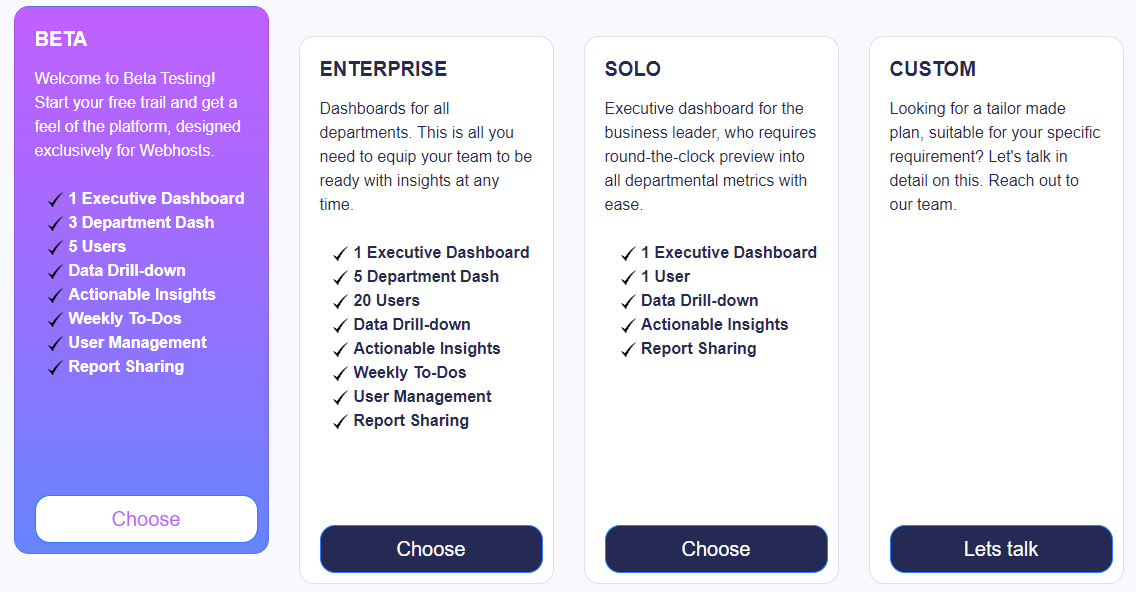
Being a SaaS platform, they have a subscription-based pricing plan. They offer the plans/subscriptions, based on the number of user access, department dashboards and other features. While going through the website, I see there are multiple solutions/plans listed and I believe the starting package would be at an affordable price range, as it is mentioned that it is for Startups to try out the application. Additionally, they have a custom plan that will be tailor-made based on specific requirements, data size and revenue. Also, there is a free trial plan for 14 days, that will enable users to try out the application.

Presently, they have a free beta that enables free use of the platform.

How to get started with InsightDials analytics?

Do you want to automate your analytics process with InsightDials? This is the right time as they are running a free beta program. Hence, you can directly visit their website and sign up for a free account. Integrate your day-to-day tools and get your metrics. Follow the below steps.

InsightDials analytics


  1. Visit insightdials.com
  2. Signup for a free account by clicking the ‘Join Now’ button
  3. Submit your company email to Sign up. Once Signed up, you will receive a verification email to your registered email. Once verified you can Login to your account
  4. On logging in, you will be taken to the pricing page to select your plan. Select the plan ‘BETA’, which will let you use the application for free till the beta period is active.
    InsightDials-Review-Plan
  5. After selecting the plan, integrate your WHMCS
  6. After the integration, you can visualize your metrics on the pre-designed dashboard.

In just these simple steps you can see all of your organizational key metrics. Now no more complicated manual calculations or complex data modellers. All the key metrics are automatically at your fingertips.

Do I recommend InsightDials Analytics?

Yes, I do 100% recommend InsightDials if you are someone who is not doing analytics or looking to fully automate your analytics process and save the time and effort spent on analytics.

We especially recommend trying out their free BETA and if interested sign-up for their plans after the beta program.

I have benefitted by using their platform for my WHMCS analytics. A lot of metrics that I couldn’t get from WHMCS like MRR, ARR, Customer Churn, Support SLAs and lots more are all at my fingertip now with InsightDials. We are in an era where data is of utmost importance. In fact, the keyword for 2023 is “Data for all”. The importance of data analytics is increasing day by day. Our business is producing tons of data each day with valuable information about our business. We shouldn’t fall behind our competitors just because we did not use our data wisely to understand more about our business trends. Hence this is the right time to invest in analytics and InsightDials platform will help you in automating your analytics journey.

WHMCS 8.5 Beta Is Launched

WHMCS 8.5 Beta Is Launched

WHMCS has recently stated that they are very excited to announce the beta release of WHMCS 8.5.

So, they want you to be among the first to try out the new features and functionality by getting involved in the Beta today.


New Features of WHMCS 8.5:

1. Client Area Home Page SSO

Clients will now be able to use single sign-on to access their active services like cPanel and Plesk hosting accounts from the Client Area Home Page.

2. Multi-Year SSL Order with DigiCert 

Now WHMCS offers two-year and three-year SSL certificates from RapidSSL, GeoTrust, and DigiCert via MarketConnect with fully automatic reissuance and reinstallation throughout your order period.

3. Shopping Cart Cross-selling

An additional product recommendation can be set up to display when customers add a product to their cart or checkout.

4. Metric Billing for Plesk

The in-depth details on bills like bills for the resource usage also include things like email addresses, disk space, and bandwidth.

5. cPanel SEO via MarketConnect 

It’s an SEO product that helps your customers’ websites to rank more highly in search engines like Google, in order to create more successful websites to maximize customer retention.

6. Improved System Settings

New system settings now come with categories, sorting preferences, and improved responsive behavior.

Read about more functionalities and features of WHMCS 8.5 in the Release Notes.


Why Should you Try the Beta Version?

This beta version gives you direct access to try early pre-production releases and help test and contribute to the WHMCS development team. If you wish to try just download WHMCS 8.5 or update it using the Automatic Updater.

Note: Beta version is for testing purposes only. We do not recommend it to try on live projects.

Benefits of Using WHMCS Custom Modules

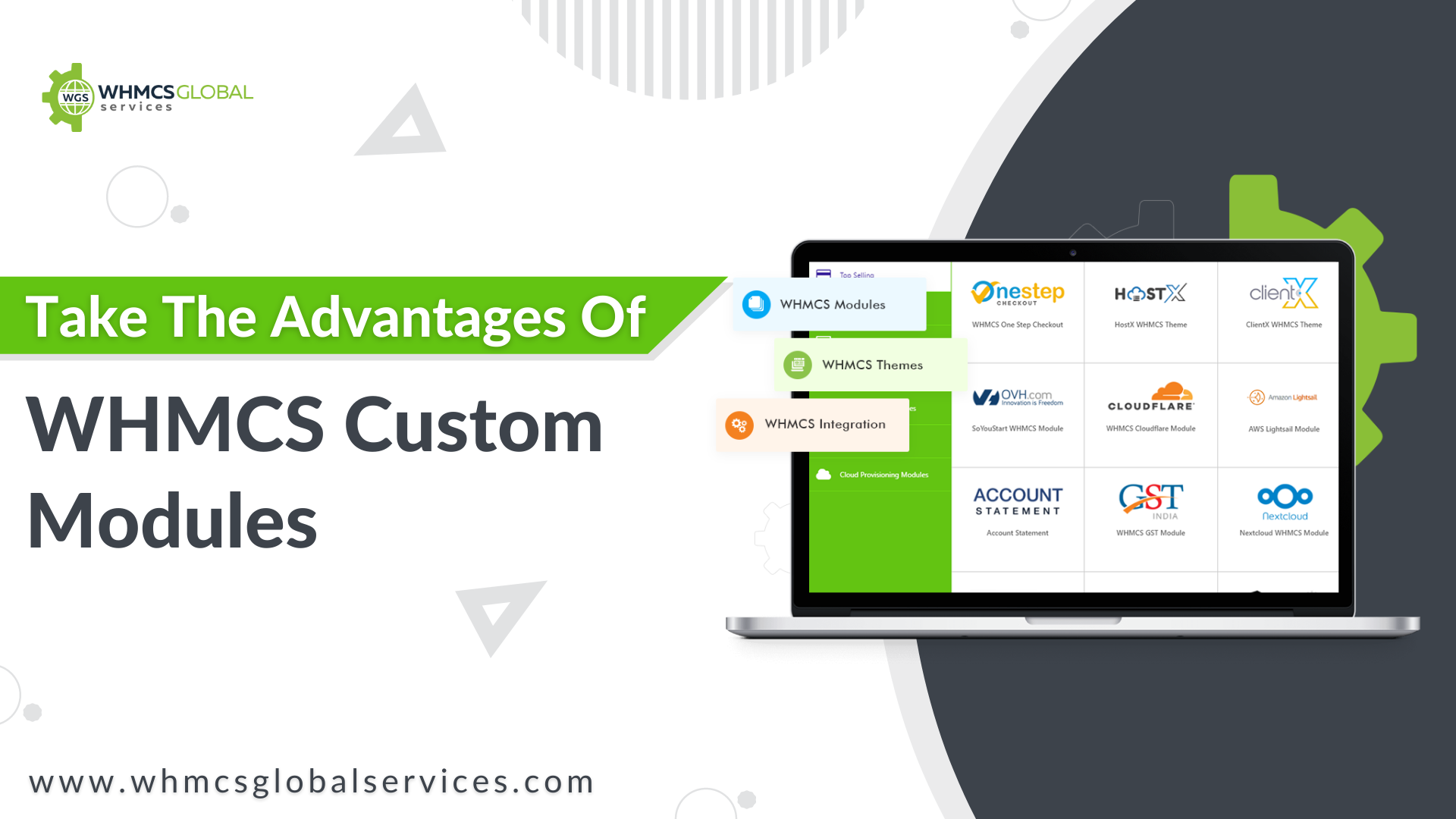
Take the advantages of WHMCS Custom Modules

Summary: WHMCS custom modules open a new world of opportunities for web hosting businesses. They help and provide benefits to the organizations to fulfill their specific business-centric requirements.

What if you had the power to give your business everything it needs to grow and earn profits? With WHMCS custom modules help you add features and functionalities to your web hosting business websites and apps as per your specific requirements. 

Only you as a business owner know what your business needs to grow & only custom WHMCS modules can help you fulfill all those requirements. 

In this article today, we will discuss what WHMCS custom modules are and how you can leverage them for your business growth.


What Are WHMCS Custom Modules?

WHMCS modules are add-ons that can be integrated into your existing application/website to enhance its functionality. WHMCS custom development is a considerable investment to help you achieve a competitive edge while boosting overall business efficiency and productivity. 


Key Benefits of Using WHMCS Modules

So, how WHMCS custom module development can help your reseller or web hosting business? Let’s find out:

Automation – The world is becoming automated quickly and the web hosting industry is not behind. With the multitude of tasks going on altogether, it is extremely challenging for businesses to manage them manually. As such, integrating automation into business operations can be extremely significant. That is where WHMCS module development comes into play. You can add specific modules to automate particular functions you find difficult to perform manually. These can be related to invoices, reports, payments, and even client data.

Extended Functionality – Adding a custom module to your WHMCS increases the functionality and features of your WHMCS. So, you can customize your WHMCS as and when needed without compromising our business goals. 

Integration – WHCMS modules enable seamless integration of WHMCS with third-party apps and APIs. You can manage different sectors of their WHMCS like reporting, accounting, emails, etc.

Invention – With WHMCS custom development, you get the freedom to decide what kinds of functionality you can add to your app or website. You can h opt for trending or in-demand features and functionalities, which your clients often ask for.

Uniqueness – Each business is unique and there’s no one-size-fits-all solution. Having WHMCS modules tailor-made to suit your unique business requirements can actually complement your working model. Plus, you can build a ‘unique’ identity for your business in the market. 


WHMCS Modules – How WGS Can Help You?

There are only fewer organizations to offer WHMCS module development services. Also, since it needs technical expertise, you cannot think of doing it yourself. 

WHMCS Global Services (WGS) holds years of expertise in the WHMCS custom development industry. We have developed hundreds of modules tailor-made for our clients based on their specific business requirements. Whether you need any software installed or personalization to existing software, we can help. 

Types of WHMCS Custom Module Development we can help you with: 

1. WHMCS Domain Registrar Module

We have already developed the Registrar module for Ficora, AWS route 53, Switch EPP, SGNIC, etc. So, you can rely on us if you want to develop any specific domain registrar module.

2. WHMCS Addon Module

We have a specialization in provisioning modules or server modules. Explore our range of products and you will come to know what we can do for your business. WGS VMware module is one of our most popular server modules. 

3. WHMCS Payment Gateway Module

While WHMCS comes with default payment gateways, we can help you develop a specific payment gateway for your business. All we need is API documentation of that gateway and we can do the rest. Check out our product section for the payment gateways we have already developed. 

So, if you are looking for somebody to develop WHMCS custom modules for you or even assist you in developing one, get in touch with our experts. 

Benefits of WHMCS Automation For Reseller Hosting Business

Benefits of WHMCS Automation For Your Reseller Hosting Business

Summary: Integrating WHMCS automation into your reseller hosting business can be extremely significant, leading it to flourish early. Wondering how? Read on to find out more. 

The importance of automation cannot be understated as it can save you extra dollars as you don’t need to hire admins and other resources. Furthermore, it reduces the operational and management overhead, allowing you to focus on other business aspects. The same applies to reseller business hosting. And WHMCS automation is the most effective for automating client management for your reseller business. 

While you can use different software to automate your control panel, WHMCS modules offer myriads of benefits for your reseller hosting business

Let’s explore them. 


How Does WHMCS Benefit Your Reseller Hosting Business?

  • Automated Provisioning
  • Enhanced Security
  • Automated Suspension
  • Track Resource Usage
  • Automated Billing
  • Automated Customization

Automated Provisioning

WHMCS automation allows you to provision your reseller hosting account, enabling your clients to access FTP servers, web applications, handle files, and other crucial components. With WHMCS, you no more need to worry about manually setting up your hosting accounts, That’s the power of WHMCS automation. 

Enhanced Security

Malware intrusions and cyberattacks are on the rise. This makes security one of the major concerns for website owners. With WHMCS modules that offer features like automatic bans, alerts, and security support, you can now even automate your security mechanisms to protect your websites and data in real-time. 

Automated Suspension

At times, you may be required to suspend clients based on the rules they violate. With WHMCS automation, the system will automatically suspend your clients when their payments are overdue. Also, they will be automatically unsuspended when they have paid the balance.


Top WHMCS Reseller Hosting Providers to Watch Out For Wise Solution


Track Resource Usage

Keeping track of resource utilisation is crucial. With WHMCS automation, you can know the exact resource usage of your clients. It’s all automated eliminating you to log in to multiple places to check resource usage.

Automated Billing

Manual billing can be tedious and time-consuming. Having an automated billing system not only streamlines your billing mechanism but also leaves no scope for mistakes. Furthermore, it can go a long way towards building a strong relationship with your customers. All this can be achieved through WHMCS automation. 

Different WHMCS modules help you create invoices with minute details for the goods and services provided by you. Also, WHMCS allows billing and payment in multiple currencies.

Automated Customization

As a reseller hosting business, you may have a varied target audience, all with different requirements. WHMCS automation gives you complete control of your client-management platform, allowing you to configure the templates as per your requirements. Moreover, you can also customise many of the features with a single click.


The Final Say

High-priced dedicated servers have led to the ever-increasing popularity of reseller hosting. On the other hand, VPS hosting has raised the bar for reseller hosting. Hence, it has become even more important to make pace with the market. With WHMCS automation, you can stay ahead of your competitors in reseller hosting. It allows you to automate most of your tasks while managing your manual resources more effectively. In a nutshell, it gets your reseller hosting business the boost it needs. 

List of Top 5 WHMCS Companies in The World 2025

5 Best WHMCS Companies To Run Your Web Hosting Business Efficiently

Summary: In this article, we have curated a list of top WHMCS companies from which you can pick the best one to run your web hosting business efficiently.

Table of Content

  1. What are the Top WHMCS Companies?
  2. WHMCS Global Services
  3. Shine Dezign
  4. ModulesGarden
  5. WHMCS Services
  6. Katamaze
  7. Wrapping Things Up
  8. FAQ

WHMCS is the abbreviation of Web Hosting Manager Complete Solution. It is a complete web hosting management solution to automate your business and manage services like hosting, domain registration, co-location services, server rental, support solution, and much more.

For all those who don’t know who should WHMCS, then all the resellers and companies who prefer to use a standardized system, rather than custom-designed systems should use WHMCS to save the development costs and prevent themselves from continuous updates.


What are the Top WHMCS Companies?

If you are looking for some good web hosting resellers or thinking to start your own WHMCS reseller hosting business, then considering WHMCS for your business can make your life a lot easier. However, not all WHMCS Companies are suitable for this. Therefore, considering all your business requirements, we have curated a list of top WHMCS companies for you so that you can manage your business better.

Top WHMCS Companies

Here is a list of the top 5 WHMCS Companies for your WHMCS project:

  1. WHMCS Global Services
  2. Shine Dezign
  3. ModulesGarden
  4. WHMCS Services
  5. Katamaze

1. WHMCS Global Services

When someone talks about world-class leading WHMCS Development companies, WHMCS Global Services is the first name that comes out. This is counted as one of the best and top WHMCS companies that offer a wide range of custom WHMCS Development services all over the world including WHMCS Themes, Modules, Integration and so much more.

These services offered by the company, let clients add some additional functionalities to the WHMCS web hosting site and make it highly responsive as well as attractive to the end-users.

Best WHMCS Services Offered by The Company

WGS offers multiple outstanding modules, templates, add-ons, and custom development services that enable WHMCS users to add on some additional functionalities in their WHMCS client area. Some of the high demanding products are as follows:

  • WHMCS Themes
  • WHMCS Modules
  • WHMCS Add-ons
  • WHMCS Integration
  • WHMCS Custom Development
  • Custom Blesta Development
  • Custom WISECP Development

All the WHMCS solutions offered by the company empower the growth of web hosting businesses and drives quality clients to your online business.


2. Shine Dezign

Handling, managing, and delivering WHMCS projects is something that is not everyone’s cup of tea. However, Shine Dezign is making it easier, simpler, and more efficient for the past 11 years. The company is well known for delivering WHMCS projects on time with high accuracy and counted in top WHMCS companies.
The WHMCS Custom Development Services offered by the company make everything so easy that everyone can use WHMCS without any technical assistance.

Best WHMCS Services Offered by The Company

Shine Dezign offers multiple custom WHMCS solutions all across the world. The company is well known for its WHMCS support services and empowering the hosting business with its exceptional services for the past few years.

Following is a list of some of the best services offered by the company:

  • Custom Module Development
  • Custom Theme Development
  • 3rd Party Module Installation
  • WHMCS Version Upgrade
  • 3rd Party Integrations
  • WHMCS Automation

Moreover, this is the only company that made the custom development more reliable along with the latest versions and has worked amazingly in software development since 2010.


3. ModulesGarden

ModulesGarden offers services like the development of software and modules for various platforms, web applications, control panels as well as servers, and cloud management software.
This is one of the top companies that provides a wide range of enterprise-level services to streamline business operations to reach your business to new clients. The company is well known for better quality and an amazing user experience.

Best WHMCS Services Offered by The Company

ModulesGarden has been helping enterprises to automate their workflow and offering cutting-edge business development products and services for various platforms, web applications, and control panels. Some of the best WHMCS solutions offered by the company are as follows:

  • Software Development
  • Web Hosting Software
  • eCommerce Platforms
  • WHMCS Custom Development
  • cPanel Development
  • Blesta Development
  • Magento Development
  • PrestaShop Development
  • AWS Billing For WHMCS
  • Developer Outsourcing

Feels like something is missing from your WHMCS platform? You need to upgrade your WHMCS version


4. WHMCS Services

WHMCS Services is another well-known and one of the top companies offering the highest quality modules and Addons to enhance the functionality of WHMCS. From launching to maintaining a successful online business, the company provides comprehensive solutions to meet all your business requirements.

Looking for some affordable WHMCS solutions? Check out what WHMCS Services have for you.

Best WHMCS Services Offered by The Company

WHMCS Services offers some ultimate quality modules and custom WHMCS solutions. The company offers every possible solution to manage and accomplish your hosting needs. The company provides subsequent services to manage your web hosting site:

  • WHMCS Integration
  • WHMCS Addons
  • Custom Development
  • Affiliate Program

Want some better functionalities and fast performance? Integrate WHMCS with WordPress


5. Katamaze

Katamaze lets you build a hosting business website by adding the missing features in WHMCS with WHMCS Modules, WHMCS Solutions, and 360° Support. The company provides solutions like setting up, configuring, and supporting to keep your web hosting business running.
With integrations and bridges provided by the company, you can transform your WHMCS into a complete CMS.

Best WHMCS Services Offered by The Company

The company has been offering WHMCS services and solutions since 2007 and continuously helping businesses to advance the way WHMCS works. Some of the best services by the company are here:

  • Billing Extension
  • Commission Manager
  • Payments Bundle
  • 360° WHMCS Support
  • Custom Development
  • Integration

Wrapping Things Up

Searching for top WHMCS Companies and finalizing which one is the best for your business is a tiresome task. Therefore, in this article, we have disclosed the top 5 companies so you do not have to check for multiple pages and read the lengthy paragraph to identify if it suits your business requirements. The companies listed here will surely help you with all of your WHMCS project requirements and you can rely on them even without worrying about your security breach.


Frequently Asked Questions

Q. What companies use Whmcs?

A. Most of the web hosting companies who want to automate their business’s most complex processes including reseller hosting, payments, client management, and others use WHMCS as their complete hosting business automation platform.

Q. Is Whmcs a CMS?

A. Well, WHMCS is an all-in-one platform that can be used as a CRM and CMS at the same time. Therefore, you don’t need to rely on CMS like WordPress, Joomla, Drupal, and more.

Q. What does Whmcs stand for?

A. WHMCS is the abbreviation of Web Host Manager Complete Solution which can be used as a single platform to manage all the complex web hosting business-related tasks.

Paid vs Free SSL Certificates: Which One Should You Pick in 2025?

paid vs free SSL

Just started a new website and this open lock security icon near your web address confuses you? Or unable to finalize between Paid SSL vs Free SSL.

If yes, then let us tell you that you are running an unsafe website and hackers are loving it.

Here’s why:

Whenever someone tries to access an unsecured website with http: // before the address, every chunk of information sent to the website starts transmitting in simple plain text, without any encryption. Therefore, if someone with access to your ISP and the computer connects to your WiFi network will gain the access to all the data being transmitted within your network, including your passwords.

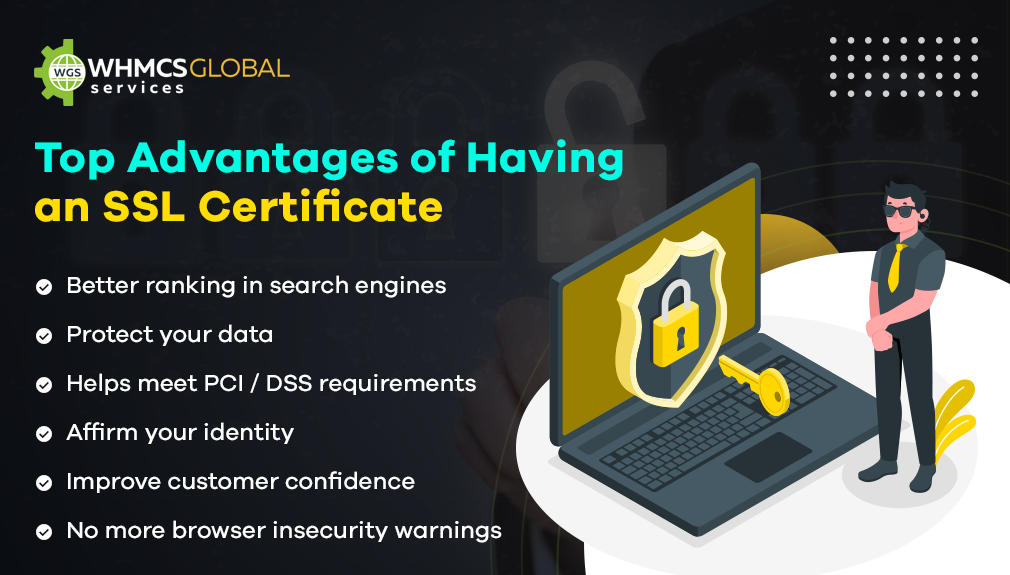
This is one of the main reasons behind continuously increasing hacking attempts and other phishing activities. This can be prevented using SSL Certificates and it will not just secure your website but positively impact the ranking of your web pages as well.


However, not all the SSL Certificates work equally and their security varies according to the different website features and security levels. So, which SSL Certificate will work the best for your website?

Keep reading the article and you will get your answer.

Let’s get started with the basics.


What is an SSL Certificate?

The Secure Sockets Layer (SSL) is basically a protocol designed to secure the transmission of sensitive information over the Internet. There are both free and paid SSL Certificate available. An SSL Certificate works as a powerful weapon to guard the security of a website and automatically encrypts the information throughout the website. SSL protocol highly encrypts the connections between servers and clients using certificates that follow the X.509 standard. Moreover, SSL Certificates ensure the integrity of information utilizing the public-key procedure.

Now let’s understand this with a simple example:

Whenever you perform an online transaction, your information starts transmitting through various systems and servers until it reaches the destination server. Therefore, all the confidential information like your name, password, bank account details can be seen by all the server operators in between. In order to avoid such security breaches, SSL certificates are used. These SSL protocols encode the information and make it unreadable to all the other servers. Eventually, the information is decoded in the recipient server and your data is transmitted safely.

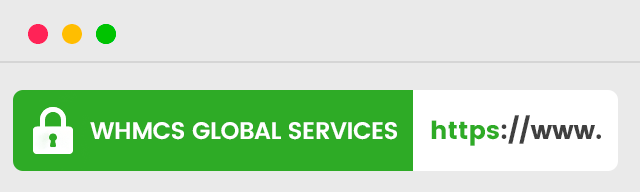
A website using an SSL certificate displays a green lock with the letters “https” in the URL.

free vs paid SSL


Does SSL Affect The Connection Speed?

On the Internet, we often find some common facts and theories that believe that using an SSL certificate on your website slows down the transmission speed.

However, that’s not true. On the contrary, the SSL certificate increases the speed of a web page with its so-called HTTP / 2. HTTP / 1.1 uses various TCP connections in order to load all the web page elements like JS files, CSS files, images, and other information. HTTP / 2, on the other hand, transmits that data in parallel on a single connection and compresses the information in binary code, while using a dedicated IP address.

Moreover, arranges the data packets in a particular order to construct a page for the transmission.


Some Reasons You Must Start Using an SSL Certificate (If Not Using It Already)

paid vs free SSL

Here are some of the most important reasons why you should start implementing an SSL certificate on your business website:

  • Soon browsers will start penalizing HTTP sites 
  • Improve website safety and trust
  • Legitimize your website
  • Prove the identity of the server
  • Avoid malware and phishing
  • Build brand’s identity
  • Prevent  Phishing Mitigation
  • Encrypt  information
  • Increase the time of your web visits
  • Prevent Man-In-The-Middle content hijacking
  • Increase sales and SERP positioning
  • Get marked as a safe website by browsers

Free vs. Fee

Having an SSL Certificate or not having it at all is no longer in dispute. If your website does not have an SSL certificate, it will be discarded by search engines automatically. For this reason, you must start using SSL protection on your website.

In the service offering, there are free as well as paid SSL Certificates. So, what are the primary differences between free and paid SSL certificates?

Let’s explore!


Free vs Paid SSL Certificate – Which One Should You Prefer?

paid vs free SSL

The following points will tell you difference between free vs paid SSL certificates and will help you determine whether it is worth paying for the security of your website or is it better to save money.

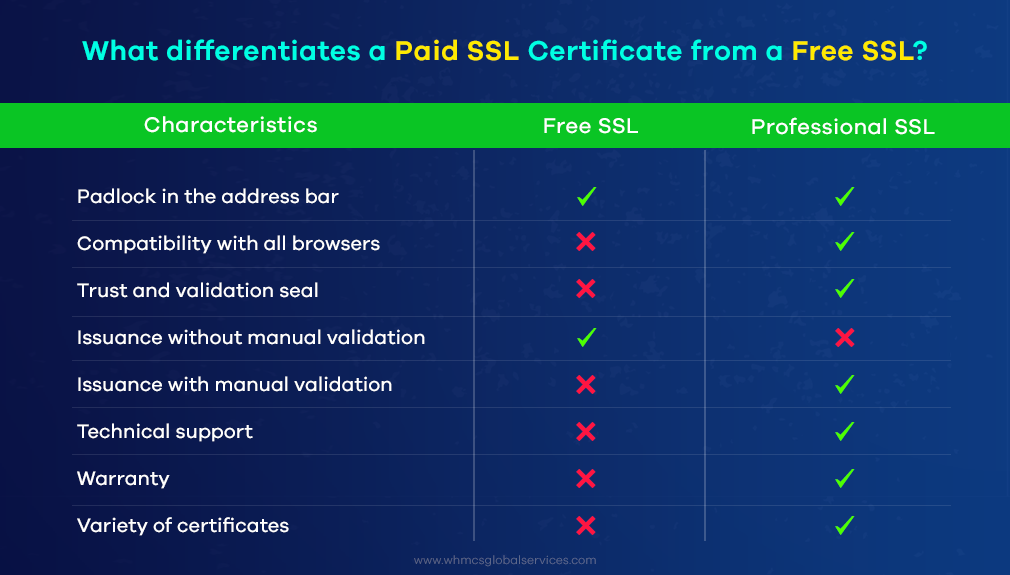
  • Money-Back Guarantee

Paid certificates offer insurance from $10,000 or more for burglary or other mishaps. While Free SSL Certificate providers do not guarantee or pay any sort of compensation after installing the certificate.

  • Website Validation

Paid SSL Certificates include through website checkup and examine entire company’s reputation and background activities. The Free SSL Certificates only verifies the domain name of a website even without checking the possibility of the company’s verification or advanced verification.

  • Monitoring

The free SSL Certificates require close monitoring as they often get expired. Moreover, one requires enough technical knowledge to install a free SSL. On the contrary, the Paid SSL certificates get updated automatically and you do not need their operations all the time.

  • Trust Factor

Most of the search engines and browsers do not trust free SSL Certificates and show a warning “Not a secure website”, which makes it difficult for users to access the website.

Features Free SSL Paid SSL
Encrypted Information No Yes
Possibility to select the type of certificate No Yes
Automatic renewal No Yes
Validity Period 30-90 Days 1-2 Years
Domain Validation Yes Yes (Company Validation, Extended Validation)
Improved SEO Ranking No Yes
Domain Ownership Yes Yes
24*7*365 Customer Support No Yes
256-Bit Encryption Yes Yes
2048-Bit Signature Key Yes Yes
PCI Compliant No Yes
Visitors Trust & Credibility No Yes
Ideal For Individual sites, blogging websites Medium or large businesses, e-Commerce sites
Price $0 Starts from $8.00/yr

So, Is It Worth Having an SSL Security Certificate?

Well, Yes.

Having a website with SSL protection is good in every aspect as it will tell Google that your website is secure and it will recommend your website to its visitors. This will improve your search engine ranking and you will have a better chance to reach your target audience. Moreover, the SSL certificate is a digital signature of your website and it encrypts all the user connections to your platform. Otherwise, all the crucial website information can be stolen easily, so it’s better to switch yourself to HTTPS protocol and make the Internet a safe place.


Special Tip For You

If you are managing a hosting website and it’s time to integrate it with WHMCS and automate all your business tasks. Moreover, you can use WHMCS SEO Manager to optimize all your website for better positioning even without using any CMS.


Conclusion

SSL Certificates are the best way to secure our websites and in the last decade, they have gained a lot of support from search engines as well. If you are thinking of getting started with a website for the long term, then you must start investing in acquiring an SSL certificate for your website. The best choice of SSL Certificate basically depends upon the website type you are handling and the sensitivity of your clients’ information. Therefore, pay attention to the importance of an SSL certificate and do not skimp on it.
Wise Solution Review: Top WHMCS Reseller Hosting Provider

Reseller Hosting Providers

Summary: This article discloses everything about how Wise solution is the Leading WHMCS Reseller Hosting Provider.

With the demand for web hosting services shooting up, more and more entrepreneurs are tilting towards the web hosting business and aiming to become reseller hosting providers. One of the easiest and popular ways to begin a web hosting business is reseller hosting. If you are or are planning to become a web hosting reseller, you must consider WHMCS. Cheap Reseller Hosting with WHMCS makes many aspects of your web hosting business a lot easier and straightforward.

Custom WHMCS Theme & Module Development Services

This article will let you obtain insights into WHMCS reseller hosting as well as its functioning. Also, you will get to know about Wisesolution, the renowned and reliable web hosting company providing the best plans at the cheapest prices for WHMCS Reseller Hosting.


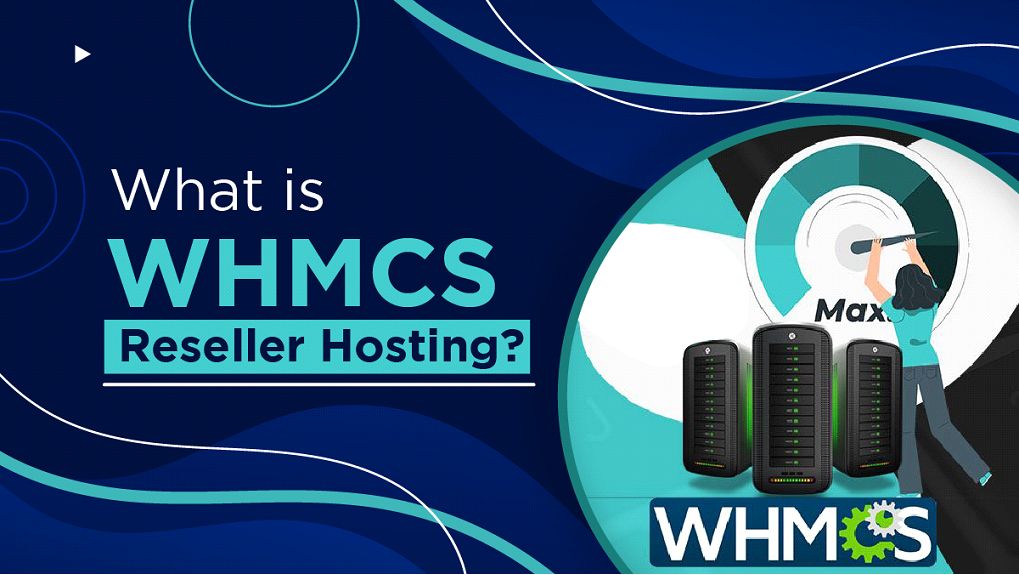
What is WHMCS Reseller Hosting?

 Reseller Hosting Providers

Reseller hosting is simply a web hosting business that allows you to resell the hosting services to your end customers. You rent out these hosting services along with the server space from a parent host. You can start your reseller hosting business without investing in any infrastructure or server maintenance. All you are required to own is a reliable internet connection and, the rest of things come under the charge of your parent web hosting company. 

Many parent hosting providers offer WHMCS with reseller hosting plans or packages. WHMCS is a short-form used for Web Hosting Management Complete Solution. It is the most effective and simplest way to supplement value to your web hosting packages at a significantly low price. With the WHMCS, you can easily stand out among your competitors in the web market while providing reseller hosting services. The Web Hosting Management Complete Solution serves as a client management automation tool that enables your customers to have your web business as a one-stop-shop. It works as a powerful business automation tool that lets you operate, administer, and manage your reseller hosting business with utmost ease and success.

Furthermore, WHMCS reseller hosting enables you to have cost-effective online billing software that is quite quick and straightforward. You can easily build and set up accounts, generate an invoice, suspend an account, terminate, or provide technical support for your users. You can control and handle all this with a few clicks when you have WHMCS with the reseller web hosting plan. 

For attaining the WHMCS and right support with the reseller hosting plans, you must seek a trustworthy and leading web hosting company. Otherwise, you will fail in the end even after putting efforts into establishing your reseller hosting free whmcs business successfully. Dive into the subsequent sections to gain knowledge about such a Web Hosting CompanyWisesolution


Wise solution: A Quick Introduction 

Wise solution web hosting company is among the industry-leading organizations in the corporate world. It is the most influential web hosting company that accommodates all the data center demands of its clients. The company is highly famous for providing the best WHMCS reseller hosting services and facilities at the cheapest costs. Along with Reseller Hosting, Wisesolution also provides VPS Hosting, Shared Hosting, Dedicated Server, and other Domain Services.

Further, the company continuously raises the standards of web hosting services and keeps them up-to-date. You get the opportunity to entirely automate your Reseller Hosting business from billing, account building, to client management, with the company’s cheapest reseller hosting with WHMCS. Thus, you acquire the high possibility to render valuable and worthwhile web hosting services to your end customers with Wisesolution’s extensive support. 


Key Features of WHMCS Reseller Hosting 

Given below are some of the essential features and benefits offered by Wisesolution with the unlimited reseller hosting with whmcs plans – 

1.Host Unlimited Websites

The company lets you acquire a cPanel control panel. With the single cPanel account, you get the authority to host as many domains as you need for your web business. The company does not restrict you from hosting unlimited websites the way you want. 

2.100% White Labeled System

 The wise solution guarantees 100% white-labeling to your cheap reseller hosting with whmcs business. With this, you can resell the web hosting services under your brand or company’s name. The name of the merchant company will be entirely hidden from your end customers. 

3. 100% SSD Storage

You get 100% Solid-State Drives (SSD) for the data storage from the company. With SSD data storage, you can obtain the faster speed and seamless performance of your web business.  

4. Free website builder

The company also provides a free website builder that enables you to create your business website without any expert programming coding and capabilities. You can easily create your website by simply employing a drag and drop option on the needed components.

Softaculous One-click installer

You will have the Softaculous one-click installer with the WHMCS reseller plan and become a reseller hosting provider. With this, you will be able to install any number of needed applications with just a click. 


Why Choose WHMCS Reseller Hosting from Wisesolution?

 Reseller Hosting Providers

Here are more reasons to choose WHMCS reseller server hosting from the Wisesolution web hosting company –

  • You get the option of choosing the data center near your location for delivering flawless performance and hosting services to your end customers. 
  • You get all the needed email account services
  • You acquire round-the-clock technical assistance through experts. 
  • You obtain the 7-day money-back guarantee from the company if you do not get satisfied with the provided WHMCS reseller hosting services. 
  • The company renders 99.90% uptime network assurance with high connectivity. 
  • The company’s best reseller hosting with WHMCS offers various measures to secure your website’s data from all the outside security threats. 
  • You get robust support with enterprise-grade hardware based on the resilient and latest technology. 

Final Words

Becoming a WHMCS reseller hosting provider is a business that you can begin with the least investment and attain the maximum profit. You can treat the best reseller hosting provider with whmcs as your side business or include it in your existing web business. In either way, you get the possibility to earn considerable revenue for yourself. Moreover, you can communicate with the Wisesolution professionals via 24/7 customer support service to resolve any query you have in your mind or obtain further detailed information. Also, you can browse the company’s official website to know more about the WHMCS reseller Web Hosting Plans and Packages

WHMCS Version 8.3.2 Rolled Out

WHMCS V8.3.2

Say hello to WHMCS V8.3.2! 

If you are using WHMCS 8.3.1, the wait for the next version is over. WHMCS has released its recent WHMCS V8.3.2. In a recent announcement by WHMCS, it has notified the customers about its new version launch. 

The new version revolves around bug fixes regarding the Affiliate System in 8.3.1. Users having version 8.3.1 installed on their systems have been facing a bug while using the Affiliate system with the commission delay feature. When updating to 8.3.1, the bug removes pending affiliate commission records. However, the error is not persistent and occurs only once. 

You can read more here:  https://docs.whmcs.com/Restoration_Of_Pending_Affiliate_Commissions 


Also Read: Ransomware Attacks Have Become A Great Danger To Web Hosting Firms


So, what improvements can you expect in WHMCS 8.3.2? On updating from version 8.3.1 to 8.3.2, the system will restore all the eliminated data. You don’t need to take any further action, in most cases. A notification banner in the Admin Area will notify you about successful data restoration. 

Apart from this, you can continue to use the parent features of 8.3, including  Automatic WordPress Provisioning, improved client profile summary, Stripe, and PayPal dispute management, DNS validation for SSL, and friendly URLS for Products. 


How To Get The WHMCS V8.3.2?

You can update automatically using the Automatic Updater, which you can find under the Utility option. You can also update manually if you wish to. Visit the Download Page to download both full and incremental versions. 

About WHMCS 

WHMCS or Web Host Manager Complete Solution is the market leader in online billing and automation for web hosts and domain registrars. The company offers a centralized platform enabling web hosting providers to set up the server, automate operations, improve customer support, reduce costs, and more. It makes their everyday tasks easier, quicker, and more efficient. The company is also known for the extensive support it offers to the hosting providers. 

What is Blesta? Complete Beginners Guide!

What is Blesta

Summary: This article discloses everything about Blesta and How can Blesta make your billing easier? without having any technical expertise.

Any established web host needs a sound billing system for smooth operations. Commercial billing software is particularly helpful for developers of open source. Billing software usually allows a web host to integrate control panels, registrations, and other licenses. It also helps a web host to create a repository of data for solving queries later. 

Each software has its pros and cons and differs in terms of its features. Some might be more user-friendly, and some might be better suited for more established companies. Choosing the right billing software completely depends on the requirements and budget of the web hosting company. This article talks about one such software, Blesta, which is a renowned and reliable billing system for several web hosts.

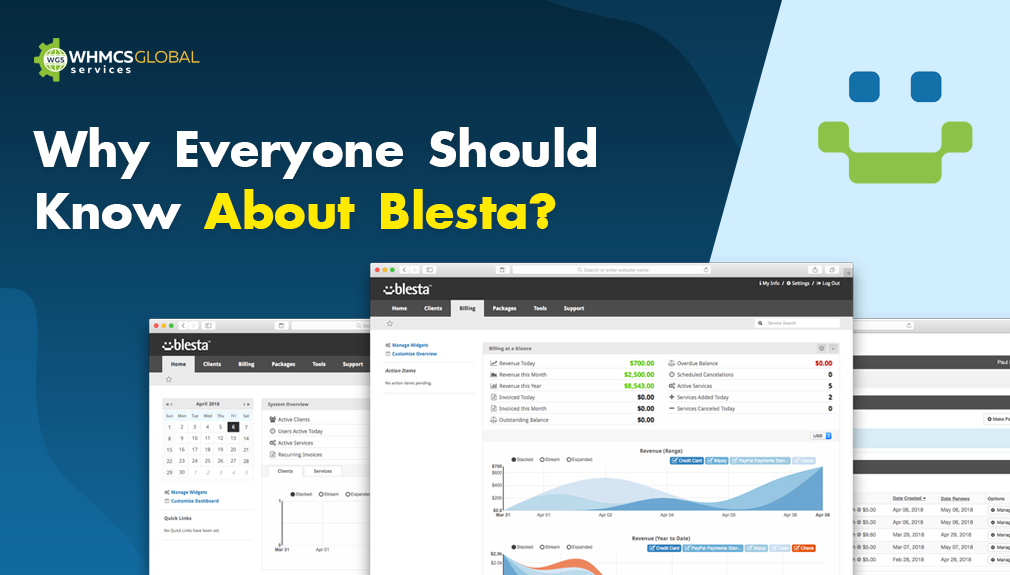
What is Blesta?

Headquartered in Los Angeles and founded in 2007, Blesta is a popular billing platform for web hosting companies. It is a well-written, open, and developer-friendly website. It is often the first choice for web hosting companies. It has been around for quite a while and has got a lot of good features and advantages. It is a great software for reseller web hosts. The cheapest license at $5.15 a month and goes up to $10.35 a month. It handles a client’s billing, integrations and manages users for the web hosts. It is an easy way to automate and scale a web hosting business. 


How can you install Blesta?

How to install blesta

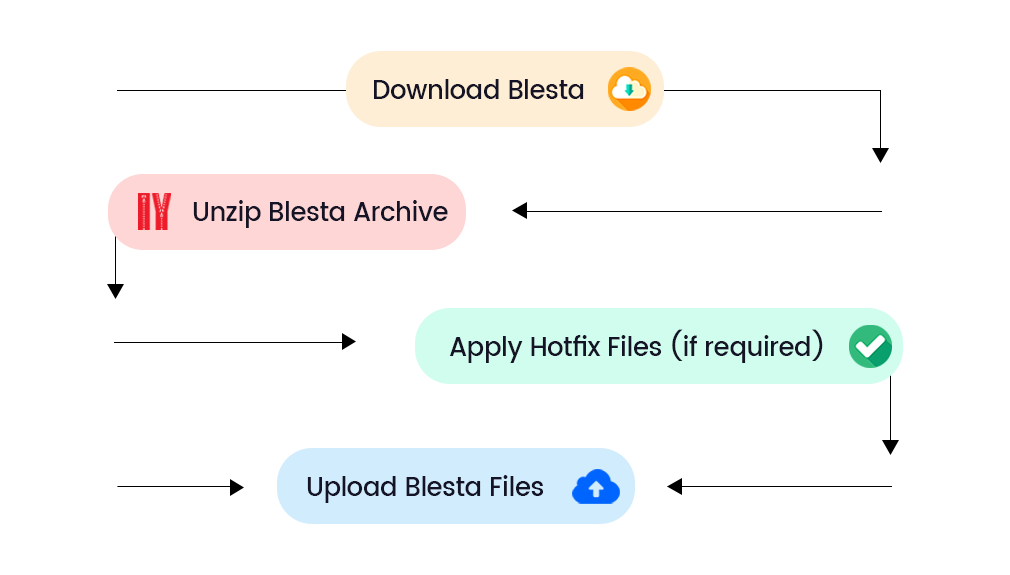
A big advantage of Blesta is that it is easily accessible and manageable. Here are the steps one needs to follow to install Blesta:

Download Blesta:

The first step to use Blesta is obviously to download it. It is best if the latest version of Blesta is downloaded. This has the most upgraded features available for the user. It can be downloaded from the Blest website easily.

Upload and extract Blesta file using the control panel: 

Using the control panel file manager, the file can be uploaded from the computer. Once this is uploaded, the uploaded  file has to be extracted


Licenses at Blesta

There are different options available for Blesta users, in terms of owning licenses. One can either own a license or can renew licenses monthly.

1. Owned unbranded and branded: 

To own a license, a user can either pay for an owned branded or an owned unbranded. The owned branded license does not allow a user to remove the “Powered by Blesta” branding, while an owned unbranded license allows a user to do so. The unbranded license costs $250 one time, and the branded license costs $300 one time. Both of these have to be renewed at $39 annually.

2. Owned lifetime: 

An owned lifetime license costs $750 one time and needs no annual renewal. It offers a lifetime of support and updates. A user can also remove the “powers by Blesta” branding if needed.

3. Monthly branded and unbranded

A user can also opt for a monthly renewal package of unbranded and branded licenses. While the branded license costs $12.95 a month, the unbranded one costs $14.95 a month.

These are the different license options available at Blesta. There is regular support, upgrades, and add-ons available for all clients with licenses


Payment at Blesta

Blesta offers its clients both merchant as well as non-merchant payment gateways. While non-merchant gateways take the user to an external website, merchant gateways allow the user to stay on the same website.

1. Prorata Billing

Users get a chance to configure services and renew their licenses every month on a specific day.

2. Multi-currency

There are multiple currency options that users can pay at Blesta. This increases client base and makes it easy for its clients too.

3. A wide array of payment gateways

There are over 35 non-merchant and merchant payment gateways available for the convenience of customers. This means there is no necessity for a merchant bank account.

4. Taxes

There are two levels of tax inclusion and exclusion, and tax exemption available for customers of Blesta. 

Blesta is very professional and efficient with the payments it receives from clients. Since the software is automated, there is an immediate suspension in case of non-payment too.


Benefits of Blesta

Benefits of Blesta

Billing software is a bridge between a web hosting company and its users. Hence, it is very critical that the software runs and works well for maximum satisfaction and efficiency. It has sensitive information and data that has to be kept confidential. Here are some advantages of using Blesta

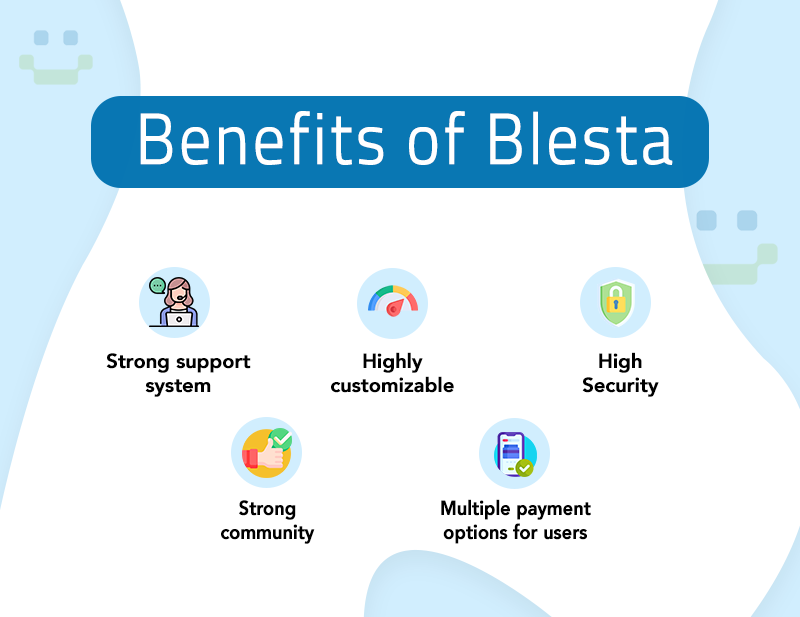
1. Multiple payment options for users

It is crucial that an online business has multiple methods of payments available for the convenience of its clients. Blesta offers a wide array of more than 35  payment gateways, both merchant as well as non-merchant. Merchant gateways like StripeWay, Sage, and eWay require a merchant bank account. On the other hand, non-merchant gateways like PayUmoney, CCAvenue, and BitPay do not require a merchant bank account. Payments are also possible in different currencies at Blesta. 

2. Strong support system

There is a good deal of support for users of Blesta. A client support system that allows easy access to customer service is of utmost importance. An in-built chat system that is available round-the-clock is a plus. It increases the overall satisfaction of customers. The support system helps clients with everything starting from onboarding to termination. 

3. Highly customizable

For any web host, it is very important to have customizable software. This not only enhances the user experience, but also helps build efficient systems since the user is only using the features they need. There are several features like reports and project support which a web host can customize on their dashboard on Blesta. 

4. High Security

Blesta takes clients’ security seriously and makes it a point to not leak usernames. With a two-factor authentication for staff and clients, and blocking brute force logins, its security is highly maintained and updated from time to time.

5. Strong community

Blesta allows clients to access a blog, which has articles written by industry experts and experienced users. This is a great way to connect the community of web hosts as well as update everyone on the latest news and happenings. They also allow web hosts to post and answer queries on a community forum and regularly post on social media platforms as well.

With these advantages, Blesta has been able to successfully attract a large number of web hosting companies as its clients. Apart from these pros, Blest also offers a 30-day money-back guarantee on its licenses. To make it easier, you can hire companies that offer custom development Blesta solutions after understanding your project needs. 


FAQs

Q. Is Blesta free?
A. Blesta licenses are free for all reseller hosting packages. After you order your license and obtain the key, you can install Blesta on your account.

Q. How to link Blesta to Paypal?
A. After creating a package in Blesta, a user can set up a PayPal standard module with a username and password, and create a recurring invoice. The blog has detailed information with specific queries answered on this topic too.

Q. What is reseller hosting?
A. Reseller hosting is a kind of web hosting where you get a bulk amount of hosting space and then sell it to clients or website owners. It is a great recommendation for those who want a passive recurring side income. Each website gets its own panel and shares the disk space. It is a low-cost option for the web hosting company. 


Conclusion

Businesses are now seeing high possibilities of expanding online, which has led to a boom in the web hosting industry. As the industry is growing, web hosts have more clients to serve. As they deal with more clients, they need more sophisticated mechanisms to generate bills and invoices. Billing systems like Blesta and WHMCS take care of this and ensure smooth working for web hosts, and ultimately for the websites as well. Blesta is a highly secure and trustworthy software, known for its great pricing and strong support system. Moreover, it also allows web hosts to build a strong community and discuss the different loopholes in the process. The different payment options and licenses offered by Blesta are particularly appreciated by all users.

Ransomware Attacks Have Become A Great Danger To Web Hosting Firms

Ransomware Attack Downs Hosting Service

You might have heard about the RANSOMWARE fuss on some occasions. Ransomware attacks may be the case where you have got a pop up on your computer screen about the warning of a ransomware infection.


Custom WHMCS Solutions


RANSOMWARE: What’s That?

Ransom malware, or say Ransomware is a kind of malware that gets into the user’s computers and stops them to access their system. This, in turn, demands the ransom payment to regain access.

The first Ransomware was developed in the late 1980s and is known as the PC Cyborg or AIDS. It would encrypt all the files in all DIRECTORIES after around 90 reboots and ask the users to renew their license by giving $ 189 via mail to PC Cyborg Corp. The encryption used was simple enough to reverse and it posed a little fear upon those who were before computer savvy.

But, But…

Till 2004, a true server ransomware threat didn’t arrive on the scene yet. At this time, GpCode used weak RSA encryption to hold the personal files for ransom.

After this in 2007, WinLock signaled the growth of a new type of ransomware and it shut people out of their desktops instead of encrypting the files. WinLock took all over the victim’s screen and displayed the litter images and demanded the payment via paid SMS to remove those images.

In 2012, there came a new form of Ransomware i.e. law enforcement ransomware. Now, in 2017, CryptoLocker re-open the world to encrypting ransomware. This was far more dangerous. Here, the CryptoLocker used military-grade encryption and stored the key required to unlock files on the remote server.

So, it became all the way impossible for the users to get the data back without paying the ransom. Therefore, this type of encrypting ransomware still has a presence today as it is an amazingly validated efficient tool for cybercriminals to make the maximum money.

Several Web Hosting Companies Get Affected By Ransomware Attacks

Let us take an example of a South Korean web hosting company:
It was infected by the Erebus ransomware attack in 2017. This affects more than thousands of South Korean websites and Linux servers. The company reported  153 of its Linux servers were infected with Erebus which, in turn, infect 3400 websites on the web hosting company’s servers. It was discovered that this Erebus ransomware uses a User Account Control (UAC) bypass method to run at higher privileges without even alerting the user.

The company got that much affected so that in the end, they have to negotiate with the hackers. But, there was no way left to decrypt the Erebus encrypted files for free.

From the following message, you can know how these people blackmail the users having their business online.

My boss told me that if you buy several machines, I'll give you a good price 550 BTC
If you do not have enough money, you need to make a loan.
You have 40+ employees in your company and every employees’s have a annual salary of $30,000, So if you caluclate it 

all employees 30,000 * 40 = $ 1,200,000
all server 550BTC = $ 1,620,000

If you can’t pay that, you should go bankrupt.
After that you have to face your childs, wife, customers and employees.
Also, you will lose your reputation in front of all and business.
You will get many more lawsuits.

This is how the cybercriminals blackmailed in the case of the Erebus ransomware attack on a South Korean web hosting company.


Impacts of a Ransomware Attacks on Web Hosting Firms

  1. Server Ransomware attacks can have extending effects on the performance of the companies
  2. It does not only lead to data loss but has far wider-reaching effects on the performance as well as the revenue of the company.
  3. The companies may lose access to data for days, weeks, or months.
  4. As long as the attack may encounter, it produces various devastating effects on the business. Majorly, the revenue loss, the loss of production due to no access to the data, the loss of reputation in the market automatically drives your company to a modest level.
  5. Apart from the ransom that the cyber attackers have been paid, the victim company also suffers the major revenue downfall due to the restricted system access.

Staggering Facts of Ransomware Attacks

There are a lot of cybersecurity professionals who got surveyed by big brands and do not even know that their organization is already groomed to confront a ransomware attack. Just in 14 seconds, every new organization would fall victim to ransomware in this current year and it will occur every 11 seconds by 2021.

Every month around 1.5 million new phishing sites are being created and this attack is spreading like a fire in the past two years. Around 34 percent of businesses got hit with the malware and it took more than weeks to regain access to their entire data.

ransomeware attacks com parision by countries

Countries with maximum cybersecurity threats
Source: Team Cymru


What To Do When Infected With a Ransomware Attacks?

If you find yourself infected with ransomware then never pay the ransom. This would be the very first rule. This input is endorsed by the FBI. The reason behind not paying the ransom is not encouraging cybercriminals to launch additional attacks against anyone. Other than this, you will be able to retrieve some encrypted files with the help of free decryptors.

You need to mind the fact that not all ransomware families had decryptors in specialized cases where ransomware is utilizing advanced and sophisticated encrypting algorithms. Even if there is a decryptor for some ransomware, we cannot be sure that either it’s the right version of the malware.

It would be more harmful to encrypt the file with the help of the wrong decryption script. Therefore, we should always take care of the ransom message itself or it is better if we ask the security/IT specialist advice before trying anything on our own.

Some other ways to resolve the ransomware infection include downloading the security product which is known for remediation and running a scan to remove the threat. In this case, you may not get all the files back but the infection will certainly get cleaned up.


For the screen-locking ransomware, you can restore the full system. If it doesn’t work out, you can run a scan from a bootable CD or USB drive.


So, if you want to prevent an encrypting ransomware infection in an action, then you need to be a keen watcher. And, if in case you notice that your system is getting slow, then you can shut it down and disconnect the internet. If once you boot up, the malware would be still active, this will still not be able to send or receive the instructions from the control server. Therefore, this time, you need to install the security product and run a proper full scan.


Preventive Measures Against Ransomware Attacks

As we all know, Prevention is better than cure so as in the case of a Ransomware attack. We need to set up our mindset like this that we have to stop this Ransomware attack even before we listen to rumors and use Paid SSL over Free SSL due to security reasons.

In fact, the ways to stop being infected from Ransomware attack are mentioned below that requires a lot more technical skills. So, this is recommendable in case of avoiding the fallout from the ransomware attacks.

Step 1

The first step in ransomware prevention is to invest in awesome cybersecurity. Cybersecurity is a program with real-time protection and is well-designed to prevent advanced malware attacks like Ransomware. You must also look out for the features which will both safeguard the vulnerable programs from threats and block Ransomware from holding the files hostage.

Step 2

Next is, to create secure backups of your data regularly. It would be better if you use cloud storage that indulges high-level encryption as well as multiple-factor authentication. Though, you can have USBs or the external hard drive where you would be saving new or updated files but make sure you physically disconnect the devices from your computer after having a backup. If you don’t do this, it can also become infected with ransomware.

Step 3

Eventually, you need to stay certain of the fact that all your systems and software are updated. If we talk about the WannaCry ransomware outbreak, it took advantage of a vulnerability in Microsoft software. The company had released a patch for the security loophole in March 2017. Many folks didn’t install the update and that left them open to attack. Everyone knows that it is utmost difficult to be at the top in the list of ever-growing updates from the growing list of software and applications which is used in our daily life. That’s why it is suggested to change the settings to enable automatic updating.

Last but not least is to stay informed. One of the most adopted ways with which computers are getting infected with Ransomware is with social engineering. You must also educate yourself on detecting malspam, suspicious websites as well as other scams. Next, is to give it a try when you suspect something.


Security Checks Against Ransomware Attacks

  1. Make sure that you keep your local system free from viruses and malware.
  2. You must use a certain OS in your system.
  3. You should use anti-virus, firewall as well as anti-malware tools to protect your system.
  4. You must use tough passwords such as, including capital, small letter, numerical as well as special characters.
  5. You need to keep changing the passwords for mail.
  6. You need to secure your network and IT environment.
  7. You need to make sure that your website and web hosting are free of malware as well as security vulnerabilities. If you are using third-party scripts as well as codes on your site, then it would mean running the latest secure version.
  8. Also, it is vital for you to maintain your website, email, database backup in multiple locations preferably in external devices such as a USB hard disk and you need to keep it safe.
  9. You can also use income mails spam filtering practices.
  10. You can also make the system administrators as well as email administrators knowledgeable.

What is more important for web hosting resellers is internet security. Be the smart web hosting provider so that people choose you over other web hosting providers and get them the best advice at an accurate time.

In fact, recently, the cloud computing provider iNSYNQ experienced an attack by ransomware which made the company shut down their servers and gift them the malware infection which spread like a virus.

iNSYNQ is the most accredited Microsoft, Intuit, and Sage host that avails the customers with cloud-based virtual desktops and is also designed to host business applications like QuickBooks, Sage, Act, and Office. So, the attack has happened on 7/16/19 and is inflicted by unknown malicious attackers. This attack impacted the entire files which were referred to certain iNSYNQ clients and delivers the data inaccessible.

So, as soon as iNSYNQ discovered the attack, they took steps to recover it. This includes turning off servers in the iNSYNQ environment. These efforts were drawn to protect the client’s data and backups. At the time, this cloud hosting firm hired cybersecurity experts to restore access to the affected data of the customer and all the clients’ virtual desktops with major traction.

Their entire team was working diligently to curb and restore access to the impacted data.

But, at last, the company believes that the customer data would be recovered and restored but it would be time-consuming until the entire backups are checked so that they can be sure that the malware wouldn’t affect in any way.

WGS follows the approach that would minimize security risks. We have a security platform that processes multiple levels of security. It ensures unparalleled security for the entire service.


Our Ransomware Attacks Prevention Measures

1. Datacenter Security

In our thorough process, security and stability are the most vital variables in the process. We have our data centers equipped with surveillance cameras, biometric locks, policies of authorization, limited access to data centers, security personnel as well as various processes and operations.

2. Network Security

We have our global infrastructure deployments that organize the DDoS mitigators, Intrusion Detection Systems(IDS), and firewalls at both the edge and rack level. We can tackle the frequent hacking as well as DDoS attempts and which would be without any degradation.

i) Protecting against Distributed Denial of Service attacks (DDoS)

CloudFlare_DDOS_illustration

Denial of service comes under the top source of financial loss because of cybercrime. The main goal of the Denial of service attack is to rattle the company’s business activities by ceasing the website’s operation, email or web applications. They achieve this by attacking the servers or network that host these services and overloading the key resources like bandwidth, CPU as well as memory. The motives basically behind these attacks are fraud, bragging for the rights, political statements as well as worst damaging competition, etc. Any organization that virtually connects to the internet is liable to these attacks.

So, the business impact of uninterrupted DoS attacks is enormous and it would lead to closer to no profits, dissatisfied customers, productivity loss, etc and that is due to the unavailability or service degradation. The DoS attack is that much powerful that it would even land you with the huge bandwidth coverage invoice which you have ever seen.


We have a distributed denial-of-service protection system that provides incomparable protection against DoS and DDoS attacks on the internet-faced infrastructures that indulge your websites, email as well as mission-critical applications while using refined state-of-the-art technology that triggers itself whenever the attack is launched. What does the mitigator’s filtering system do is block all the fake traffic and provides that the consistent traffic is permitted to the largest extent possible?

These systems have protected various websites from the wide disruption caused by concurrent attacks as large as 300+ Mbps earlier. Therefore, it allows organizations to focus on the business.


ii) Firewall Protection

different-types-of-firewalls-2

We do have a relentless firewall protection system that secures the perimeter and carries a fine line of the protection system. It uses profoundly flexible as well as progressive inspection technology to protect the data, website, email as well as web applications by blocking unauthorized network access. It ensures controlled connectivity between the servers that will store your data as well as the internet via the imposition of the security policies which are devised by the subject matter experts.


iii) Network Intrusion Detection System

network-intrusion

We have the network intrusion detection, prevention as well as vulnerability management system that provides fast, rigorous as well as extensive protection against targeted attacks, traffic inconsistency, unknown worms, spyware/adware, network viruses, rogue applications, and other zero-day exploits. It also uses modernized high-performance network processors which carry out so many checks on every packet flow together with no apparent increase in the inactivity.

Moreover, as the packets pass through our systems, they are fully checked to determine whether they are reasonable or harmful. Therefore, this method of spontaneous protection is the most compelling mechanism of assuring that the dangerous attacks do not stretch to their targets.


3. Host Security

i) Hardware Standardization

We have graded on hardware vendors that consist of the record of high-security vendors as well as quality support. Therefore, most of the infrastructure, as well as datacenter partners, uses the equipment from Cisco, Juniper, HP as well as Dell, etc.

ii) Host-Based Intrusion Detection System

With the arrival of tools that are capable of bypass port blocking perimeter defense systems like firewalls, it has now become vital for businesses to deploy Host-based Intrusion Detection systems. This focuses on monitoring and analyzing the computing systems internals. We have our host-based intrusion detection system that helps in detecting as well as pinpointing the alterations to the system as well as configuration files.

It can be done either by accident, from malicious tampering, or the external intrusion with the usage of heuristic scanners, host log information as well as by monitoring system activity. In fact, the fast discovery of changes decreases the damage risks and also lessens the troubleshooting and recovery times. Therefore, it further decreases the overall impact and creates improvisations in the system and security availability.


4. Software Security

We have applications that run on myriad systems with myriad server software. Our operating system consists of several flavors of Linux, BSD, and Windows. Our server software includes the versions and flavors of Apache, Resin, IIS, Tomcat, Postgres, MySQL, MSSQL, Qmail, Sendmail, Proftpd, etc. We ensure security despite the diverse portfolio of software products that we utilize by following the process-oriented approach. We ensure security despite the process-oriented approach being followed by us for the software products.

i) Timely application of updates, bug fixes as well as security patches

The entire servers are registered for the automatic updates to assure that they consist of the latest security patch installed and the new vulnerabilities are amended asap. Various intrusion results from the exploitation of the well-known vulnerabilities, configuration errors, or virus attacks where countermeasures are available already. Therefore, various systems and networks are impacted by the systems as they haven’t consistently expanded the patches that were released.

Moreover, we do understand your requirements for the strong patch as well as update management processes. Like the operating system and server software gets more complex, every newer release is cluttered with security holes. Most of the information and updates for the new security threats get released daily. We have built up consistent, repeatable processes along with reliable auditing and reporting framework that also makes sure that the system remains up-to-date.

ii) Periodic Security Scans

You would deal with the frequent checks that run with the help of enterprise-grade security software to determine whether any server has any known vulnerabilities. The servers are also scanned against the all-inclusive and up-to-date databases of the known vulnerabilities. Therefore, in this way, we can protect our servers from attacks and ensures business continuity by identifying the security holes or vulnerabilities before the occurrence of an attack.

iii) Pre-upgrade Testing Processes

Generally, software vendors release software upgrades frequently. While every vendor follows their testing procedures before any release of the upgrade. They cannot test the interoperability issues between software. For example, a new release of a database is tested by the Database vendor. However, the impact of expanding this release on the production system running several other FTP, Mail, or web server software cannot be determined directly. Our system administration team cites the detailed analysis of several software upgrades and if one of them is recognized to have a high risk, then it is known to be first beta-tested in our labs before live formation.

5. Application Security

All the application software which is used in the platform is built by us. Basically, we do not outsource development. Any of the third-party products or the components go through this all-inclusive training as well as testing procedures where all the project elements are broken down and the knowledge about their architecture as well as implementation is shifted to the team. It can let us completely control the variables which are involved in any specific product. The entire applications are engineered using a proprietary product engineering process that follows the ardent approach towards security. Every application is broken down into several components such as user interface, core API, backend database, etc.

Every layer of abstraction has its own security checks, that are performed by a higher abstraction layer. All the sensitive data is stored in an encrypted format. We do engineering and development practices that ensure a high level of security in regard to all the application software and it is recommended to use Dedicated IP to access every single piece of information.

6. Personnel Security

As we all know that the weakest link in the security chain is the people you have trust in. It can be anyone from your personnel, development staff, or vendors. We follow the holistic security approach that minimizes the security risk brought by the “Human Factor”. The information gets uncovered on a “need-to-know” basis. The authorization gets expires when the requirements get out of date. Most importantly, the personnel is coached in the security measures. Each employee which has administrator privileges to any server goes through a detailed background check. The companies which skip this process, are putting to risk all the sensitive as well as important data in regards to their customers and there would be no matter how much money is invested into these high-end security solutions. So, having the right amount of access can create more damage than any other external attack.

7. Security Audit Processes:

Audit processes are needed to ensure the replication of the process as well as discipline. You will come across many questions related to servers, backups, offsite backups, accurate reference checks, timely alerts by security equipment that indulges investigations, surveys, ethical hacking attempts as well as many interviews. Our audit mechanisms make us alert to a crimp in our security process before some other users discover it.

Get in touch with our services if you are looking for a 24*7 server management team who can dedicatedly secure your server. We are specialized in outsourced web hosting support, outsourced server support along overall security services.https://whmcsglobalservices.com/members/submitticket.php?step=2&deptid=5 We have been managing, monitoring, and providing solutions to the number of servers with 100+ active customers globally.

How to Install Blesta — A Complete Step-by-Step Guide

how to install blesta

Summary: This article discloses everything about Reseller Hosting and how to install Blesta in a few simple steps without having any technical expertise.

Table of Content

As the Internet continues to grow and so many businesses begin to see the benefits of connecting with each other, the web hosting industry is only getting larger and more profitable.

What’s more, in the industry offers several opportunities for anyone to get in on the action by launching their own web hosting site.

Well, that’s complicated?

Not with reseller marketing. In fact, it is one of the simplest ways to get started with a reseller hosting business on a limited budget.


Custom WHMCS Theme & Module Development Services


What is Reseller Hosting?

The Reseller Hosting is a web hosting service designed for the marketers who, in turn, will resell the hosting service to third parties and offer the possibility of creating sub-plans or hosting plans within the reseller account.

Today the growth rate of selling products online through reseller marketing is way more than selling created products directly. That’s why it’s the perfect timing to get started with a reselling business. The reseller business is affordable, simple, and one of the best options if you are thinking of getting started with something of your own.

Later, you can expand your business to sell more hosting-related services as well even without paying any additional shipping costs.

Since we are talking about Reseller Hosting, so it’s important to identify its growth in recent years, especially in 2020:

“According to a recent study done by Market Research Future, the web hosting market has grown almost double in the last three years. By the year 2022, the hosting market will be $154 billion (USD) industry.”

Well, the future of the web hosting industry seems promising, so why not start your own reseller hosting business. However, before you go further, you have to get through the main challenge to start a hosting business; choosing a reseller hosting platform.

Though there are multiple reseller hosting platforms available, finalizing one that will cover all your business requirements is always a complex task.

If you are already filled with questions including, “What is Blesta?”, “Why is Blesta the right choice for your business?” etc.

We got you covered!

First things first, let’s introduce you to Blesta.


What is Blesta?

Blesta is a well-written, open-source, and developer-friendly platform used to manage clients, billing, and reseller hosting. In addition, it also works as a support software for multiple web hosting service providers, and recurring industries. Besides, it is the complete solution for:

  • Multi-Currency Billing
  • Client Management
  • Automated Billing and Provisioning
  • Integrated Support

The Open Source Code availability of Blesta to modify the code is something that makes it popular among all the web hosting providers all around the world. Besides, it has a wide range of supporting extensions and developer support due to which we recommend you choose Bletsa to automate your hosting business.


Why Should I Choose Blesta as a Reseller Platform?

Blesta offers some unique and helpful features to manage the hosting business. Some of the most loved features by Blesta are as follows:

  • Easy Client Management

The Blesta allows you to customize your client profile pages to the best and displays an understandable overview of tasks with quick access.

  • Automate Billing Cycle

Often managing web hosting business invoices, payments, suspensions, and provisioning feels complex to manage. However, Blesta makes it all easy.

  • 24*7 Technical Support

Blesta makes support management easy as your clients can open tickets within the client area or via email and you can assist them easily through the original contact mode as well as a knowledge base.

  • Secure Your Website

Blesta is all you can ask for the security of your hosting website. Till the time, it has the best track record for the website’s security and billing applications.

  • Best For Mobile Optimization

Blesta is designed in such a way that it works the best for mobile devices and makes websites easily accessible on almost all devices.


Is Blesta Really a Good Choice?

Blesta is undoubtedly the best reseller hosting and website management platform. It is well documented with less than 1% of files encoded. So, you can mold it just the way you want as the source code access is in your hands.

Now that Blesta is the overall best web hosting management platform, you must know how to download and install it.

So, let’s start the procedure.

Tip: In case you want to avoid lengthy manual steps to install Bletsa or having any sort of difficulty installing or customizing it, then let us assist you with our Custom Blesta Development Services.


How to Install Blesta?

Here are the simple steps to download and install Blesta for your web hosting business automation:

Step 1. Download Blesta

Go to https://account.blesta.com/client/plugin/download_manager/client_main/ and hit the Download button.

Step 2. Unzip Blesta Archive

Now, unzip the downloaded archive and Extract All the files. In case if the zip is downloaded on your Linux server, then unzip it:

unzip blesta-vx.x.x.zip

Now, apply the Hotfix Files (in case if necessary)

Step 3. Apply Hotfix Files (if required)

The Blesta files are now installed in your /blesta directory. These files must be used by default. In addition, overwrite some of the files using a set from the hotfix directory.

The hotfix directory files need to be applied if you are running an older version of the ionCube loader, an old version of PHP. This will help you determine the hotfix directory to overwrite your Blesta files using the old installation.

After this, a message will be displayed suggesting hotfix necessity. If your hotfix is essential, then the ionCube loader must be older than v10.1.0:

Case 1. If ionCube version is >= 10.1.0 – hotfix not required

Case 2. If ionCube version is < 10.1.0 – hotfix must be applied

If a hotfix requires to be applied, the right hotfix version of PHP is here:

PHP version >= 7.1.0 – use /hotfix-php71/blesta/ 

PHP version >= 5.6.0 and < 7.1.0 – use /hotfix-php7/blesta/

PHP version >= 5.4.0 and < 5.6.0 – use /hotfix-php54/blesta/

You can apply the hotfix just by overwriting the data of the /blesta/ directory with the hotfix directory content (e.g. /hotfix-php71/blesta/)

Step 4. Upload Blesta Files

Now, upload the /blesta directory content to your server from where you will access Blesta and make sure you have created a database to install the Blesta. After this, you need to appoint a host (usually it’s localhost), database name, user, and user password to continue the installation.

The Blesta can be installed using two methods; first web browser, second command line.

Web Installation

Follow the steps given below to install Blesta using a web browser:

  • Navigate to the location where you have installed the Blesta or simple go to https://yourdomain.com/path_to_blesta/
  • Now, follow all the screen instructions to finish the installation
  • Once done with the installation, create an administrator user and enter a license key to get started with a free trial.
  • Implement the following script to install Blesta automatically through the URL:

Web Installer CURL Script

<?php

#

# This makes a POST request to the Blesta installer

#


$post = [

    'agree' => 'yes',

    'host' => 'localhost',

    'port' => '3306',

    'database' => 'blesta',

    'user' => 'user',

    'password' => 'password',

];


$ch = curl_init();


curl_setopt($ch, CURLOPT_URL, 'myblestadomain.com/install/process');

curl_setopt($ch, CURLOPT_POST, true);

curl_setopt($ch, CURLOPT_POSTFIELDS, http_build_query($post));

curl_setopt($ch, CURLOPT_RETURNTRANSFER, true);


$response = curl_exec($ch);

$errors = curl_error($ch);

curl_close($ch);


echo "RESPONSE: ";

print_r($response);


echo "ERRORS: ";

var_dump($errors);


In case if you are not using Apache as a web server or missing mod_rewrite, the URL will be prepended along with index.php. For example; myblestadomain.com/index.php/install/process

Command-Line Installation

Here is how to install Blesta using the Command Line:

  • Within the shell, navigate to the directory where you have uploaded the Blesta
  • The CLI installer will now run in an interactive or non-interactive mode through the passing parameters.

Case 1. If going through interactive mode run:

php ./index.php install


Note: If the Blesta is not installed on your web server, then keep in mind that the “Root Web Directory” settings will be wrong until you will install Blesta in your current working directory to set  Root Web Directory.

Use This Command to Install from the web server’s document root:

cd /to/your/web/server/document/root/php ./path/to/blesta/index.php install


Case 2. If using Automatic Run Mode

php ./index.php install -dbhost DATABASE_HOST -dbname DATABASE_NAME -dbuser DATABASE_USER -dbpass DATABASE_PASS -hostname WEBSITE_HOSTNAME -docroot DOCUMENT_ROOT_PATH
 
 
Parameter Description
hostname The website’s hostname
docroot The exact location of web server’s document root. For example; /var/www/html/)
dbuser The database user
dbpass The database password
dbname The database name
dbhost The database hostname
dbpass The database password

Once done with the installation, go to https://yourdomain.com/path_to_blesta/admin/ and create your admin user and enter your license key.

After this, you will be logged in automatically for the first time and you can enable Two-Factor Authentication.

Step 5. Set up a Cron Job

  • After installation, a cron job requires to be created to automate all the tasks within Blesta.
  • For this, go to Settings >> System >> Automation
  • Here copy the “Cron Command”, to use in creating a cron job within your server

Step 6. System Configuration

Once done with the installation, you need to do the following basic system settings:

index.php in URLs

Blesta does not include index.php in any of its URL requests by default but, you can go with .htaccess mod_rewrite rules.

In case if your server does not support not support mod_rewrite, your Blesta requires to include index.php to all the URLs.

Note: You can force Bletsa to include index.php in all the URLs just by renaming or deleting the .htaccess file within your root web directory.

Change Path to Admin Area routes.php

Configure::set("Route.admin", "staff");


Change the path to the Client area

By default, the path of the client area starts with /client and you can change this by locating routes.php within /installpath/config/routes.php.

Here modify the value of “Route.client” configuration and change the path of client area to /customers/ and set it to the following:

routes.php

Configure::set(“Route.client”, “customers”);

Force HTTPS

If your server supports mod_rewrite, you can enable HTTPS redirects by uncommenting the following lines (remove the ‘#’ symbols) from the .htaccess file included with Blesta.

#RewriteCond %{HTTPS} !=on

#RewriteRule ^ https://%{HTTP_HOST}%{REQUEST_URI} [R=307,NE,L]
 

…And you are done with the Blesta installation. How to install Blesta issue fixed!


Winding Things Up!

Now, you know well that Blesta is an all-in-one automation platform for web hosting businesses and all the hosting business administrators must use it to ease up complex tasks. Here we have disclosed everything about Blesta along with steps to install it. It is recommended to follow each and every step carefully to avoid further security and configuration issues. In addition, take the advantage of all the features of this web hosting automation platform.


Frequently Asked Questions

Q. What is Blesta?

A. Blesta is a well-written, open-source, and developer-friendly platform used to manage clients, billing, and reseller hosting.

Q. What is Reseller Hosting?

A. The Reseller Hosting is a web hosting service designed for the marketers who, in turn, will resell the hosting service to third parties and offering the possibility of creating sub-plans or hosting plans within the reseller account.

Q. Why Should I Choose Blesta?

A. Blesta offers some unique and helpful features to manage the hosting business like; Easy Client Management, Automate Billing Cycle, 24*7 Technical Support, Secure Your Website, Best For Mobile Optimization

What is a Dedicated IP Address & Why Do You Need It?

What is a Dedicated IP

Table of Content

Why everyone is talking about having a dedicated IP address?

What is a dedicated IP address exactly?

What is it for?

How can a dedicated IP help my business?

Well, these are some of the most common queries every website administrator is stuck around. If you are also looking for answers to these questions, let us tell you that this guide will answer all your questions related to a dedicated IP address.

Let us begin!


What is Normal IP?

An IP address is a unique series of numbers that helps to identify a digital device connected to a specific network. Here the digital device would be the server and the network would be the Internet. A DNS (Domain Name System) is used to translate an IP address to the associated domain name.

For example 292.958.0.37. Here each number in the string can range from 0 to 255. So, the complete range of IP addresses is from 0.0.0.0 to 255.255.255.255.

There are two types of IP addresses:

  • IPV4: It is the original formulation of an IP that allows the creation of billions of IP addresses.
  • IPV6: The increasing number of servers and devices connected to the Internet leads to IPv6 addresses.

What is a Dedicated IP?

A dedicated IP is the next level of IP address which means your website and emails will use it and you will never share it with others. Using an Internet Protocol address means your IP address is yours and yours only and it’s your identity. If you have a dedicated IP address connected to a single website or a dedicated server with its own IP address, then you can use it for your multiple websites.

Using a single dedicated IP address for sending and receiving emails is the best way of marketing as your email services will not be affected by the behavior of other users.

Do You Really Need a Dedicated IP address?

Having a dedicated IP address in your web hosting makes your DNS service efficient as the domain is created on the server and does not change. All of this allows much greater and better service customization. Regarding security, it is sometimes possible to make specific specifications on a particular domain.

Besides, having a dedicated IP address allows one to carry out other hosting operations smoothly, for example moving a domain(s) to the server with a different usage profile and minimum downtime. If you use a dedicated Internet Protocol your hosting will be much more secure and it will prevent your business from being spammed and maintain a good reputation. Having a dedicated IP address is good for all the reasons as it saves you from several risky situations like DoS (Denial of Service) attacks, specially designed to sabotage the pages of a website.

Therefore, the answer is YES. If you need to maintain a good market image and prevent your website from harsh cyber attacks, then you should start using a dedicated IP.

  • With a dedicated IP, you will have complete control over your site or application, you can run it from any system, configure or even block access to certain users.
  • Dedicated IP allows you to access the Internet from any computer or smartphone around the world using a secure connection. It’s like you’re connected to your channel in the office, not to the public Wi-Fi in a cafe.
  • With a dedicated IP, your mailings will be less likely to end up in spam. Your money on content creation won’t be wasted.

What is the difference between a shared and a dedicated IP address?

Identifying the difference between a shared and a dedicated IP address is quite simple. A shared IP address is unique and used by one or various websites within a web server. The major difference between a shared and a dedicated IP is its usage. A dedicated Internet Protocol is less likely to get blacklisted by users and different websites, lets you avoid CAPTCHAs, and secures your online payments.

On the other hand, a shared IP address is shared by multiple users and is more likely to get blacklisted by websites. It restricts all the IP-restricted networks and works excellent for P2P file sharing. One shared IP address can be used by 6 devices at a time.

Facts About Using a Dedicated IP Address

  • The search engine ranking of your website will not be affected by the use of a shared IP.
  • Having a dedicated address to install an SSL Certificate is not necessary.
  • The benefits of using a dedicated Internet Protocol to send emails will depend on the individual cases.
  • You can change your IP and hosting, it will not affect your website’s SEO.
  • The speed of your website does not depend on the IP type you are using, it could be a dedicated IP or shared IP.

Conclusion

We hope this information has helped you understand the dedicated server better and now you know why you should use a dedicated IP over a shared IP address. 

We hope this information has helped you better understand the myths that exist about the advantages of working with a dedicated IP over a shared IP. If you feel hesitant to add a dedicated IP address to your hosting, then it is recommended to contact IP experts about the same. Explain to them your website’s characteristics and they will help you out with the appropriate solution.

Good Luck With Your Safe IP Address!

How to Install WHMCS on cPanel in 6 Simple Steps!

install whmcs on cpanel

Summary: This article discloses a simple step-by-step approch to install WHMCS on cPanel in a few simple clicks.

Table of Content

Managing your web hosting business can sometimes seem like a multi-core parallel process, complex yet essential. Between growing your customer base, supporting your clients, monitoring payments, and managing your operations undoubtedly experience the occasional drag,

Fortunately, WHMCS is there to help you automate many aspects of your business efficiently. Here we will show you a simple way to install this agile tool in your cPanel so that you can get started with your business automation really quickly.

      Before you jump to the steps to install WHMCS on cPanel, here are some basic points you must know.

WHMCS: What’s That Exactly?

WHMCS is an all-in-one platform that allows you to handle clients, billing, and support all from a single interface. It works best to automate all the repetitive tasks so that you can focus on the things that actually matter to grow your hosting business. WHMCS is highly compatible with all the major payment gateways like PayPal, Authorize.Net, Google Checkout, and 2Checkout.

Besides, it includes several features to use different currencies, generate invoices, and promote.


What Are The Best Features of WHMCS?

Since WHMCS is the best platform to manage your entire web hosting business process from sign up to termination, this is what it has to offer:

  • Billing Management
  • Report Generation
  • Account Handling
  • Customer Support
  • Domain Registration
  • Product Setup
  • Payment Tracking

Apart from all these features, WHMCS offers a variety of search features and functionalities to locate accounts through any number of metrics in case you forget or don’t know your account details.


Why Should I Use WHMCS?

1. Billing Automation

WHMCS makes things easy for web hosting businesses and the best part is it automates the billing by collecting payments from your clients, the most complex function of a hosting business.

Some of its primary billing features include the following:

  • Multi-currency handling
  • Custom quotesTax application
  • Refund and dispute management
  • Coupons and promotions

2. Process Management

With the best WHMCS templates, like HostX handles a lot of hosting business processes and lets you set up new domains, accounts, manages clients, customer support, ticketing all from a single platform to make things easy for you.

3. Compatibility

WHMCS is super flexible in terms of compatibility with different control panels, service providers and lets you integrate more than 200 most popular billing platforms.

4. Domain Reselling

All the tools you need to sell domains, check the availability of a domain, registering a domain, transferring a domain, or renewing a domain comes with WHMCS.

5. Client/Admin Area

WHMCS comes with an integrated admin area that allows you to manage your clients, services, and products they have purchased from you. Besides, you will get a client area to manage the desired website aspects.

Now that you understand all the basic aspects of WHMCS you are ready to begin installing it in cPanel.

So, without further ado, let’s get started!


How to Install WHMCS in cPanel?

Here are 5 simple steps to install WHMCS in cPanel easily:

Step 1. Tighten Up Your WHMCS Security

Step 2. Set up payment gateways

Step 3. Build Your Product Lineup

Step 4. Domain Name Sales (If selling or intended to)

Step 5. Set up support tickets

Step 6. Check Automations

If you are using cPanel for your reseller hosting, then first install WHMCS on your control panel if it is supported by your primary host (as it should be).

After that, follow the steps given below:

  1. Log in to your cPanel and navigate to Site Software. Click WHMCS
  2. Select the domain in which you want to install WHMCS and hit the Install button
  3. Once done with the installation, you will be redirected to a login page. Now, login with provided login credentials

You are logged in to WHMCS for the very first time, so accept its licensing agreement. Then, activate the software with the provided license key that you have got after purchasing a WHMCS plan.

Now though you have installed WHMCS on cPanel, then it’s time to set it up.


6 Steps to set up WHMCS on cPanel

Step 1. Tighten Up Your WHMCS Security

Along with various server-based applications, WHMCS comes pre-installed with basic default settings to handle customer data in bulk and manage security settings.

So, you need to modify and update the following settings to start using WHMCS in cPanel:
1. Directory Settings

Move all the directories with write permission to a private location on your web server. Some of the main directories you must focus on are:

  • Attachments
  • Templates
  • Downloads

2. Configuration File

Find our configuration.php file (you can get it in the main directory) and secure it from any unnecessary alterations with this file.

3. Restrict Unauthorized Access

If you want to restrict access by a specific IP address then it depends on the type of connection.

  • In case if you are using a dynamic IP, then you may skip this option.
  • If you are using a static IP address, then you can enhance your WHMCS security by restricting access to your IP.

4. Rename Admin Folder

Everyone knows the name of default directories and to avoid hacking-related issues, it is recommended to change the name of your admin folder.

Note: Once you rename your Admin folder, make sure to update your configuration.php file so that WHMCS knows the Admin file name.

Step 2. Set Up Payment Gateways

In order to manage your customer payments, then you must know about the supported payment gateways name. Since each module handles different payment gateways, so you will be needing a specific configuration.

  • To modify configuration settings, go to Configuration >> System Settings >> Payment Gateways

Step 3. Build Your Product Lineup

Now it’s time to sell web hosting, for which you will have to establish various service packages and you can create plans and features from your WHMCS dashboard.

  • Click on Configuration >> System Settings >> Product/Services

Step 4. Domain Name Sales (If selling or intended to)

If you want to sell domain names then you will have to configure each one separately from your web hosting packages. To set up:

  • Navigate to Configuration and click on System Settings >> Domains
  • After this, you will have to set the pricing for each domain name, automate its registration, transfer, and renewal.

Step 5. Set-Up Support Tickets

Now configure all the business aspects you want to establish (like Sales, Technical Support, Billing, etc,). For that, navigate to:

  • Configuration >> System Settings >> Support Departments

Note: Don’t forget to set up your email routes for tickets so that they reach to correct departments. You will get this option in the same location (Email Piping).

Step 6. Verify Automations

Eventually, you have to verify the automation process. To check it go to:

  • Configuration >> System Settings >> Automation Settings

Here check if the WHMCS Cron job is ready to get started.

If everything seems great, then try running a few orders and you are ready to go.


Conclusion

If you are still handling multiple orders, payments, and clients via spreadsheets, unlike many web hosting services, then it’s time to modernize and automate your business with WHMCS.  So that you can make your Web Hosting Business stand out among your competitors. You can start automating your business just by installing WHMCS on cPanel. In this guide, we have disclosed simple steps that you will require to install WHMCS on cPanel. It is recommended to follow each step carefully to avoid any misconfiguration.


Frequently Asked Questions

Q. How do I access cPanel in Whmcs?
A. In order to access cPanel in WHMCS, directly visit your cPanel login URL and click on “Log in Via WHMCS”.

Q. Does WHMCS come preinstalled with cPanel?
A. No, WHMCS does not come with cPanel by default, unless it is included in your web hosting package. However, you can install and configure it separately.

Q. How can I manage my cPanel Server?
A. WHMCS Global Services offers the best WHMCS Server Management Services to manage your cPanel along with 24*7 customer support.

WHMCS Modules To Speed Up Your Web Hosting Business in 2025

top whmcs modules to speed up your web hosting site

Summary: In this article, we are going to disclose top WHMCS Modules that will fasten the speed of your Web Hosting site.

WHMCS Modules To Speed Up Your Web Hosting Business

If this pandemic has taught us one thing, it is – nothing is permanent. With all the businesses that have shut down in the last year, it is reasonable of you to expect that most of the businesses were hit negatively. 

Well, surprise surprise!

Web Hosting is one such business that witnessed growth despite COVID-19. The most logical explanation for this growth is that an increasing number of businesses moved online. In fact, a lot of them moved all their business operations to their website.

At WHMCS Global Services, we offer WHMCS addon modules to make your web hosting business faster and more efficient. 


What is Web Hosting?

It is an online service wherein the web hosting providers host their customer’s websites on their servers. The website stored on servers utilizes the server’s resources and gets displayed on the internet. In short, web hosting services make your website accessible on the internet.

There are many tools, software, and solutions that make the life of web hosting providers easy. One such outstanding tool is WHMCS. 


What is WHMCS?

WHMCS stands for Web Host Manager Complete Solution. 

It is a one-stop shop for automated client management including, billing, account management, customer support, etc. As WHMCS helps to automate business functions, it increases business efficiency and accuracy.


WHMCS Modules To Speed Up Your Web Hosting Business

WHMCS addon modules offer additional capabilities to communicate with APIs and third parties. Good quality WHMCS modules can make your business operations smooth and seamless. 

WHMCS Global Services offers these modules to improve the speed of your web hosting business operations:

1. VMware WHMCS Module

VMware creates a virtual machine on your computer, acting as virtual servers, that help in the efficient utilization of resources. It also helps businesses to scale and create extra resources by saving money.

The VMware WHMCS module accelerates the work of the business by reducing the majority (almost 90%!!) of the workload of your IT team. This module eliminates the work of creating VM (Virtual Machine) or installation of any OS manually. Well, gone are the days when you had to create VM manually.

vmware-788-scr4

This is how you can benefit from the VMware WHMCS Module:

  • Auto-provisioning 

Your customers don’t have to wait for long hours after purchasing a VM series, as it gets deployed immediately.

  • VM management feature 

VM management service allows your customers to start, stop, reboot, shutdown, snapshot and console the VM.

  • Rebuild Server

Your customers have the authority to rebuild the server and select the operating system of their choice.

  • Manage ISO

All your customers can view ISO images that are defined in the system and can make changes to them from the client area directly. 

  • VM migration

Customers can send a request to the admin for server migration within seconds and it’ll be taken care of right away.

Therefore, to speed up your business and to make its IT operations smooth and seamless, buy your VMware WHMCS Modules now.

2. SoYouStart WHMCS Module

People have become very cautious about their data and always want to protect it with the best security. For this, they even prefer to buy the VPS or dedicated hosting for their website, so that all resources are used by them only.

With the SoYouStart WHMCS module, you can easily start VPS or a Dedicated web hosting business reseller business, without investing anything in hardware infrastructure. 

The reselling of the SoYouStart WHMCS module is completely white-labeled so that you can sell it to your customers under your brand name and earn some extra money.

syu_client_area_788-8

Beneficial features of the SoYouStart WHMCS module are :

  • ACL Support

To allow and deny any features in the client area itself.

  • Installation status

Your customers can check the real-time installation status.

  • Power Control

Allows your customers to easily reboot and rescue their server from the WHMCS client area.

  • White Label Email Piping

Your customers will receive a white-labeled email for every event.

  • KVM viewer

KVM console can directly be accessed in WHMCS.

Therefore, in order to start your own reseller web hosting business, check out the SoYouStart WHMCS module to start selling right away.


Conclusion

While starting a web hosting business, make sure you study your audience and select the best WHMCS Service Providers like WHMCS Global Services. High-quality WHMCS providers like WHMCS Global Services, offer WHMCS addon modules, themes, templates, add-ons, and other custom services. 

These modules and themes make the web hosting website attractive. Also, these themes have various features that make the workflow of the business smooth. WHMCS Global Services also developed custom WHMCS modules that suit your business needs and automate the process of extra repetitionwork.

How To Automatically Extend The Storage Volume For Windows Operating System?

how to extend storage space of Windows os

Summary: This article explains a simple step-by-step process to extend the storage volume of Windows OS in a few simple clicks.

To automate resize the storage/disk volume of the Windows virtual machine on 1st-time startup of the virtual machine in VMware after VM creation. Follow the given below steps to add the script for auto disk resize.


WGS VMware WHMCS Module


After creating the virtual machine and before converting it to a VM template, add the given below scripts to your VMware template.

  • Create a file – extend.ps1 and paste the below script into it and move the file into C drive.
  • $drive_letter = “C”
  • Resize-Partition -DriveLetter C -Size $(Get-PartitionSupportedSize -DriveLetter C).SizeMax

After that execute the below script from windows terminal

  • schtasks /create /tn “FileMonitor” /sc onstart /delay 0000:30 /rl highest /ru system /tr “powershell.exe -file C:\extend.ps1”

After adding the above script, shutdown the VM and convert in VM template.

Note:- You can make your own script and you can change the script location path to anything.

Following these steps will not just increase the storage space of your computer but also enhance the speed of your system. This will make you capable enough to perform high memory consumption operations and you will be able to run heavy applications of your system.

So this is how you can extend the storage space of your Windows OS even without having so much of technical skills.

Related Articles:

How To Automatically Extend The Storage Volume For Ubuntu Operating System?

banner_1

To automate resize the storage/disk volume of the Ubuntu virtual machine on 1st-time startup of the virtual machine in VMware after VM creation. Follow the given below steps to add the script for auto disk resize.


Custom WHMCS Solutions


After creating the virtual machine and before converting it to a VM template, add the given below scripts to your VM template to extend the storage of Ubuntu OS.

Login as a root user.


# vi /root/script.sh
#!/bin/bash
fdisk /dev/sda << FDISK_CMDS
n
w
FDISK_CMDS
partprobe /dev/sda
a=$(vgs | awk ' NR==2 {print $1;}')
vgextend “$a” /dev/sda3
b=$(vgdisplay | awk ' NR==17 {print $3;}')
lvextend -L +"$b" /dev/$a/ubuntu-lv
resize2fs /dev/$a/ubuntu-lv
# chmod +x /root/script.sh
# echo “sh /root/script.sh” > /etc/rc.local
# chmod +x /etc/rc.local

After adding the above script, shut down the VM and convert it to a VM template.

Note:- You can make your own script for you can change the script location path to anything. For Logical volume name or if you have xfs file system then you can use the given below command
# xfs_growfs /dev/$a/ubuntu-lv

Related Articles:

How To Automatically Extend The Storage Volume For Cent OS?

automatically extend the storage volume for Centos

To automate resize the storage/disk volume of the Cent Os virtual machine on 1st-time startup of the virtual machine in VMware after VM creation. Follow the given below steps to add the script for auto disk resize.

User Query:

I have a Cent OS 7 Server (CentOS Linux release 7.3.1611 (Core)) When I have updated my server I saw an error you need extra space. But I had a 20GB disk on the server when I check disk spaces I saw only 4.5GB partition created and 16GB partition is free space not unallocated. How I can extend the partition from 16GB of free space?

Source

After creating the virtual machine and before converting it to a VM template, add the given below scripts to your VM template.

In order to Extend The Storage Volume For Cent OS login as the root user.

  • # vi /root/script.sh
  • #!/bin/bash
  • fdisk /dev/sda << FDISK_CMDS
  • n
  • w
  • FDISK_CMDS
  • partprobe /dev/sda
  • a=$(vgs | awk ‘ NR==2 {print $1;}’)
  • vgextend /dev/”$a” /dev/sda3
  • b=$(vgdisplay | awk ‘ NR==17 {print $3;}’)
  • lvextend -L +”$b” /dev/$a/root
  • xfs_growfs /dev/$a/root
  • # chmod +x /root/script.sh
  • # echo “sh /root/script.sh” > /etc/rc.local
  • # chmod +x /etc/rc.local

After adding the above script, shut down the VM and convert in a VM template.

Note:-

  1. You can make your own Cent OS script and you can change the script location path to anything. For Logical volume name or if you have ext4 file system then you can use the given below command
    # resize2fs /dev/volume_groups/Logical_volume
  2. Blank space after “n” means enter

This step-by-step guide will help you extend the storage space of your Cent OS in a simple. Following these steps will help you extend the storage space of your Cent OS in a few clicks only even without having so much technical understanding. These steps will definitely help you to do so.

Related Articles:

40% Off On All WGS Modules, Themes, & Templates – Best Discounts & Promo Codes 2025

Best Discounts and Promo Codes For WGS Product & Services

WHMCS Global Services is the world’s leading WHMCS Development Company.

No matter where you are located, we ensure you provide a wide range of custom WHMCS development services.


Hurry Up, Limited Time Offer!

WHMCS is a one-stop solution for online businesses that helps with their client management, billing, and support solution. It automates repetitive tasks so that you can focus more on the growth of your online business.

WHMCS Coupon Codes For July 2021

Pick the Right WHMCS themes & modules for your businesses at discounted prices on WHMCS Global Services


1. TwentyX WHMCS Theme – 15% OFF

TwentyX WHMCS is a highly responsive theme that enables you and your customers to seamlessly navigate through any device. It is a Child Theme of WHMCS 8.1 and thus any changes made using TwentyX WHMCS theme client area, don’t get
lost even after the WHMCS updation.

  • Highly Responsive
  • No License Check Required
  • Flat & Modern Designs
  • Ultra-fast & Easy on WHMCS
  • Supports Multiple Languages

Use Coupon Code

COUPON15
Starts at just $29.95 Buy Now
View Demo

2. ClientX WHMCS Theme – 25% OFF

ClientX WHMCS theme gives the unique look to your WHMCS client area. It is loaded with various styles and features that make your client area amazing by providing a smooth user experience.

  • Attractive Homepage
  • Custom Header/Footer
  • Side/Top Unique Menu Navigation
  • Attractive Invoice Templates
  • Latest Dashboard Layouts

Use Coupon Code

25clientx
Starts at just $99.50 Buy Now
View Demo

3. HostX – 30% OFF

In case if you are handling a large website with several web pages then, managing SEO for each webpage individually is complex. Therefore, we have designed HostX, the complete SEO and website management tool for your WHMCS website.
It lets you modify and add meta tags and other SEO elements directly from the WHMCS Admin Panel.

    • Page Manager
    • SEO Manager
    • Top Menu Manager
    • Dynamic Testimonial
    • Live Timer on Offer
    • Live Chat Manager

Use Coupon Code

hostX30
Starts at just $144.00 Buy Now
View Demo

4. OpenSource – 20% OFF

If you are looking for an option that gives you complete control over WHMCS, then OpenSource is for you. In OpenSourse the WHMCS Global Services gives you a source code so that you can flash ads using source code.

  • Users get the source code for every WGS product.
  • Allows to ping any ad with source code.

Use Coupon Code

20OFF

5. Blesta ClientX Theme – 25% OFF

Blesta ClientX theme is a commonly used web hosting billing solution. WHMCS Global Services develops custom solutions for you so that you can easily manage clients, payments, invoices, services, and more.

  • ClientX is a fully responsive Blesta template that offers a rich user experience.
  • Easy Branding – Add logo to your Blesta theme in few clicks.
  • 1 year of theme updates
  • 1-year free support
  • License for 1 domain– the license will be active for a lifetime.

Use Coupon Code

BLESTA25
Starts at just $99.95 Buy Now
View Demo

The company focuses on providing customized WHMCS modules as per the business requirements.

Looking For A Server Management Team?

We are just a message away.

We understand that managing a server takes a lot of effort and consumes more time. To handle a server one must have to be technically sound to avoid any mess. Thus, it is always a better option to hire a
server management company that makes your business work easy.

How do we help in your server management?

  • cPanel Server Management
  • Plesk Server Management
  • Security hardware and Monitoring
  • AWS and EC2 Server Management
  • VMware Management

Guaranteed 24*7 WHMCS Support

Why Choose WHMCS Global Services?

WHMCS Global Services is the 1st WHMCS custom development company that was started in the year 2010. They have top experts that handle clients from all over the globe without any problem. Over the years, the company has grown so well
and has handled and successfully completed 5000+ WHMCS custom development projects.

  • 11 years of experience
  • 50+ products
  • 30,000+ happy customers
  • Experts to solve queries

How to Create a Centos 8 VM Template for VMware Automation?

Centos 8 VM Template

Summary: This guide discloses manual steps to create a CentOS 8 VM Template to automate VMware vSphere.


Introduction

Creating a CentOS 8 VM template for VMware automation involves a series of steps to prepare the virtual machine (VM) and configure it according to your requirements. A VM template is a preconfigured virtual machine that can quickly deploy multiple instances with consistent settings. In this guide, we’ll create a CentOS 8 VM template for VMware automation. Let’s get started!

Prerequisites   

  • Ensure you have a VMware environment, such as VMware vSphere or VMware Workstation, which allows you to create and manage virtual machines.
  • Download the CentOS 8 ISO image from the official CentOS website or a trusted mirror. Make sure you choose the appropriate version, such as CentOS 8.4.
  • Obtain the VMware Tools ISO for CentOS 8. You can download this from the VMware website or extract it from the VMware product installation media.

Once you have these prerequisites, you can proceed to the next step.

WGS VMware WHMCS Module

Steps to Create the CentOS 8 VM Template:

Step 1. Download The ISO File

Step 2. Login into your VMware ESXi

Step 3. Upload the ISO Image

Step 4. Create a VMware ESXi VM

Step 5. Installation of CentOS-8 Operating System

Step 6. Installation of VMware Tools

Step 7. Convert the VM to Template


Simple Steps to Build Centos 8 VM Template

In the subsequent section, we will disclose the simple steps to create CentOS 8 VM template:

Step 1. Download the ISO File

1. Click on the official website of CentOS: –

Link: https://www.centos.org/download/

Centos 8 VM Template

    • Step 2. Now, Login into Your VMware ESXi

      Centos 8 VM Template

    • Step 3. Upload the ISO Image to VMware ESXi Datastore

      1. Click on the Storage button, then click on the Datastore browser.

      Centos 8 VM Template

      2. Click on the Create Directory and create the folder with the name of iso

      Centos 8 VM Template

      3. Click on the Upload button

      Centos 8 VM Template

      4. Then, choose the CentOS-8 ISO image from your local computer and click on the Open button.

      Centos 8 VM Template

      Step 4. Create a VMware ESXi Virtual Machine for CentOS 8 Installation

      1. Click on the created / RegisterVM

      Centos 8 VM Template

      2. Then Select the Option: – Create a new virtual machine and click on Next.

      Centos 8 VM Template

      3. Enter VM name and select the Guest OS family to Linux and Guest OS version to CentOS 8 (64-bit). Then, click on Next.

      Centos 8 VM Template

      4. Select the datastore and click on Next.

      Centos 8 VM Template

      5. Configure the virtual machine hardware and click on CD/DVD Drive 1 and browse the CentOS-8 ISO file from the datastore then click on Next.

      Centos 8 VM Template

      6. Then choose the ISO file.

      Centos 8 VM Template

      5. Once it is done then click on Next and click on the Finish button.

      Now the new VM should be created on your VMware-ESXI. Click on Virtual Machine.

      Centos 8 VM Template

    • Step 5. Installation of CentOS-8 Operating System

      1. For starting the installation of OS, click on the VM or Power on the button.

      Centos 8 VM Template

      2. Click on Install CentOS Linux 8.

      vmware esxi
      3. For now, the next entire installation is in graphical mode. Select any language according to your preference and click on the Continue button.

      Centos linux 8 dashboard

      Click on the Installation Destination.

      Centos 8 VM Template

      4. Click on the Installation Destination, then select the Automatic option under the Storage Configuration and select the VMware Virtual disk. After this click on the Done button.

      installation destination

      5. Click on the Software Selection.

      installation summary in centos linux 8 installation

      6. Next select the Server option for the Environment of Operating system and select the Done button.

      centos linux 8 installation

      7. Now we configure the Network Configuration. Click on the Network & Host Name.

      Centos 8 VM Template

      8. Enter the Host Name check on the Configure button.

      Centos 8 VM Template

      9. Click on the IPv4 Settings and select the Manual option.

      Centos 8 VM Template

      10. Now configure the IP Address according to your network. Click on the Save button and then click on the Done button.

      Centos 8 VM Template

      11. In the last, Click on the Begin Installation.

      Centos 8 VM Template

      12. Then enter the Root Password.

      Centos 8 VM Template

      13. Once the installation is done, click on the Reboot button.

      CentOS Linux 8 Installation
      After all steps, the Virtual Machine is ready to boot CentOS-8 from the virtual hard drive. After that, Enter the username and password.
      28

    • Step 6. Installation of VMware Tools on CentOS/RHEL 8 VMware Virtual Machines

      1. On VMware ESXI, click on the Action button > Guest OS > Install VMware Tools. After the Install VMware Tools option, CD-Drive is automatically connected with your OS.

      Centos 8 VM Template

      2. Confirm the CD-Drive is connected properly. Run the below command: –

      # lsblk

      30

      3. After confirmation, run the below command:-
      # mount /dev/sr0 /mnt
      # lsblk

      31

      4. After the CD-Drive is mounted on /mnt directory. Run the below command: –

      # cp -rv VMwareTools-10.3.23-17030940.tar.gz /tmp
      # ls /tmp

      32

      5. Extract the VMwareTools-10.3.23-17030940.tar.gz file in /tmp directory.
      Run the below command.

      # cd /tmp
      # tar -xvzf VMwareTools-10.3.23-17030940.tar.gz

      33

      6. After extracting the file. We need to run the script under /tmp/vmware-tools-distrib
      directory. Execute the command that are mentioned below:-
      # cd /tmp/vmware-tools-distrib
      # ./vmware-install.pl

      34

      7. Check whether VMware tools are installed or not. Run the below command: –

      # systemctl status vmware-tools
                                    OR
      # systemctl status open-vm-tools
      # systemctl start vmware-tools

      !!!!! Reboot the Virtual Machine by running the command > init 6 !!!!!

      Step 7. Convert the Virtual Machine to Template

      After the installation of the virtual machine and VMware tools on it. We are going to convert the virtual machine to a template.

      1. Go to your Vcenter server.

      2. After login you can see your virtual machine under the VMware ESXi (host).

      Right-click on the virtual machine, then go to the Template option and choose the Convert to Template.

    • Centos 8 VM Template


Recommended Articles:

How to Create a Ubuntu 18.0 VM Template for VMware Automation?

Ubuntu 18.04

Summary: This technical write-up discloses simple steps for creating a Ubuntu 18.04 VM Template to automate your VMware vSphere virtual machine.

Introduction

Creating a VMware vSphere template for Ubuntu server 18.04 allows a super-fast deployment of Virtual Machines. Also, it enables you to add or update custom software to create the best server for your business environment.

However, before getting started with the creation of Ubuntu 18.0 VM Template* you need to create a VM, add required VMware tools, and extract unique data (if any).

VM Template*
A VM template is a master copy of Virtual Machine that includes virtual devices, VM disks, guest OS, multiple applications, a specific VM configuration, and settings. VM templates are basically used while deploying multiple VMs and for VM cloning. Using a VM from a template decreases the provisioning times and helps you maintain the standards. 

WGS VMware WHMCS Module


Prerequisites

        • Download the ISO file of Ubuntu-18.04 on your local PC.
        • Go to your VMware ESXI Server

    • Create Ubuntu 18.0 VM Template For VMware Automation

      In the subsequent section we will disclose the steps to Create Ubuntu 18.0 VM Template For VMware Automation:

      Step 1. Download The ISO File

      1. Click on the official website of Ubuntu:-

      Link : – https://releases.ubuntu.com/18.04/

      ubuntu VMware


      • Step 2. Now, Login into your VMware ESXi

        ubuntu VMware

      • Step 3. Upload the ISO Image to VMware ESXi Datastore

        1. Click on the Storage button, then click on the Datastore browser.

        ubuntu VMware
        2. Click on the Create Directory and create the folder with the name of iso

        ubuntu VMware

        3. Click on the Upload button

        ubuntu VMware

        4. Then, choose the Ubuntu-18.04 ISO image from your local computer and click on the Open button.

        ubuntu VMware

      • Step 4. Create a VMware ESXi Virtual Machine for Ubuntu 18.04 Installation

        1. Click on the created /RegisterVM

        ubuntu VMware

        2. Then select the option:- create a new virtual machine and click on Next.

        ubuntu VMware

        3. Enter VM name and select the Guest OS family to Linux and Guest OS version to Ubuntu Linux (64-bit). Then, click on Next.

        Guest OS family

        4. Select the datastore and click on Next.

        datastore

        5. Configure the virtual machine hardware and click on CD/DVD Drive 1 and browse the Ubuntu-18.04 ISO file from the datastore then click on Next.

        ubuntu vmware

        6. Then choose the ISO file..

        ISO file

        7. Once it is done then click on Next and click on Finish button.

        Now the new VM should be created on your VMware ESXI. Click on Virtual Machine.

      • ubuntu vmware

      • Step 5. Installation of Ubuntu 18.04 operating system

        1. For starting the installation of OS, click on the VM or Power on button.

        ubuntu vmware

        2. Now installation is initialized, then only select language and press Enter.

        press Enter

        3. Press Enter on interface ( ens160 ) to configure the IP address.

        interface

        4. Then click on the Edit IPv4 option.

        17-2

        5. Choose the manual option under IPv4 Method:-

        IPv4 Method

        6. Now configure the IP addressing according to your network. click on the Save button.

        IP addressing

        7. Then click on the Continue option.

        Continue option

        8. Now configure the Storage Configuration. Select the option Use an entire disk and
        Press Done option.

         Use an entire disk

        9. Press enter on the Done option.

        Done option

        10. Select the username and password for Profile Setup and press the Done option.

         username and password

        11. For SSH access, press the space button on the Install OpenSSH server and press enter on the Done option.

        Install OpenSSH

        12. Now installation is complete, press the Reboot Now option.

        25-2

        After all steps, the Virtual Machine is ready to boot Ubuntu 18.04 from the virtual hard drive. After that, Enter the username and password.

        ubuntu vmware

      • Step 6. Installation of VMware Tools on Ubuntu 18.04 VMware Virtual Machines

        1. On VMware ESXI, click on the Action button > Guest OS > Install VMware Tools. After the Install VMware Tools option, CD-Drive is automatically connected with your OS.

        Guest OS

        2. Confirm the CD-Drive is connected properly. Run the below command:-

        # lsblk

        CD-Drive

        3. After confirmation, run the below command:-
        # mount /dev/sr0 /mnt
        # lsblk

        After confirmation

        4. After the CD-Drive is mounted on /mnt directory. Run the below command:-

        # cp -rv /mnt/VMwareTools-10.3.23-17030940.tar.gz /tmp
        # ls /tmp

         Run the below

        5. Extract the VMwareTools-10.3.23-17030940.tar.gz file in /tmp directory.
        Run the below command.

        # cd /tmp
        # tar -xvzf VMwareTools-10.3.23-17030940.tar.gz

        tmp directory

        6. After extracting the file. We need to run the script under /tmp/vmware-tools-distrib
        directory. Execute the command that are mentioned below:-
        # cd /tmp/vmware-tools-distrib
        # ./vmware-install.pl

        vmware-tools-distrib

        7. Check whether VMware tools are installed or not. Run the below command:-

        # systemctl status vmware-tools
        OR
        # systemctl status open-vm-tools
        # systemctl start vmware-tools
        # /etc/init.d/vmware-tools status
        # /etc/init.d/vmware-tools start
        !!!!! Reboot the Virtual Machine by running the command > init 6 !!!!

      • Step 7. Convert the Virtual Machine to Template

        After the installation of the virtual machine and VMware tools on it. We are going to convert the virtual machine to a template.

        1. Go to your Vcenter server.

        2. After login you can see your virtual machine under the Vmware-ESXi (host).

        Right-click on the virtual machine, then go to the Template option and choose the Convert to Template.

        ubuntu vmware


Recommended Reading

How To Configure The HAProxy For VMware Console?

HAProxy-WGS

Summary: This technical guide explains everything about how to Configure HAProxy including simple steps to configure and deploy HAProxy that you can use in the VMware console.

What is a Proxy?

In computer networking, the proxy is a server that works between a client and the server. All requests to the internet go to the proxy server first after that it forwards the request as per the proxy server configuration.

Let’s understand this with an example:

You set up a proxy server into your office network and you configured the proxy server to block facebook.com in the office network so whenever a user sends a request to facebook.com from their office computer they will see the facebook.com is blocked by proxy(you can set any kind of message).


WGS VMware WHMCS Module


Why do we require that?

In this VMware module, we need this because of the use of the VMware VM console using the WGS PHP module. As we know nowadays most of the websites running on HTTP S (Hypertext Transfer Protocol Secure) a secure protocol but VMware ESXi host have insecure protocol so you can’t mix a secure website link with insecure website links that’s why we are using the proxy server as a secure link and passing the insecure links through the proxy server.

What’s the requirement to configure HAProxy?

In our module we need
1. We need a Linux OS ( we are saying Linux because of the compatibility)
2. A Public IP address
3. A Fully qualified domain name with HTTPS

How to Install and Configure HAProxy?

We are using CentOS to configure HAProxy, but you can use any OS / Container of your liking. Ensure the machine has a fixed IP address, a hostname (registered in DNS), and fully updated with the latest security patches. Its to easy for everyone to configure HAProxy on your system.

Also, you can use any other proxy setup in this case we are using HAProxy.

Step 1 – Configure the domain into the server with a valid SSL certificate 

For example, we have a valid domain with SSL – proxy.whmcsglobalservices.com

Step 2 – Install HAProxy

HAProxy package is available under the default yum repository for CentOS, Redhat systems.
You can use the following yum package manager command to install and configure HAProxy on your system.

[root@ha ~]#  sudo yum install haproxy

Step 3 – Configure HAProxy

Now make a backup of your current HAProxy configuration using the below command.

[root@ha ~]#  cp /etc/haproxy/haproxy.cfg /etc/haproxy/haproxy.cfg.org

Now replace your haproxy configuration using the below configuration

#---------------------------------------------------------------------
# Global settings
#---------------------------------------------------------------------
global
log 127.0.0.1 local2 #Log configuration
chroot /var/lib/haproxy
pidfile /var/run/haproxy.pid
maxconn 4000
user haproxy #Haproxy running under user and group "haproxy"
group haproxy
daemon
# turn on stats unix socket
stats socket /var/lib/haproxy/stats
#---------------------------------------------------------------------
# common defaults that all the 'listen' and 'backend' sections will
# use if not designated in their block
#---------------------------------------------------------------------
defaults
mode http
log global
option httplog
option dontlognull
option http-server-close
option forwardfor except 127.0.0.0/8
option redispatch
retries 3
timeout http-request 10s
timeout queue 1m
timeout connect 10s
timeout client 1m
timeout server 1m
timeout http-keep-alive 10s
timeout check 10s
maxconn 3000
#---------------------------------------------------------------------
#HAProxy VMware Config
#---------------------------------------------------------------------
frontend www-https
bind *:443 ssl crt your domain certificate file path
reqadd X-Forwarded-Proto:\ https
default_backend www-backend
backend www-backend
redirect scheme https if !{ ssl_fc }
server 192.168.1.1 192.168.1.1:443 ssl check verify none

Change the IPs in the configuration file as per your esxi ip. In this configuration, if any request comes on proxy server domain proxy.whmcsglobalservices.com on port 443, this will be redirected to port 443 of 192.168.1.1 (ESXi host).

To access console for multiple ESXi hosts, configure it as given below:

use-server 192.168.1.1 if { urlp(host) -i 192.168.1.1 }
use-server 192.168.1.2 if { urlp(host) -i 192.168.1.2 }
server 192.168.1.2 192.168.1.2 :443 check check-ssl verify none ssl sni req.hdr(host) check-sni 192.168.1.2
server 192.168.1.1 192.168.1.1 :443 check check-ssl verify none ssl sni req.hdr(host) check-sni 192.168.1.1

Step 4 – Start Configure HAProxy Service

Start HAProxy service using the following command, also configure it to auto-start on system boot.

[root@ha ~]# systemctl start haproxy
[root@ha ~]# systemctl enable haproxy

Above HAProxy configuration according to CentOS 7 and proxy version 2.0. So, configuration settings depends on the Operating System and proxy version as well.

In this VMware module, we need this because of the use of the VMware VM console using the WGS PHP module.

What is VMware console and why we need it?

The console is a computer terminal where a user may input commands and view output such as the results of the inputted commands – VMware Remote Console(VMRC) is an application that provides console access and client device connection to VMs on the remote host.

We developed a VMware PHP plugin to access the VMware VMs using the PHP from the website it’s for web hosting provider let me explain, as we know VMware provide VMs means virtual machine and web hosting provider provide VPS(Virtual Private Server) so they create the VM into the VMware server using our PHP plugin and VMware have the option to access the VM console into VMware host but as web hosting provider provides many VMs in one VMware server so it’s not possible to provide the full VMware server access to clients so that’s why our PHP plugin provides the facility to access the console for the particular VM using PHP plugin with some authentication.

How to use it?

After setting up the proxy server you need to update that proxy server IP/Domain name (without https://) in VMware Add-on module >> Proxy Setup. After updating the IP/domain name you can access it from the WHMCS client area.

Set Up


WHMCS Global Services Enables Businesses to Outshine In the Marketplace with High-quality Services

Interview

WHMCS Global Services is a web hosting firm located in India and founded in 2010. The company is a dedicated web hosting service provider delivering out-of-the-box solutions. The young and extremely experienced team professionals of WHMCS extend boundaries to offer dedicated and result-oriented web hosting services. The firm has developed themes such as ClientX WHMCS template and HostX WHMCS theme with military precision by utilizing their knowledge in this arena. Recently, GoodFirms got in touch with the Director & CEO of WHMCS, Manvinder Singh, who spoke at length about his company. The excerpt from the interview can be read below.

Speaking about his ideas on starting this company, Manvinder shares, that he initially started as Shine DezignInfonet PVT. LTD, where they used to work on three verticals, i.e., web development, mobile application development, and Server management, and during that period he worked with a customer from WHMCS, and then multiple projects started flowing in from WHMCS. Manvinder quoted saying, “As we figured there was a huge gap in the marketplace for people looking for WHMCS development, so we launched WHMCS Global Services just to cater clients pertaining to WHMCS. “In my knowledge, We are India’sfirst WHMCS product development and customer support company”.

So, now they have two companies under Shine Dezign Infonet that work on other services.

“And WHMCS exclusively is focused on delivering product and custom development services”, ventures Manvinder Singh.

Moving forward with the interview Manvinder said that his professional team consists of 100+ developers, designers, and testers, who work consistently to deliver the best quality services in various niches. As far as sales are concerned, they have an in-house marketing team as well as third-party vendors. Moreover, they also run affiliate programs with companies because of which they can attract meaningful partnerships. The list of services can be read below:


Also Read: What is Blesta?


Web Hosting Services

WHMCS offers exceptional services that give an edge to companies in the competitive marketplace. By continuously updating its methods based on the current trends, WHMCS can continually assist clients in their business growth. The clients can browse through different high-quality modules such as Vmware, Cloudflare, clientX, and many others, based on their convenience and budget. With a perfect blend of innovation and technological knowledge, the firm promises to deliver a transparent solution to various industry niches.</>

Sandeep Singh, Senior Digital Marketing Analyst gave a 5-stars rating to WHMCS for their web hosting services.

Whmcsglobalservices - Goodfirms Review

The knack of technical knowledge and eagerness to maintain a healthy relationship with clients has made WHMCS a reliable firm that offers seamless services. They follow four basic steps: high quality, compliance, highly secure, and customer service excellence. The team’s commitment to religiously follow these services has created a sense of trust among them. Furthermore, they focus on delivering just solutions and delivering well-optimized services based on clients’ business. Therefore, for being consistent in their effort and being committed to their work WHMCS holds a position as one of the best web hosting companies in India at GoodFirms.


Web Development

A website is responsible for creating a positive brand impression on the customer’s mind, so it has to be attractive enough to draw their attention WHMCS offers website development services to assist their clients in outshining in the market with a responsive website. To develop a responsive website, an efficient team of web developers follows recent trends and utilizes the latest tools and frameworks to develop a website.

By understanding clients’ requirements and their business needs, the company excels in delivering robust website services. The team’s determination is commendable because they pull out all stops to deliver a website that can match the brand’s identity. The effortless services offered by them are always influenced by innovation and driven by professionalism. Hence, their effort to create a seamless website would soon earn them a place amongst the top web development companies at GoodFirms.


How to Install WHMCS Themes


About GoodFirms

Washington, D.C.-based GoodFirms is an innovative  B2B Research and Reviews Company that extensively combs the market to find top Web Hosting and Web Development services companies that offer the best services to its customers. GoodFirms’ extensive research processes rank the companies, boost their online reputation, and help service seekers pick the right technology partner that meets their business needs.


About the Author

Anna Stark is a staff writer with GoodFirms – a Washington D.C. based B2B Research Company that bridges the gap between service seekers and service providers. Anna’s current role includes gauging companies’ performances and their key attributes and putting them into words. She firmly believes in the magic of words and is always on the lookout for new strategies and ideas that companies have gladly embraced, and then helps them shine a light on those to make their identities shine brighter.

Anna Stark - Goodfirms

What Is The Difference Between WHM Autopilot vs WHMCS?

What Is The Difference Between WHM Autopilot vs WHMCS

In this competitive landscape, hundreds and hundreds of companies are competing with your business with different web hosting plans. As your online business grows, your web hosting requirements will increase and become more complex, and here we are with two management tools WHM AutoPilot vs WHMCS.

As a requirement of web hosting management tools, Nowadays is increasing and here we will be discussing the difference between two such management tools, WHM AutoPilot and WHMCS, and ultimately find which one is better out of the two. 

 What is WHM Autopilot?

WHM Autopilot i.e. Web Hosting Management tool allows the hosting businesses to easily manage their clients and perform automatic account creation, automatic billing, etc.

You get comprehensive user-friendly suite tools in order to manage the following:

  • Create, delete, and suspend cPanel accounts.
  • Domain access and change of DNS zones. 
  • Managing and monitoring the websites (including password resets). 
  • The default page can be created when your new account is created. 
  • The ability to configure support requests via cPanel.
  • Authority to check the server information and status. 
  • Hosting and control panel customization with extensive branding.
  • Modify client domain names and user names. 

What is WHMCS?

Web Hosting Management Complete Solution is the latest upgraded Billing system for complete client management solutions in the Web Hosting Business world.

WHMCS has all the features of WHM AutoPilot including automatic billing, auto account creation, and a built-in help desk. But WHMCS offers way more solutions for billing management than WHM Pilot like:

  • Integrated Client Support Center with features like Support Ticketing and Knowledge Base
  • Automated Recurring Billing
  • Suspension
  • Termination
  • Payment Tracking and Statistical Reports
  • Multi-Language Support for CPanel an
  • Automated account creation, suspension, and termination
  • Customizable control panel using templates

Which one is the Ultimate Winner?

What do you think, which one has more features in WHM AutoPilot vs WHMCS?

You can buy WHMCS From their main website WHMCS.com

WHMCS provides the best solutions for hosting website requirements. However, there are other alternatives like Blesta and Clientexec, but they not as efficient and advanced as WHMCS. 

Therefore WHMCS is the ultimate winner. 

How to Install a WHMCS Theme or a Template?

Install a WHMCS Theme or a Template

WHMCS, being an incredible solution for resellers, is all-in-one client management with billing and support solutions for hosting businesses. But the key part that it misses is the front-end theme, the default WHMCS themes are quite simple and do not match the latest UI trends. So most of the users look out for aftermarket themes to redesign their WHMCS interface by WHMCS Third Party Installation and search for the queries like how to install WHMCS theme or a template.

It has been found that almost 99% of users switch to an aftermarket WHMCS theme to serve their purpose. Among which, most of them face issues while setting up WHMCS template. This is so because installing and configuring a new theme in WHMCS is not as easy as it seems to be.


BUY BEST WHMCS THEMES


    • Steps to Install Theme in WHMCS

      Talking about WHMCS themes, you will find them in a compressed file format.

      Most of the themes follow this type of file structure:

      WHMCS Directory
       -- Modules
         ---- Addons
       -- Templates
         ---- Theme File Folder
         ---- Orderforms
       -- Lang
         ---- Overrides

      Step 1: Extract Theme Archive

      The foremost step is to extract the archive to the location where you want to place it on your computer. Once you extract the whole theme, you will find additional folders that depend upon the theme you want to have. You need to look for the folders Addons, Templates, and Lang.

      how to install WHMCS theme


      Step 2: Connect Your WHMCS with FTP

      Now, you need to connect to your WHMCS installation through FTP.

      To follow this, you have to go to the root location for your WHMCS installation and it is the topmost directories that have subdirectories such as /admin, /includes, and others.
      setup WHMCS template

      Now, look for a subdirectory named /modules/addons and navigate it. This directory will include all the addon modules, in case your theme comes with an Addon, you need to overwrite the Addons Folder with the theme Addons Folder.


      Step 3: Overwrite Templates Directory

      Next, overwrite the templates directory with your theme templates folder, it will automatically place new theme files and order forms in your WHMCS installation.

      pasted-image-0-2-1024x576

      Step 4: Add Lang Variables (If Any)

      Now we need to add Lang variables if your theme offers them. Most of theme development companies give lang variables in a separate overrides folder, so you need to check whether there is an override folder under the Lang folder of your WHMCS installation.

      Note: In case there is no overrides folder, you can place the theme overrides folder in the WHMCS installation.

      pasted-image-0-3-1024x576

      If an overrides folder exists with language files, you need to manually add the Lang variables to your specific lang files.


    • Step 5: Open WHMCS Admin Panel

      Log in to your WHMCS Admin and navigate to Setup > Addon Modules

      how to install theme in WHMCS


      Step 6: WHMCS Template installed successfully

      Configure the addon

      install WHMCS template

      Configure the add-on with the keys you get with the theme.

      Now go to Setup >> General Settings >> Template

      setup WHMCS template

      And…your theme is installed successfully!


How to Install the Themes with only TPL Files?

Some themes come with only TPL files to add, they do not have separate order forms and other files. In that case, users get confused and start searching for how to install the themes with this type of file structure.

WHMCS 
--- Templates/theme

    • If this is the case with you then, follow the steps below to install the WHMCS theme:

      • Step 1: Extract the theme folder.
      • Step 2: Login WHMCS Dir via FTP
      • Step 3: Go to WHMCS Dir > Templates/ and overrides the templates folder with the theme templates folder.
      • Step 4: Log in to WHMCS admin and Now go to Setup > General Settings > Template

      WHMCS-General-Settings-1-1024x396

      You will see the new theme folder created in the drop-down, select the new folder name and save the changes. Now, your theme is installed successfully. You can now design your website without finding a WHMCS Developer for your hosting business. This is all you have to do for installing the WHMCS theme.


Conclusion

How to install the WHMCS theme is one of the most asked queries of WHMCS users as one cannot perform this task without any proper technical assistance. Therefore, we have decided to come up with this step-by-step guide to install, set up, and configure a theme or a template in WHMCS and design your WHMCS Client Area. The steps mentioned here are simple, easy to perform, and non-technical users also can install the WHMCS theme simply.


Recommended Reading

HostX 2.2.0 New Version Launched

WHMCS global services have recently launched a new version of the HostX WHMCS theme. With recent updates, web hosting providers can easily manage to host tasks, manage their website’s SEO, can add or remove pages, and many more.
Our development team has been working eagerly to bring new changes to the theme

Well, the HostX theme has won the hearts of many as it does not require a technical person to use the theme. 

HostX template is appropriate for all web hosting businesses. Our template appears to depict an excellent appearance, which makes all the tasks of a hosting business straightforward. It’ll conjointly give you the dashboard and connected functionalities in your WHMCS backend admin

WHMCS users or web hosting business owners, we’ve engineered this wonderful HostX version for you. 

After the success of our previous versions, we are continuing to improve and we have introduced a  new HostX theme for our clients for betterment. The new HostX theme has new features that are more beneficial for our clients. 

Check out our new HostX theme features.

If you are our existing customer, we recommend you upgrade the version for better use.

  1. SEO Manager: Since we all know SEO is vital for every website and we noticed that SEO management is tough so we have added an SEO manager so that all SEO operations can be managed through an add-on module. Like: Webmaster Settings, Social Media Sharing, SEO Tags, etc.
    – Google Analytics Code:  With this added feature, you can check the depth of detail about the visitors visiting your website.
    – Canonical Tag: With this tag, you can tell search engines that a specific URL represents the master copy of your page and get rid of issues related to duplicate content or multiple URLs
    – Google Search Console: Google search console is a free service that is offered by Google. We have updated this in the theme so that you fix indexing and update some new content.
    – SEO Tags: Now HostX theme is fully SEO friendly. It now comes with an inbuilt SEO manager tool that allows WHMCS admin to add meta tags, OG tags, etc.
    – Social Media Sharing: Easily link your social media channels on your WHMCS website using the HostX WHMCS theme. You can also enable the social sharing of the pages by social sharing tools. 
  1. New Homepage: The homepage is the first page everyone lands on, so to create an awesome impression we have updated our homepage with multiple services that you can enjoy. Check out the features we have installed on the homepage.
    Colour Change: Now you can change the color scheme from the add-on module. You no longer need to keep multiple templates according to colors.
    – A Tour Guide:  If you are new to the module, you can enable its tour guide which will help you to be familiar with the module and its functionalities.
    – Custom Link Logo: With WHMCS HostX’s new theme you are free to add a custom link or website link in the logo and can open it in the new tab.
    – Scroll to Top: A quick click will take you to the top from the bottom as scroll to a top feature added.
    – Cart Item Label: Now no more keeping a count of your items in the cart. We have added a count label that will tell how many items are there in the cart.
    – Third Section: HostX theme has added the Third section to manage your categories, their type (Main Menu/Sub Menu/Child Menu), URL, Parent Menu, and other required details.
    – New Banner Blocks: Introduced three new features of banner blocks in the newest theme of HostX
  1. Testimonial Manager: before changing anything on the page, you first review it. This makes changes easier. For that HostX theme has added a testimonial manager for a better experience. You can check or edit your testimonials list and choose the layout to display testimonials in the client area.
    – Multiple templates: New HostX theme has multiple template options allowing you to have choices between different sets of templates.
  1. Live chat: Live chat on a website is more convenient and less stressful than talking to a stranger and explaining the issues and it’s available 24/7.
    The new HostX theme has now an option for Live chat and you can add Live Chat Id, Tawk Id, Zopim Id, and any Custom Id of your choice and you will get a readymade script to add your custom ID.
    – Default & custom: You can now customize your live chat in the updated version of HostX.
  1. RTL Supported: Writing that starts from the right of the page and continues to the left, proceeding from top to bottom for new lines. Our updated version of HostX is RTL supported for users who read from right to left.

So, what are you waiting for? Upgrade the theme and enjoy the full potential of the HostX theme’s new features. Without a doubt, it will make all your tasks easier. In case you find any troubles while updating the theme, you can always contact our web hosting tech support who are available to help you with any troubles.

11 Tips to Choose a Web Hosting Theme 2025

Tips to Choose a Web Hosting Theme

Planning to start a web hosting business? Great! Web hosting is one of the easily manageable businesses to do while sitting at home. The number of web hosting companies is increasing day by day.

Now, the question is – How can your company stand out from other existing ones?

So, let’s have a look at the things you must keep in your mind if you are planning to start a web hosting business.

Understand your business

The first thing to stand out against your competition is knowing what you are doing. If you have doubts regarding the web hosting business, it is better either to explore it or to leave it. In a web hosting business, you will provide server space to your clients for their websites. There are many different services you can offer them.

A special tip for you – Always keep an eye on your competitors. Otherwise, you will find difficulty in achieving your dream.

1. Focus on marketing

Creating awareness of your business is the most crucial step you have to take for a successful business. The more audience you reach, the more chances to have customers increase.

You can use social media platforms, focus on SEO, SMM or spend some money on PPC to reach a wider audience. To perform all these activities, you may have to hire a specialist who can make all these things happen.

2. Offer more services

Do you know what will give you an exceptional edge which you are looking for? The value-added services you will offer your customers to attract more audiences. You can focus on services such as 24×7 customer support, SSL certificate, easy scaling, and so on.

Also, you can provide web hosting plans according to the individual needs, company needs, small organization, large organization, and so on.

Initially, you can give discounts or offer different deals as per the needs of your probable customers. You might not be able to have big margins of profit, but you can make more customers by offering them enthralling services at a lower price than your competitors.

3. Look and feel of your website

The website defines your business. So, this makes the look and feel of your website one of the most important things. You can make your web hosting website attractive and accessible by choosing the right WHMCS theme.

Now, if you are thinking about how you can choose the right theme then don’t worry, we are going to mention a handful of tips for you which can help you out.

So, without wasting further time let’s start.

4. Design and Layout 

The design and layout of your website will cast the ultimate impression on your visitors. That impression will turn your visitors into your customers. So, you have to be very much careful while choosing the theme for your website.
The theme design has to be professional only then your customers will consider you as a reliable company. Otherwise, broken images, cluttered designs will become the reason for your company’s downfall. And the next thing is the layout, try to make it attractive but easy to operate.

So, the design and layout of the theme page should be clean and clear in structure.

5. Ease of navigation

Make sure your website is easy to navigate and the data can be accessed quickly and easily by your customers and site visitors.

A complex structure will create unnecessary confusion which will lead to frustration. A customer’s frustration is never good for business. Your business will prosper only when your customers are happy. So, the theme should be user friendly.

Know a fact – A right theme of your website with smooth navigation will decrease the bounce rate.

6. Integration with WHMCS 

WHMCS is an all-in-one tool for web hosting service providers to manage and automate their business. Using WHMCS, it is easy to automate the billing management system, generate automated invoices, send payment reminders, and more.

So, it is imperative to ensure that your theme must be integrated with WHMCS. Choosing the WHMCS compatible theme will help you to invest your precious time on expanding your web hosting business rather than doing all the things mentioned above manually.

7. Choose Right Colours

Imagine the rainbow in black and white. Will it still be beautiful? Yes, but not that much beautiful because every colour has a vibe and an emotion. Some colours are eye-soothing, and on the other hand, some just pinch you in the eye.

This is another consideration which you have to keep in mind. The colour of the web hosting theme should help your customer to navigate what they are looking for.

8. Compatibility with Browsers

No one wants to change the look and feel of the website again and again. The compatibility with different browsers is imperative. So, don’t forget to see the compatibility of your theme with the different browsers like Google Chrome, Safari, Internet Explorer, Firefox, and soon.

Make sure that the website theme is looking perfect and alike in all the browsers.

9. Highly Responsive

You have to make sure that your theme is compatible with the device of your targeted audience; otherwise, all the efforts will be in vain. As per some surveys, it is believed that nowadays, people browse websites on their phones or tablets. So, you have to keep in mind that your theme has to be compatible with these gadgets.

10. Regular Updates

Regular updates are must to keep your theme functionalities intact. An updated theme will offer you much more features such as higher security, fewer bug issues, the addition of new features, and so on. So, don’t you think regular updations will work in your favour?

11. Pricing & Support

The price might not be the deciding factor while choosing a suitable theme. But you have to consider it. The best way is to compare the shortlisted themes and see which one is most suitable for your business.

Another significant factor that you need to consider when choosing a theme is support. Look for a theme provider that provides the themes through multiple channels with dedicated and round-the-clock support.


Your theme should be relevant to your business, and you can choose the most suitable theme only after considering all the points mentioned above. Consider some of the mentioned-above points to choose the right WHMCS web hosting theme.

Looking for a relevant theme for your web hosting website? If yes, then you can choose WHMCS HostX theme.

HostX  

image
HostX is available with some extraordinary features for web hosting websites. As WHMCS is not SEO-friendly, you need a third-party tool to manage SEO for your website. The ‘SEO Manager’ feature of HostX is efficient to manage SEO activities in a few clicks.

Some other features of HostX include Advanced Page Manager With Drag N Drop Page Builder, Blocks Manager – Create, Copy and Edit a Block, Website Top Menu Manager, Client Area Side Menu Manager, Dynamic Contents Manager, Assign Products To Pages With Ease, Logos Manager for Website and Invoices and Fully WHMCS Compatible.

Digital Marketing Tips to Boost Web Hosting Business in 2025

Digital Marketing Tips

Do you know that the web hosting industry has been recognized as one of the fastest-growing sectors and expected to reach $216 billion in the upcoming years? According to the Adroit Market Research, the Web Hosting Services Market will grow and hit $216.59 Billion at a CAGR of 13.25% by 2025.

Web hosting providers have a great scope of earning huge profits by custom WHMCS development in the coming years if they follow the right and full-proof web hosting marketing strategy to stand out in this highly-competitive industry.


Best Custom WHMCS Development Services


The top players such as Dreamhost, Bluehost, GoDaddy, and more, have dominated the market with the right web hosting marketing strategy and captured a large part of the hosting market. So, it is not easy for new entrants to stand out from the competition easily despite offering better hosting deals for their customers. Due to the increase in competition, it’s becoming more challenging to run a profitable web hosting business.


Every year, web hosting providers fail to gain profit in their businesses because they fail to reach the audience. The reason may be ineffective marketing, underestimating competition, lack of planning, poor customer service, and more. To reach a wider audience and boost sales, you must follow the right and persistent marketing strategy.  

Starting and marketing a web hosting business is not a big deal now!

Digital marketing is not about building websites and just promoting a business on social media platforms. It is a vast subject, and finding the pre-eminent tips in one place is not easy. Don’t worry! Here you’ll find a complete guide about web hosting marketing strategy that helps you to know how to promote web hosting business with the help of right web hosting marketing strategy.

Let’s get started. 


How to Market a Web Hosting Business?

Despite all the challenges, few web hosting companies managed to get success in the industry and successfully draw potential customers with the help of Digital Marketing. Effective digital marketing techniques help to create an online presence, brand awareness and eventually increase sales.

By following the right Digital Marketing techniques you can reach more audiences and build a strong customer base using digital channels.  Here are a few types of digital marketing techniques explained in detail below:

1. Search Engine Optimization (SEO)

Search Engine Optimization includes a well-characterized set of activities to enhance the website rank in the SERPs.  

This unpaid and organic web hosting marketing strategy helps you to attract more visitors, increase awareness, generate traffic, results in more leads and conversions.

Some of the most effective SEO practices include posting high-quality content, performing guest blogging, promoting images and videos, building public relations, and more. 

Pro Tip: Use HostX WHMCS Theme for your Website SEO.

2. Content Marketing

Content is the backbone of digital marketing. Content marketing is creating, publishing, distributing, and promoting relevant and valuable content to attract and convert targeted audiences into your customers. 

3. Social Media Marketing

Social Media Marketing is the most trendy and powerful way to reach a wider audience. It includes creating and distributing quality content across different social networks such as Facebook, Instagram, Twitter, LinkedIn, YouTube, Snapchat, Pinterest, and more.

Search Engine Marketing (SEM) is gaining an online market via advertisements on search engines including Google, Yahoo, or Bing. It helps to optimize the brand presence and increase the conversion chances for businesses.

4. Email Marketing

Email marketing is sharing valuable content, relevant information, discount offers, and more through emails to build a strong active relationship with audiences. 

Email marketing is found to be more effective web hosting marketing strategy  than Facebook, Twitter, Instagram, and other social channels. According to the research, people are more likely to read emails than social media posts. With amazing click-through rates, email marketing can help you convert leads more effectively.

How to market a web hosting business


Additional 19 Tips to Market a Web Hosting Business

Now, let’s have a look at some other effective tips for promoting web hosting business service providers to boost their business. 

 1. Tighten up your SEO

The first thing that you need to do is analyze your current SEO situation.  You can have an SEO Analyzer tool for your website to do the comparison with your competition, find out keywords you rank for, and more. Also, check if keywords are used in the title tag, description tag, and header tags.

You can start improving your SEO techniques, once you know how you’re ranking against everyone else. 

2. Do more keyword research

Regular keyword research is important to stay on top of search results. Top marketers like Neil Patel believe in performing fresh keyword research several times a week.

You can use Keyword Planner Tools to research relevant keywords to rank for and check for searches related to keywords. To rank your website on the top keywords, you need to start creating quality content by including keywords in it. 

3. Start Blogs

Regular blog posting on your website helps to boost SEO and increase visibility on the search engine. If the content is engaging and relevant then it has the power to attract your visitors and convert them into leads. To stay active and connected with your audience, you should take the help of regular blogs. However, a lot of content is already available on the internet. So, make sure to post quality blogs if you want to draw the attention of visitors to your site.

Stuffing keywords in the blog for SEO purposes has no value if readers don’t like your content. If your CMS has an option to create a blog then you can use it, otherwise, you can post the blog on WordPress or Blogspot.

4. Active participation in forums

Along with Facebook, you can get involved in other forums and participate in discussions. This is an effective strategy to spread the word about your web hosting business. You can start building your reputation on community forums like Tumblr and Reddit. 

Other than these platforms, you can use the Quora platform, where you can showcase your knowledge by answering questions as an expert. 

5. Post comments on relevant content

After creating the blog post, the next step is to get backlinks on reputable sites. You can do this by regularly commenting on some valuable advice along with a link to your blog on relevant articles. 

The author of the blog on which you posted the comment is likely to read your comment. This helps to build the network community. The more you comment, the more you will build opportunities for your brand. 

6. Start Guest Blogging on Popular Niche Site

You can also post your blogs on other influential blogging sites. So, it helps to build backlinks which results in a higher rank on the search engine results as backlink building gains weight with search algorithms. 

7. Create a Business Profile on Social Media Platforms

You can use social media platforms such as Facebook, Instagram, Twitter, and other platforms to reach a wider audience. Create a business profile for your web hosting business on every social media platform and start engaging with your viewers and it will definitely prove to be a good web hosting marketing strategy.

8. Stay Active on Social Media Platforms

Just creating profiles on different platforms is not enough. It is important to stay active on social media if you want to build a large community. Make sure that you share some useful information about your business every day on every social media platform. 

10. Join Facebook Groups Relevant to Your Business

You can join already existing social media groups or create new ones to engage with a wider audience at a time. Joining Facebook Groups allow a similar type of businesses to share their ideas and discuss the relative topic. In these groups, you can share valuable content such as a blog from your website.

Promotion on Facebook Groups is really helpful for small businesses as it offers an edge over the competition without spending money.

11. Use Paid Social Media Campaigns

Web hosting providers can amplify their reach by advertising on social media that offers your brand instant visibility. The paid social media advertising is a cost-effective way that easily fits any budget. 

12. Consider Affiliate Marketing

When you will explore the internet, you will find many websites and blogs providing valuable content on web hosting, WordPress, website security, and more. Affiliate marketing is to tie up with bloggers(already successful in the market) and include relevant content about your business along with a reference link in their blogs.

In return, you have to pay a percentage of sales as a commission to affiliate, for each visitor that buys your services through their websites.

13. Build a mailing list

Usually, startups, entrepreneurs, and small businesses overlook email marketing. A solid email list can be a treasure trove for lead generation. The majority of marketers consider email marketing to converse with their clients on a one-to-one basis and build a long term relationship. You can keep the relationship active by sharing valuable content, relevant information, discount offers and more. 

 If you can afford email automation platforms like MailChimp or Constant Contact then it will help you to organize and automate emails based on triggered events.

14. Mobile-Friendly Site

According to the latest Google Algorithm, mobile-friendly websites are given more priority for higher rankings over the websites not optimized for mobiles. As mobile searches are increasing across the globe, it is imperative for web hosting businesses to focus on fully-optimized and mobile-friendly websites. 

15. Respond to customer’s reviews

 As common these days, people prefer to check online reviews before buying any service online. Similarly, before choosing the web hosting provider, customers ensure the reliability of their services by checking online reviews.

So, make sure to ask your customers to post a genuine review at all famous review sites. Furthermore, respond to online reviews to appreciate your customer’s valuable time. Not only this will show that you provide good service but other visitors will also see that you value your customers. 

16. Discount and Promotional offers

Discount coupons and vouchers attract online customers to make online purchases. You can get a larger number of leads if you are offering the hosting plans at competitive rates along with extra discount promotional coupons. Initially, you can offer free web hosting services for three months. 

 Freebies always woo new customers. You can offer a giveaway product or a freebie to people who visit your website. It can be a free hosting info manual, eBook or you can offer any ad-on for their web hosting business. These offers always attract visitors and engage them to sign up for your mailing list.   

17. Start Referral Programs

Referral programs can also help you to build a strong customer base. If your existing customer refers a friend to your services then in return you can offer some extra discount or add-on services for free. This will encourage your existing customers to refer more customers to your web hosting business.

18. Spend Money on PPC

PPC or pay-per-click is paid advertising on search engines. These paid ads on search engines like Google, Bing, and more can help your business grow in a number of different ways.

Unlike SEO, PPC or pay-per-click is fast and allows you to advertise directly to approach your audiences. It is a good web hosting marketing strategy that provides instant exposure to your products or services to audiences.

19. Partner with influencers

Social influencers have a close relationship with their audience and have the potential to affect the purchasing decisions of their audiences. So, you can partner with influencers if you want your business sales to skyrocket in an instant.


Conclusion

Email marketing, blogging, social media marketing, ad campaigns, referral bonuses, and loyalty programs are critical aspects of digital marketing that helps to boost your web business. Besides this  web hosting marketing strategy, quick response times and meaningful responses will help to mitigate hosting issues that can impact the success of marketing.

Digital marketing offers the necessary tools so that you can go for niche-based marketing. Make sure that you understand your audience with their demographics, industries, interests etc. and then draft your marketing strategy around these parameters.

Many incredibly effective digital marketing strategies are available for web hosting businesses. You just need to figure out which technique is best for your business to succeed globally and compete against big businesses. 

When confused, it is best to take the help of digital marketing professionals that understand your needs and business challenges. 

Hope this article will help broaden your vision and create the best strategy for boosting your web hosting business. Don’t forget to share with us which digital marketing techniques work best for you.

What is SPanel? Complete Detailed Guide 2025!

Spanel

cPanel is the industry leader for more than two decades having the potential of making standalone servers into a fully automated hosting platform. This is a Linux-based control panel that is popular among users due to its user-friendly and web-based interface. It allows you to manage websites/servers even when you are not tech-savvy.
According to trends.builtwith, 1080957 (still counting) live websites use cPanel and 2081894 are using it historically. This more secure, faster, and reliable panel has additional features. But cPanel enjoys dominance and monopoly, not because it doesn’t have competitors but nothing as feature-rich as cPanel was present in the market.

Source-   


40% off black friday sale


The Scala Hosting team realized that nothing competitive was introduced in the industry for years. And as client’s requirements emerged, the cPanel price hike forced everyone to look for alternatives. Spanel was then introduced to bridge the gap.

Before knowing the difference between cPanel and Spanel, it is important to understand what SPanel is.

Let’s begin!


Everything You Need to Know About the Latest cPanel Pricing Upgrade


What is SPanel?

SPanel is a comprehensive feature-rich solution for cloud VPS management developed by Scala Hosting. It has everything that a website owner wants in order to boost its business and sales. This all-in-one platform can be used to manage your server, take care of backups, and security.

After three consecutive years of hard work, development, and testing, Scala Hosting finally released it to the public in May 2018. As it was a new addition to the Scala family, therefore it was named as SPanel (Scala Panel or SPanel for short).

Scala Host has been in the industry since 2007 while consistently offering web hosting services and transforming the web hosting industry. This professional approach of Scala hosting has been acknowledged by 50000+ clients that are associated with it. Having the core as Cloud Managed VPS solutions, it supports hosting services (shared accounts, WordPress hosting, email, and reseller services).

What are the SPanel key features to consider?

SPanel gives good competition to cPanel as it is a feature-rich panel

Here are the highlights of SPanel.

1. Comprehensive Platform

Spanel Dashboard

SPanel is not only a web hosting panel platform, but it also offers a lot of support, more than you can imagine. You get assistance with regular software updates, optimization tips, resolution issue,s and more.

Regardless of whether you have a startup, mid-sized firm, or an established enterprise, it is valuable for all. Every section is self-explanatory and intuitive.

This panel is hassle-free as it has a lot of potentials. With SPanel by your side, you get room for what is important like growing your business.

2. SShield Security

SPanel provides an all-in-one security solution.

With help of the latest algorithms, the security shield offers predictive analysis and cyber threat prevention. Therefore, there is protection from viruses and malware databases.

For that, the system has employed artificial intelligence as well as machine learning. This means that SShield can detect potential threats and stop intruders from random malicious activity.

99.98% of attacks and vulnerabilities are detected with the help of SShield and it monitors the website 24/7. You don’t have to do anything as this shield will take care of everything. The security-rich, fully automated add-on mitigates the risks for the server. The best thing is, your server access won’t get blocked without your permission.

Security Features:

  • Control panel license
  • Backup solution
  • Blocks suspicious activities
  • Anti-spam mailbox protection
  • Server monitoring service
  • A system administrator takes care of cloud VPS management

The best thing is, the backup feature allows you to retrieve individual files, complete directories, and databases from the control panel.

3. SWordPress Manager

SPanel WordPress Manager

SWordPress Manager caters to all the benefits of WP-tailored services that are built in the SPanel. Instead of spending extra bucks on starting your blog, you can look into issues that need more attention.

These managed WordPress services are more tailored to the needs of the most popular CMS. Plugin updates and security measures are a few considerations.

Undoubtedly, WordPress is very vulnerable to hackers. So, SWordPress Manager ensures that your WP site is secure. For that, it locks files and directories so that no outsider can creep in. It gives you the authority to add new content or upload videos.

Whenever you want to install a plugin or change any code, you can simply remove the security lock. In the case of core updates, the system will auto-update the files and lock them back.

4. SBackup

Whenever an accident occurs, there is a possibility of a loss of important information. Backup plays an essential role in keeping your data safe & sound. Most hosts add an additional charge for backing up and restoring data, but that is not the case with SPanel as it is absolute of no charge.

Besides restoring daily backups, you can also restore individual files as well as databases. This proves to be very useful in the long run.

This option is extremely user-friendly even for beginners that aren’t familiar with any control panel or don’t have any technical knowledge. Backing up and downloading your files & databases to a remote location within a few taps is easy.

5. Speed & Performance

PHP 7.3 & MariaDB 10.3 support SPanel. This further helps in increasing PHP processing. The pre-installed Memcached of Scala hosting is a good mechanism for fast content caching.

SPanel takes the help of NGFIX as an Apache reverse proxy. With this, you can achieve the best speed and performance for your websites.

Support

SPanel is a comprehensive platform that allows you to take advantage of Scala Hosting’s well-trained support team. You can also raise a ticket whenever a technical issue occurs.

Live chat and phone assistance are also available.

6. cPanel Compatibility

This is surprising, isn’t it?

But it is true.

SPanel is compatible with cPanel so all the data can be migrated from cPanel server to a SPanel server. Also, the unlimited migration has no charge especially if you use an SPanel VPS from one of the partnered hosting providers. This is an absolutely seamless transition from cPanel.

If you are a regular user of cPanel, you can easily adjust with SPanel as the interface is intuitive and similar to a standard control panel UI.

You can use it to manage everything about your sites, emails, databases…

The file manager has a responsive design which is great for smaller screens.

Having the best admin interface by your side, managing user accounts becomes hassle-free. Without entering the line of code, everything is automatically integrated into the GUI.


How SPanel is giving a tough competition to cPanel & Plesk?

1. Resource Usage

SPanel: SPanel focuses on speed and performance. Every client gets server resources as per requirement. The lightweight control panel can be run on a VPS solution having less than 1GB. This is the best way to utilize a hosting management tool without loading the server.

cPanel: cPanel aims at offering the best of functionalities to its clients. But the only issue is, most of the clients are not that tech-savvy so they are unable to use most of the features. 

Plesk: Plesk is liked by the clients because of its tinder GUI. The simple-to-understand interface makes it easy to explore more options that are available. 

2. Security

Every control panel has to be secure. As more cybercrimes are taking place these days, there is a possibility that intruders may pop up.

SPanel: This admin panel makes sure your account is safeguarded while adding a SShield as an extra line of protection against hackers. With the help of artificial intelligence and machine learning, a custom security tool is employed. This further blocks malicious activities and DDoS attacks before reaching the server. SShield proactively monitors your account while helping you tackle vulnerabilities. 

Cpanel: Cpanel is highly secure as it offers mailbox protection, password-protected directories, firewalls, secure root access, etc. It also offers auto installation of SSL, directories with password protection, and IP address denials. 

Plesk: Plesk has a fail2ban feature that prevents intruders, activates directory and spam defense for email. 

3. Supported Services

SPanel: This control panel is very versatile. The state-of-the-art control panel supports both Apache and Litespeed. Not only this, but it also has the ability to work with Nginx and OpenLiteSpeed. This is a good way that every VPS client can take the benefit of the optimal server technology to complement their respective projects. 

Cpanel: CPanel is compatible with Apache webserver. This is a reliable setup that keeps the operation operational every time. When you want more speed especially for static websites, that can be done with Litespeed. 

4. WordPress Management

SPanel: SPanel takes care of the requirements of WordPress users across the globe. The inbuilt SWordPressManager allows you to get benefitted from one-click installations, automatic updates, and Security Lock feature. Access to your files is restricted unless you are looking forward to site changes. 

Cpanel: The software auto-installer gives complete access to various content management systems or web building apps. With the help of tools, the software can be installed even if you are not tech-savvy. 

Plesk: Plesk offers WordPress Toolkit having a complete list of automation and management features that are important for the scalable WordPress infrastructure support.

5. Pricing

SPanel: Pricing is undoubtedly one of the biggest competitive advantages of SPanel.  According to Scala Hosting, they don’t charge you a dime for integrating technologies and features.”. In addition to this, there are no trial days as SPanel is free with a lifetime guarantee. This allows the client to work peacefully and host multiple independent websites or resell the hosting service.

Cpanel: CPanel is a premium hosting management tool that can be obtained via a licensing fee. The biggest disadvantage is the frequent price hike over the years. Many users complain that Cpanel charges a lot of fee per-account basis. The price hike has led many to look for budget-friendly alternatives. 

Plesk: Plesk offers limited domain packages for a minimum of $8.25/month. But the yearly contract costs less. Discounts are offered for multi-year purchases. 

Here is the comparison table that will help you better understand the difference between SPanel, cPanel, and Plesk.

Plesk vs cPanel vs SPanel A Detailed Comparison Of Hosting Control Panels

SPanel cPanel Plesk
Speed Supports all types of web servers, including LiteSpeed and OpenLiteSpeed. Supports all types of web servers, including LiteSpeed and OpenLiteSpeed Plesk uses web servers for web hosting and managing websites.
Operating system
  • CentOS
  • Linux
  • Windows
CentOS, CloudLinux, or RHEL 7, or Amazon Linux Debian, Ubuntu, CentOS, RHEL, Cloud Linux, Amazon Linux, Virtuozzo Linux, Windows Server 2008 R2 SP
Features
  • Mail- email, webmail, lists, forwarders, autoresponders
  • File Manager
  • Database Manager
  • SShield
  • SWordPress Manager
  • SBackups
  • Domains – DNS zone editor
  • SSL certificates, cron jobs
  • Mail – email, webmail, lists, forwarders, autoresponders
  • File Manager
  • Logs
  • Security – IP deny manager, hotlink protection
  • Domains – DNS zone editor
  • Software/Services
  • Error pages/virus scanner
  • Files, Databases, Domains, Email
  • Moving Domains among subscriptions
  • Composer V2.0 – PHP Dependency Manager
  • Advanced Monitoring & Grafana extensions
  • Postfix or Qmai, l
  • Remote database hosting
  • Notification management, event manager, traffic usage reports, spam filter management
  • Application vault & Adobe Coldfusion support
Interface Each user on the server gets access to the user interface where you can manage your emails, forwarders, anti-spam settings, domain names, databases, DNS zones, SSL certificates and more User-friendly interface while controlling the majority of cPanel/WHM features. Availability of command line and API-based access as the way to automate administration tasks. Modern UX/UI based on React.Js. Built-in ready to code environment with the support of Javascript, PHP, Perl, Ruby On Rails, Python, Java and .NET
Security
  • Isolated environment
  • Predictive analysis
  • Threat prevention
  • Customer alerts
  • AutoSSL, cPHulk, built-in support of CSF/LFD and some other useful features.
  • Brute force protection
  • Secure SSH
  • Spam Assassin
A lot of security features are provided from the box e.g. Plesk Firewall, Revisium Antivirus, Fail2ban
Backup One-click backup & support One-click backup & support Ready to use solutions based on Dropbox, Acronis, Google Drive
Pricing $9.95/mo for unlimited websites and managed services $48.50/mo up to 100 accounts (Applicable from Jan 2021) $20.63 monthly, with unlimited domains and account management services. 


Bottom Line

You are a user who wants a simple interface that makes your life easier. Right?

SPanel turns out to be a comprehensive web hosting and cloud management platform that comes as a viable alternative to cPanel and Plesk. It promises to change the hosting experience for the better. The custom solution is intuitive and most importantly it is free.

Let’s recall the aforementioned SPanel features and conclude them. 

  • SShield – Predictive AI detects and removes cyber threats
  • SWordPress Manager – Allows you to easily manage WP services. This further includes staging, auto-updates, and file isolation.
  • SBackups — easily restores and backs up the data. 

Keeping data security in mind, SPanel integrates a powerful backup system according to the client’s requirements. 

It is an in-one-tool having a strong focus on security and easy management. 

Therefore, this detailed description of SPanel and comparison of SPanel, Plesk, and cPanel will hopefully help you make the right choice for your next online project.