
Rack Manager V1.0.5 Released, Now!

Updated on: June 15, 2023

Estimated reading time: 2 minutes

An introduction to a new product in the market is an extremely important so we are taking this opportunity to make this announcement that we are ready with the updated version of Rack Manager (V1.0.5).WGS is continuously working on updation of the products. The aim of WGS is client satisfaction and we are keen to do it.

Are you struggling to manage your Datacentre IP information and Rack related information?

We have the right Addon module for you – It’s Rack Manager Module (v1.0.5)! Have you tried it yet? If you haven’t – now is the right time to do it, as we have just added some new useful features and upgraded the interface.

The latest version of the module will help you manage your Rack information faster and hassle-free!

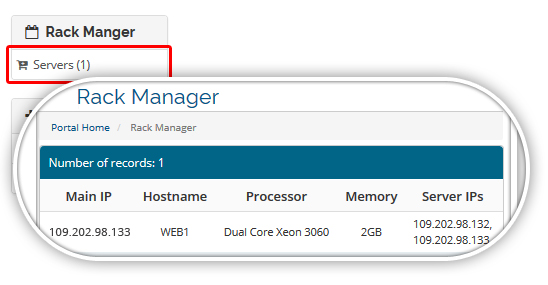
1) Display the Relation with client product service in the client area.

In WHMCS client area, you can view your server and assigned IP’s details. A user will get the Rack manager link under a category. The link should appear if admin assigns the rack manager server link to the customer.
rack_maage_srevice1

2) Increase the Rack U Limit from 46 U to 48 U.

In the new version, we have increased the “Rack Height” in “Manage Racks” tab from 46U to 48U. If user has 48U rack no worry, you can add the entry.

3) Increase the “Subnet” range from 24-29 to 20-29.

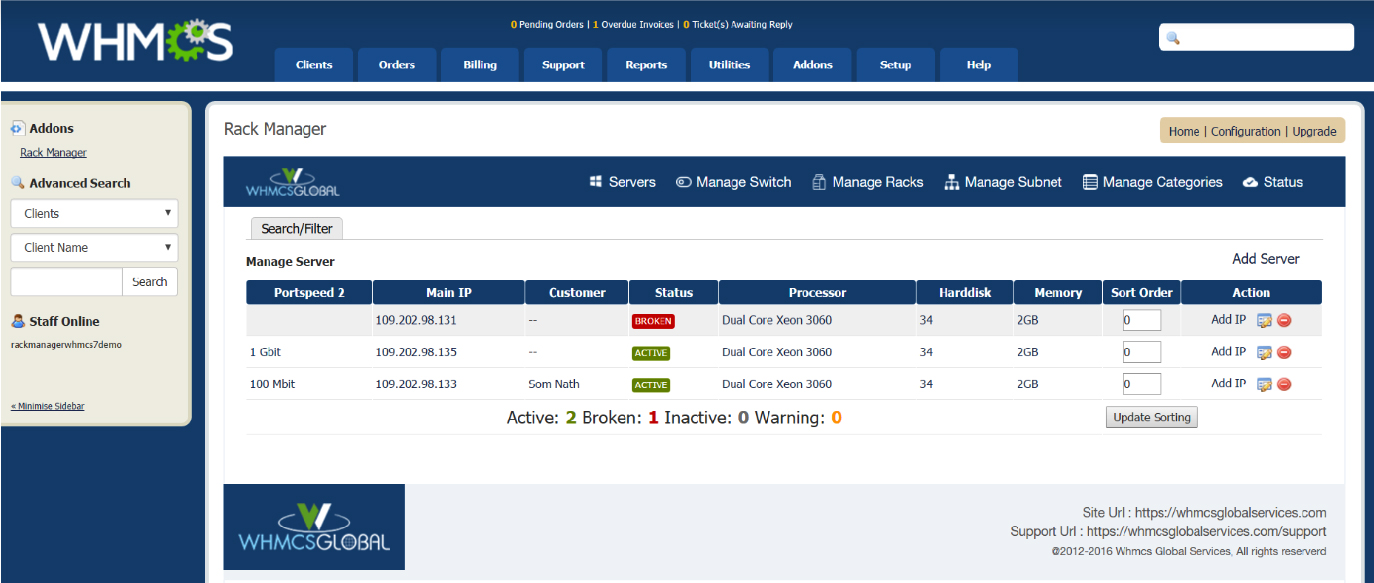
4) Improved the UI of add-on:
rack_module_img

Looking for Something More? We can help!

Our WHMCS experts are ready to accept your custom requirements.

Custom Development

Need a Custom Solution?

Looking for an integration or billing automation? Our team builds bespoke solutions designed around your stack and business requirements.

Discuss your requirement
Support & Maintenance

WHMCS Support & Maintenance Plans

Keep your billing platform secure, updated, and running smoothly with ongoing support from experienced WHMCS specialists.

  • ✓ WHMCS upgrades and security patching
  • ✓ Module and theme compatibility fixes
  • ✓ Priority support from WHMCS experts
See maintenance plans
Complete Setup

Starting a Web Hosting Business?

We help you set up your complete hosting platform, including WHMCS, client area, payments, order forms, and server automation.

01 WHMCS installation, licensing and setup
02 Hosting theme, client area and order forms
03 Payment gateways, tax rules and checkout
04 Server provisioning and automation
Request a setup quote
Need advice? Our WHMCS specialists are at your service 24/7. Reach out now