How to setup network after RHEL/CentOS 7 minimal installation?

Updated on: September 1, 2026

Estimated reading time: 1 minutes

After the installation of RHEL/CentOS 7 minimal, there might be an issue that you won’t be able to connect network in that machine. This would be in the case when you don’t enable Ethernet interfaces.


Automate VMware VPS with WHMCS


Let us know in the guide what you need to do to setup network on RHEL/CentOS 7:

Setting up network on CentOS 7 minimal:

1. Initially, you need to type “nmcli d” command in your terminal in order to quick list ethernet card installed on your machine :
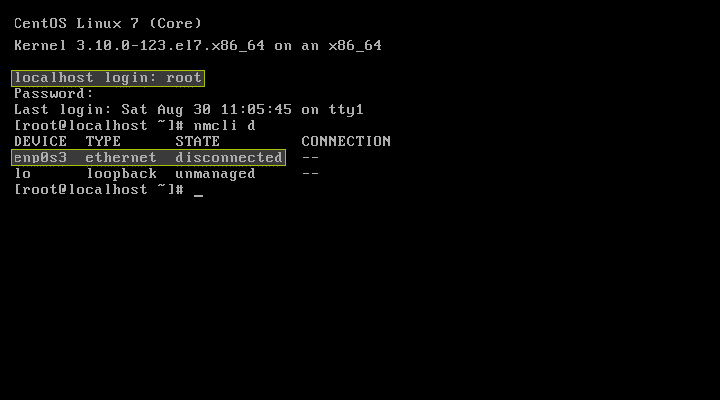
nmcli d

2. Now, type “nmtui” command on your terminal and open Network Manager. After opening Network manager, select “Edit connection” and press on Enter button.
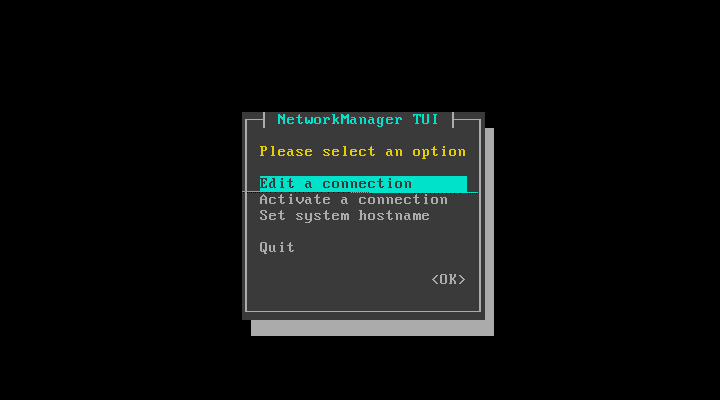
nmtui

3. Pick the network interfaces and click on the “Edit button“.
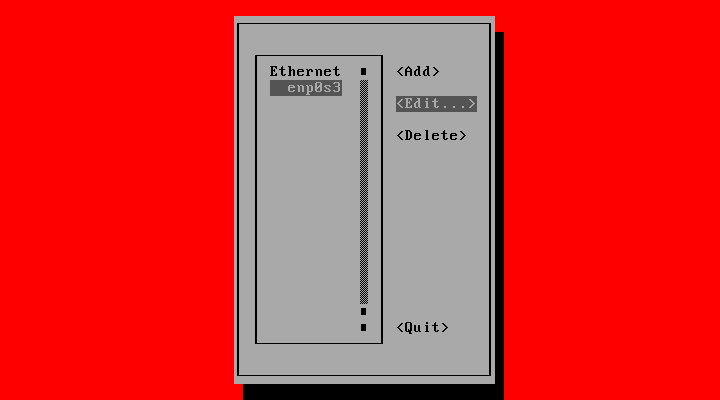
Edit button

DHCP configuration

  1. Choose “Automatic” in IPv4 configuration and check the Automatically connect checkbox.
  2. Press OK and quit from the Network Manager to proceed with CentOS setup.
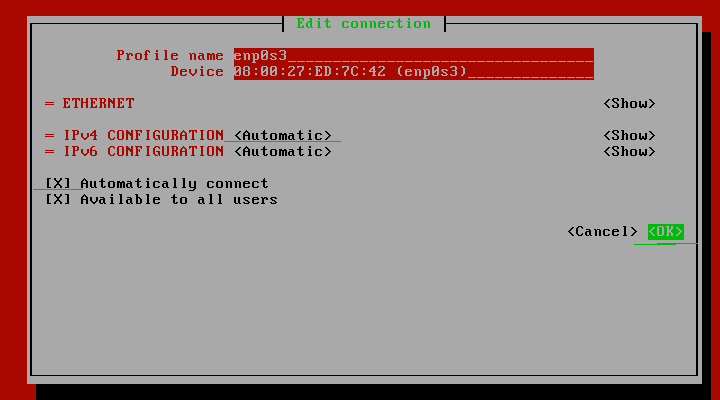
IPv4 configuration

Reset the network services:

Now, you will see your server attaining the IP Address from DHCP.
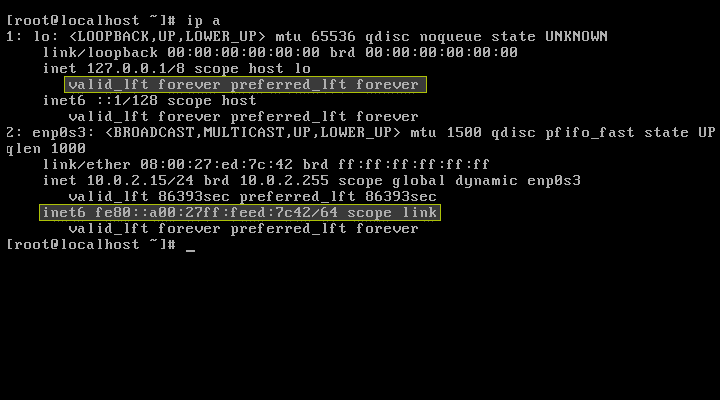
IP Address from DHCP


CentOS 8.4 Released – What’s New In It?
Looking for Something More? We can help!

Our WHMCS experts are ready to accept your custom requirements.

Custom Development

Need a Custom Solution?

Looking for an integration or billing automation? Our team builds bespoke solutions designed around your stack and business requirements.

Discuss your requirement
Support & Maintenance

WHMCS Support & Maintenance Plans

Keep your billing platform secure, updated, and running smoothly with ongoing support from experienced WHMCS specialists.

  • ✓ WHMCS upgrades and security patching
  • ✓ Module and theme compatibility fixes
  • ✓ Priority support from WHMCS experts
See maintenance plans
Complete Setup

Starting a Web Hosting Business?

We help you set up your complete hosting platform, including WHMCS, client area, payments, order forms, and server automation.

01 WHMCS installation, licensing and setup
02 Hosting theme, client area and order forms
03 Payment gateways, tax rules and checkout
04 Server provisioning and automation
Request a setup quote
Need advice? Our WHMCS specialists are at your service 24/7. Reach out now