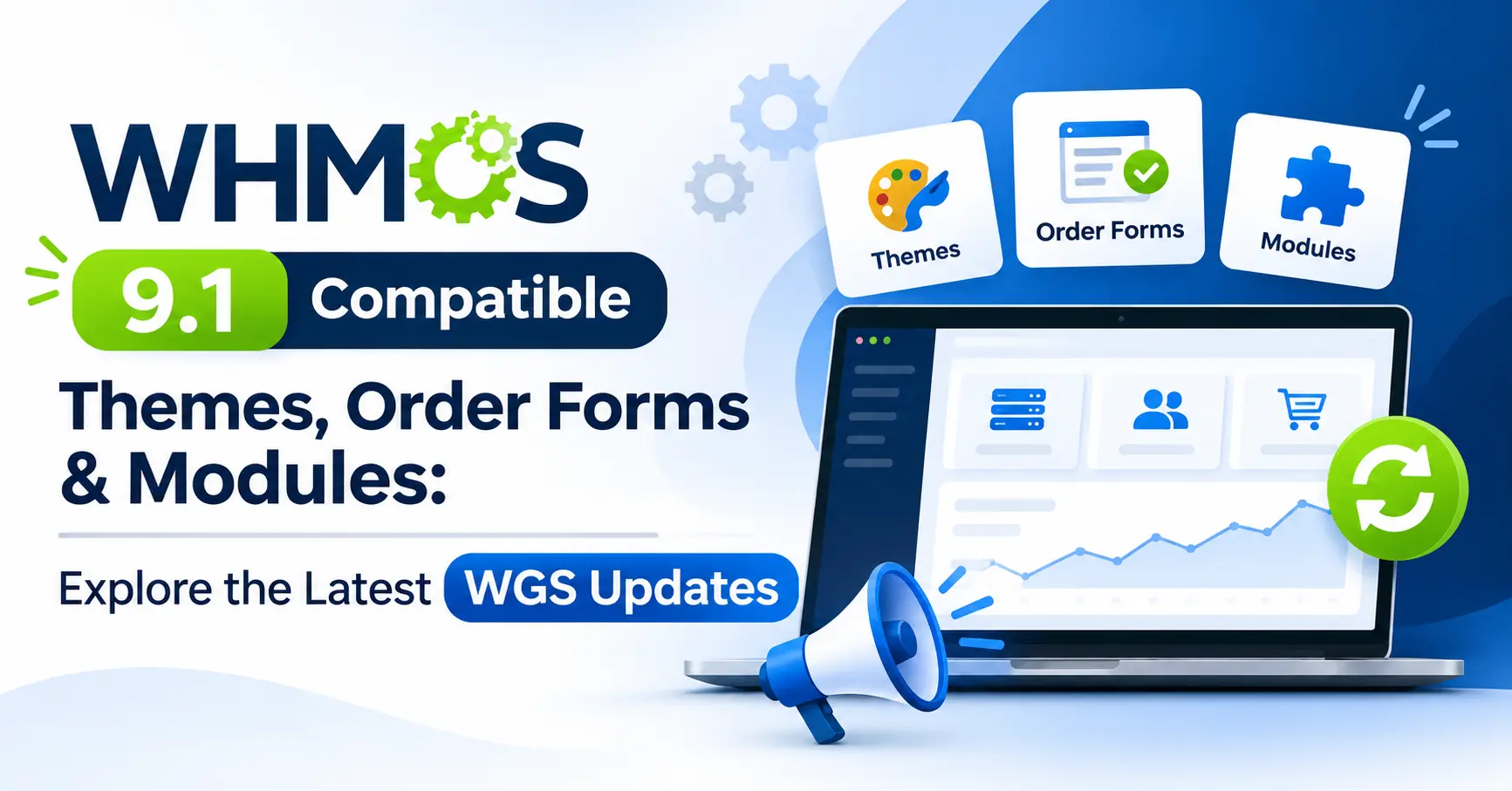
Upgrading to WHMCS 9.1 involves more than updating the core software. Your themes, client area, order forms, modules, and integrations must also remain compatible to ensure smooth business operations.
To address this, WHMCS Global Services (WGS) has updated 18 products, including five themes and templates, two order forms, and eleven modules. These releases bring WHMCS 9.1 compatibility, PHP 8.4 and ionCube Loader 15.x support (where applicable), improved responsiveness, security enhancements, and bug fixes.
This guide covers the latest WGS updates, their key improvements, and what to check before upgrading your WHMCS installation.
WHMCS 9.1 Compatibility: What Should Hosting Providers Know?
Before looking at individual products, it helps to understand why WHMCS 9.1 compatibility involves more than updating an extension.
WHMCS 9.1 introduces several changes that affect the way hosting businesses manage their billing and administrative operations. According to the official release notes, some of its major additions include:
- Invoice Immutability: Administrators can configure invoice immutability and manage credit and debit notes.
- Unattended Automatic Updates: Self-hosted installations can schedule maintenance updates instead of initiating every update manually.
- Iris Admin Area Theme Preview: The release introduces a preview of the redesigned administration interface.
- MarketConnect Improvements: Automatic MarketConnect account registration makes getting started easier.
- PHP 8.4 Support: WHMCS 9.1 adds support for PHP 8.4 and requires a newer ionCube Loader version.
These changes can influence different parts of a WHMCS installation. For example, an administration theme needs to display the updated interface correctly, while billing-related extensions should continue working with the newer invoice and credit note workflows. Similarly, checkout templates and provisioning modules need to be tested against the updated environment.
There is also an important upgrade sequence to remember. WHMCS officially requires ionCube Loader 15.0.0 before upgrading to WHMCS 9.1. After updating WHMCS, administrators can move to PHP 8.4. Changing the order can cause serious problems.
For this reason, checking the compatibility of your themes, templates, and modules before upgrading is not something to leave until the last minute.
Themes and Templates Compatible with WHMCS 9.1
Your WHMCS themes is more than a visual element. It determines how customers interact with your hosting website, access services, view invoices, search domains, and manage their accounts.
A theme that does not properly support the latest WHMCS version can create inconsistencies in navigation, page layouts, and customer-facing features.
WGS has updated five themes and templates for WHMCS 9.1, with improvements covering compatibility, mobile responsiveness, language files, and individual interface components.
1. HostX WHMCS Theme v3.1.2
HostX is designed for hosting providers who want a professional website alongside a consistent WHMCS client area experience. The latest HostX release focuses on WHMCS 9.1 compatibility and several interface refinements.
What’s new in this release?
- Updated Ukrainian, Portuguese, and Brazilian Portuguese language files to follow WHMCS 9.x naming conventions.
- Improved mobile responsiveness of the addon module.
- Refined the default login page CSS.
- Improved the Product Addon design in the order form.
- Updated VPS product field layouts and styling.
- Added Credit Notes and Debit Notes menus to the sidebar, with styling that matches the HostX interface.
The update also fixes several display issues, including responsive problems in the TLD section of Domain Search, heading colours across domain pages, registration form toggle buttons, and SSL Certificate MarketConnect descriptions.
The addition of Credit Notes and Debit Notes menus is particularly relevant for businesses moving to WHMCS 9.1 because it helps maintain a consistent administrative experience while using the newer billing features.
2. CloudX WHMCS Theme v1.1.2
CloudX offers a clean interface for hosting companies, cloud providers, and VPS businesses. CloudX has received compatibility improvements for WHMCS 9.1, PHP 8.4, and ionCube Loader 15.x.
Its latest update includes:
- Improved compatibility with WHMCS 9.1.
- PHP 8.4 and ionCube Loader 15.x support.
- Updated Ukrainian, Portuguese, and Brazilian Portuguese language files.
- Better mobile responsiveness for the ClientX addon module.
- A fix for the Disable 2FA button displays issue.
For hosting businesses that receive customer traffic from different devices, the mobile responsiveness improvement is worth considering. Customers should be able to navigate their accounts without struggling with poorly displayed interface elements.
3. ClientX WHMCS Client Area Template v3.3.3
ClientX provides a customizable client area with modern navigation and responsive customer-facing layouts. The ClientX update addresses both compatibility and usability. Along with WHMCS 9.1, PHP 8.4, and ionCube Loader 15 support, the release includes several improvements to the client area.
Key improvements include:
- Updated language files for WHMCS 9.x.
- Added header icons to MarketConnect product pages for SocialBee, 360 Monitoring, and Nova Cloud.
- Improved license verification reliability.
- Enhanced mobile responsiveness of the ClientX addon module.
The release also resolves issues that could affect everyday customer interactions:
- Knowledgebase search text translation problems.
- Login page responsiveness on mobile devices.
- Background colour issues in the homepage Domain Search section.
- Spacing around the AI Domain Search button.
- Mobile layout problems in the Latest Dashboard Products and Services section.
- Broken product page layouts and right sidebar alignment on mobile devices.
- An issue affecting the Affiliates page.
These fixes matter because the client area is where customers perform many routine activities. They might search for a domain, check a service, read support articles, or access affiliate information. A consistent interface makes these tasks easier to complete.
4. TwentyX WHMCS Theme v1.3.4
TwentyX focuses on a clean client area interface with responsive layouts and straightforward navigation. The latest release introduces WHMCS 9.1 compatibility and fixes two interface issues:
- The Disable 2FA button was not displaying correctly.
- The View Invoice page had a layout issue.
Although these fixes may seem small, they affect important account-management and billing interactions. Customers need to access authentication settings and view their invoices without encountering confusing interface problems.
5. AdminX WHMCS Admin Theme v1.1.3
AdminX provides a modernised administration interface for hosting providers managing everyday WHMCS operations. AdminX has been updated for WHMCS 9.1.0, PHP 8.4, and ionCube Loader 15.
The release also includes:
- Updated Portuguese and Brazilian Portuguese language files.
- Improved license verification for better reliability and stability.
- Enhanced mobile responsiveness of the AdminX addon module.
For hosting providers, the administration area is where much of the operational work happens. A stable and usable interface makes it easier for staff to manage services, customer accounts, and billing-related activities.
Order Forms Compatible with WHMCS 9.1
A customer’s journey does not end when they select a hosting plan. The checkout process still needs to handle product configuration, domain selection, payment, and order submission correctly.
This makes order form compatibility especially important. Even when your website and client area work properly, an issue in the checkout process can interrupt a customer’s purchase.
WGS has updated two order form solutions for WHMCS 9.1.
1. One Step Checkout Order Form v2.5.4
Combines essential ordering and checkout options on a single page to simplify the purchasing process. The updated version brings WHMCS 9.1 compatibility, along with PHP 8.4 and ionCube Loader 15 support.
Other improvements include:
- Updated Ukrainian, Portuguese, and Brazilian Portuguese language files.
- Improved mobile responsiveness of the One Page Checkout addon module.
- Better alignment with WHMCS 9.x language file conventions.
The main advantage of a one-page checkout approach is that customers can access essential ordering information without navigating through multiple separate pages. However, the actual checkout experience still depends on the product configuration, payment gateway, and other integrations being set up correctly.
2. VueJS One Step Checkout Order Form v2.4.1
Uses VueJS to provide a dynamic and interactive WHMCS ordering and checkout experience. This release includes several important compatibility and functional improvements.
Compatibility and interface updates:
- WHMCS 9.1 compatibility.
- PHP 8.4 and ionCube Loader 15 support.
- Updated language files.
- Improved mobile responsiveness.
- Compatibility with the latest Stripe Dynamic Payment Gateway (stripe_dynamic).
Important bug fixes:
- Resolved loading screen problems caused by invalid or non-existent gid and pid URL parameters.
- Fixed issues caused by non-numeric gid and pid values.
- Corrected automatic cPanel product provisioning issues when using Stripe.
- Fixed an issue affecting domain transfers.
- Resolved redirection problems triggered by AJAX requests from third-party modules containing group, product, or product group slug parameters.
The URL parameter fixes are particularly useful from an operational perspective. Invalid product or group identifiers should not leave customers stuck on a loading screen. Similarly, resolving provisioning and domain transfer issues helps keep important parts of the ordering process functional.
Modules and Addons Compatible with WHMCS 9.1
WHMCS modules connect your billing platform with the services and tools that keep your hosting business running. They can automate server provisioning, manage DNS records, handle accounting data, simplify customer communication, and strengthen account security.
However, these integrations need to work reliably with the WHMCS version installed on your server. An outdated module can affect more than its own functionality, particularly when it is connected to important workflows such as service activation, invoice generation, or customer authentication.
WGS has released updates for eleven modules, covering infrastructure management, accounting, invoicing, customer notifications, and AI-powered support.
1. VMware VPS & Cloud Module v5.1.2
Automates VMware VPS and cloud infrastructure management directly through WHMCS. The latest VMware module update focuses on compatibility, snapshot management, security, and improvements to virtual machine operations.
Notable improvements include:
- Added the ability to revert individual snapshots directly from the Snapshot List.
- Improved security across the client area, VNC console, and administration area.
- Introduced console PIN expiration and account locking after repeated incorrect attempts.
- Restricted module cron execution to command-line access.
- Added compatibility with WHMCS 9.x, PHP 8.4, and jQuery 4.
- Removed unused files from the module package.
The release also resolves several issues involving snapshot deletion and restoration, blank service tabs, snapshot button behaviour, and unsuccessful snapshot deletions being incorrectly reported as successful.
Additionally, PHP 8-related errors affecting VM upgrades, operating system reinstalls, IP cron, cart operations, and administration host and cluster pages have been addressed.
For providers managing virtual infrastructure, these updates are important because snapshot management and server operations are part of regular service administration. A failed snapshot operation or an incorrect termination action can create unnecessary support work.
2. OVH VPS & Dedicated Server Module v8.0.9
Automates OVH VPS and dedicated server provisioning through WHMCS. The latest release introduces WHMCS 9.1 and PHP 8.4 compatibility while improving location-based product availability.
Its key updates include:
- Improved product visibility according to availability across different locations.
- Checkout now displays only available locations in the location selection dropdown.
- Fixed product-fetching issues across different servers and locations.
- Restored automated backup functionality in the client area through direct API integration.
The location-selection improvement is particularly useful when a hosting provider offers infrastructure in multiple regions. Customers should be able to select from locations where the relevant product is actually available, rather than encountering unavailable options during checkout.
3. Cloudflare DNS WHMCS Module v5.5.2
Connects WHMCS with Cloudflare DNS management for streamlined service administration. The Cloudflare DNS module has received updates for WHMCS 9.1, PHP 8.4.x, and ionCube Loader 15.x. Another important addition is compatibility with the new WHMCS Iris Admin Area theme.
This matters because administration interface changes can affect how extensions appear and function within the backend. The updated module is designed to work with the newer administration environment without requiring providers to rely on an older interface.
4. GST WHMCS Module v3.0.4
Helps hosting businesses manage GST-related tax calculations and reporting through WHMCS. For businesses handling recurring invoices and customer billing, accurate tax information is essential. The latest GST module update introduces WHMCS 9.1 compatibility, PHP 8.4 support, and ionCube Loader 15.x compatibility.
It also includes:
- Optimised CSV report exports for handling larger datasets.
- Improvements to prevent server timeout issues during report downloads.
- A fix for the indexing table in the administration area.
- Corrections to invoice listing issues, whether filters are applied or not.
The CSV export improvement is especially relevant for businesses that regularly download tax reports. Large datasets can put pressure on server resources, so improving export handling helps address an important administrative requirement.
5. Zoho Books WHMCS Module v1.5.0
Integrates WHMCS with Zoho Books to synchronise customer, invoice, payment, and accounting information. The latest release adds payment gateway mapping, allowing WHMCS payment gateways to be associated with their corresponding Zoho Books payment gateways.
Other improvements include:
- WHMCS 9.1 compatibility.
- PHP 8.4.x support.
- Fixed tax calculation and handling issues for Canada and other countries.
- Resolved language-related issues when adding new clients.
- Corrected first-name and last-name processing during client creation.
The payment gateway mapping feature is useful for maintaining consistency between payment records in WHMCS and accounting information in Zoho Books.
6. Spanish Fiscal E-Invoicing Module v1.3.0
Supports Spanish fiscal invoicing workflows through WHMCS. This release brings several useful additions to invoice synchronisation and error handling.
New features include:
- Synchronisation of negative invoices using the Correction Invoice type.
- A Retry Request option to correct errors and resubmit invoices for synchronisation.
- Support for updating invoice numbers when synchronising refunded invoices generated as negative invoices.
The update also removes the unnecessary Fiskaly Client ID custom field and adds compatibility with WHMCS 9.1, PHP 8.4, and ionCube Loader 15.x.
Additionally, it fixes Taxpayer ID validation issues during client registration and profile updates, along with invoice number synchronisation problems involving refunded negative invoices.
For businesses managing fiscal invoicing workflows, these changes are relevant because invoice corrections and failed synchronisation requests need proper handling. The retry option gives administrators a way to address errors without treating every failed request as a completely new process.
7. Hetzner Cloud WHMCS Provisioning Module v1.4.2
Automates Hetzner Cloud server provisioning and management through WHMCS. The latest release focuses on compatibility rather than introducing a long list of new features.
It includes:
- WHMCS 9.1 compatibility.
- PHP 8.4.x support.
- ionCube Loader 15.x support.
For hosting providers using Hetzner Cloud infrastructure, keeping the provisioning integration updated is an important part of maintaining their WHMCS environment.
8. Invoice Pay Without Login Module v2.0.2
Allows customers to pay invoices without logging into their WHMCS accounts. Customers sometimes want to settle an invoice without going through the complete account login process. This module provides an alternative payment workflow.
Its latest update includes WHMCS 9.1 compatibility, PHP 8.4.x support, and ionCube Loader 15.x compatibility. For hosting businesses, providing a straightforward invoice payment option can make it easier for customers to complete pending payments.
9. WhatsApp Notification WHMCS Module v1.1.3
Automates WhatsApp notifications for important customer and service-related activities.
The updated module includes:
- WHMCS 9.1 compatibility.
- PHP 8.4.x support.
- ionCube Loader 15.x support.
- Compatibility with the latest Twilio API.
For providers who use WhatsApp as part of their customer communication process, keeping the integration updated helps maintain compatibility with the underlying messaging service.
10. WHMCS AI Helpdesk Assistant Module v2.1.1
Brings AI-powered customer assistance and support automation into WHMCS. Customer support is one of those business operations that can become difficult to manage as a hosting company grows.
Repeated questions about services, billing, and account management can take up a considerable amount of the support team’s time. The AI Helpdesk Assistant integrates AI-powered assistance with WHMCS to help address customer queries.
The latest release includes:
- WHMCS 9.1 compatibility.
- PHP 8.4.x support.
- ionCube Loader 15.x support.
- Compatibility with the latest OpenAI API and models.
- A notable addition is Slack Human Agent Escalation.
This feature allows customers to move from AI assistance to a human support agent through Slack integration. During the escalation process, the module automatically creates a WHMCS support ticket.
This is a useful approach because AI assistance and human support serve different purposes. An automated assistant can handle supported queries, while more complicated requests can be passed to the team for further attention.
11. Passkey Authentication WHMCS Module v1.1.2
Adds passwordless authentication capabilities to WHMCS accounts through passkeys. Account security deserves attention, especially when customers use their WHMCS accounts to manage hosting services, invoices, and personal information.
The latest Passkey Authentication module release introduces:
- WHMCS 9.1 compatibility.
- PHP 8.4 support.
- ionCube Loader 15.x compatibility.
Passkeys provide a passwordless authentication approach. However, the actual authentication experience also depends on the customer’s supported device, browser, and passkey configuration.
With this update, providers can keep their WHMCS authentication extension aligned with the newer software environment.
Quick Overview: All WGS Products Updated for WHMCS 9.1
If you are already using WGS products, the following table makes it easier to identify the relevant update without going through every changelog again.
| Category | Product | Latest version |
|---|---|---|
| Themes | HostX | 3.1.2 |
| Themes | CloudX | 1.1.2 |
| Templates | ClientX | 3.3.3 |
| Themes | TwentyX | 1.3.4 |
| Admin theme | AdminX | 1.1.3 |
| Order forms | One Step Checkout | 2.5.4 |
| Order forms | VueJS One Step Checkout | 2.4.1 |
| Modules | VMware VPS & Cloud | 5.1.2 |
| Modules | OVH VPS & Dedicated Server | 8.0.9 |
| Modules | Cloudflare DNS | 5.5.2 |
| Modules | GST | 3.0.4 |
| Modules | Zoho Books | 1.5.0 |
| Modules | Spanish Fiscal E-Invoicing | 1.3.0 |
| Modules | Hetzner Cloud | 1.4.2 |
| Modules | Invoice Pay Without Login | 2.0.2 |
| Modules | WhatsApp Notification | 1.1.3 |
| Modules | AI Helpdesk Assistant | 2.1.1 |
| Modules | Passkey Authentication | 1.1.2 |
PHP 8.4 and ionCube Loader 15.x support should be checked against each product’s individual compatibility listing.
How to Update Your Existing WGS Themes and Modules?
Once you have identified the updated products, the next step is to install the appropriate versions. Existing WGS customers can download their purchased product updates directly through the WGS client area.
Follow these steps:
- Visit the WGS Client Area and log in to your account.
- Navigate to My Services.
- Select the WGS product you want to update.
- Open the Downloads section.
- Download the latest compatible version.
- Follow the product-specific upgrade documentation before replacing your existing files.
A Quick Reminder Before Installing Updates: Back up your WHMCS files and database first. If possible, install and test the updated products in a staging environment before making changes to your live website.
This precaution is important because your WHMCS installation may contain custom templates, hooks, configurations, and integrations. An update that works correctly on a clean installation may still need additional testing in an environment with existing customisations.
What to Check Before Moving to WHMCS 9.1
Updating your themes and modules is only one part of preparing for WHMCS 9.1. You should also review your server requirements, custom configurations, and essential workflows to avoid compatibility issues. Follow this checklist before upgrading your live installation.
1. Check Your Server Requirements
Verify that your server meets the WHMCS 9.1 requirements. According to the official release notes, PHP 8.2 is the minimum supported version, PHP 8.4 is recommended, and ionCube Loader 15.0.0 is required. MySQL 5.2 is listed as the minimum, while MySQL 8.0 is recommended.
Follow the correct upgrade sequence: update ionCube Loader to 15.0.0, upgrade WHMCS to 9.1, and then move to PHP 8.4 after checking compatibility. Use the PHP Version Compatibility tool under Utilities > System > PHP Version Compatibility to identify potential issues.
2. Review Your Themes and Custom Templates
Confirm that your active website theme, client area template, and administration theme support WHMCS 9.1. Check login and registration pages, client dashboard, navigation, invoices, credit notes, domain search, and MarketConnect product pages to ensure they work correctly.
Also test mobile layouts and custom template changes. Check menus, buttons, forms, and other interactive elements across different screen sizes to identify display or functionality issues before the upgrade goes live.
3. Test Order Forms and Payment Workflows
Place test orders to verify product selection, configurable options, domain registration and transfers, payment gateway selection, invoice generation, and automatic provisioning. Also check checkout redirects and error handling to ensure customers can complete purchases without interruptions.
If your checkout uses custom integrations or third-party payment gateways, test each supported payment method. Review the complete transaction flow, from product selection to order confirmation, to catch issues that could delay payments or service activation.
4. Check Modules and Automated Operations
Test the modules used for everyday hosting operations, including VPS and dedicated server provisioning, server management, snapshot operations, and DNS management. Also verify accounting synchronisation, tax calculations, invoice reporting, customer notifications, support ticket creation, AI escalation, and passkey authentication.
Check cron jobs, background automation, and third-party integrations as well. Make sure scheduled tasks execute correctly and connected services continue communicating with WHMCS 9.1 without errors.
5. Complete Staging Tests Before Production
Before upgrading your live website, test the changes in a staging environment. Create a test customer account, place an order, generate and pay an invoice, and verify service activation and suspension. Also check customer login, authentication, notifications, and support ticket creation.
Finally, review administrative pages, reports, cron execution, and automated tasks. Include custom hooks and integrations in your tests, and back up your WHMCS files and database before making changes to production.
6. Review Official Upgrade Documentation
Before starting the upgrade, review the official WHMCS 9.1 Release Notes and Updating Guide. These resources explain the release changes and upgrade procedure. Following the documentation and testing your setup beforehand can help reduce the risk of compatibility issues and interruptions to your hosting operations.
Keep Your WHMCS Installation Ready for What’s Next
WHMCS upgrades are not just about accessing new features. They also ensure that your themes, checkout, provisioning modules, and billing integrations continue working smoothly.
WGS has updated 18 products for WHMCS 9.1, including HostX, CloudX, ClientX, VMware, OVH, Cloudflare, Zoho Books, and AI Helpdesk Assistant. These releases include product-specific compatibility updates and functional improvements.
However, support varies by product. Check each product’s changelog to confirm PHP 8.4, ionCube Loader 15.x, and other relevant updates before upgrading. Before migrating, review your existing extensions, download their latest compatible versions, and test essential customer workflows.
Need help with your WHMCS 9.1 upgrade?
WHMCS Global Services provides WHMCS themes, modules, order forms, custom development, and third-party integrations to help hosting providers maintain and improve their WHMCS environments.
Explore the available solutions:
Keep your WHMCS environment updated, test your integrations carefully, and give your customers a smooth experience at every step.