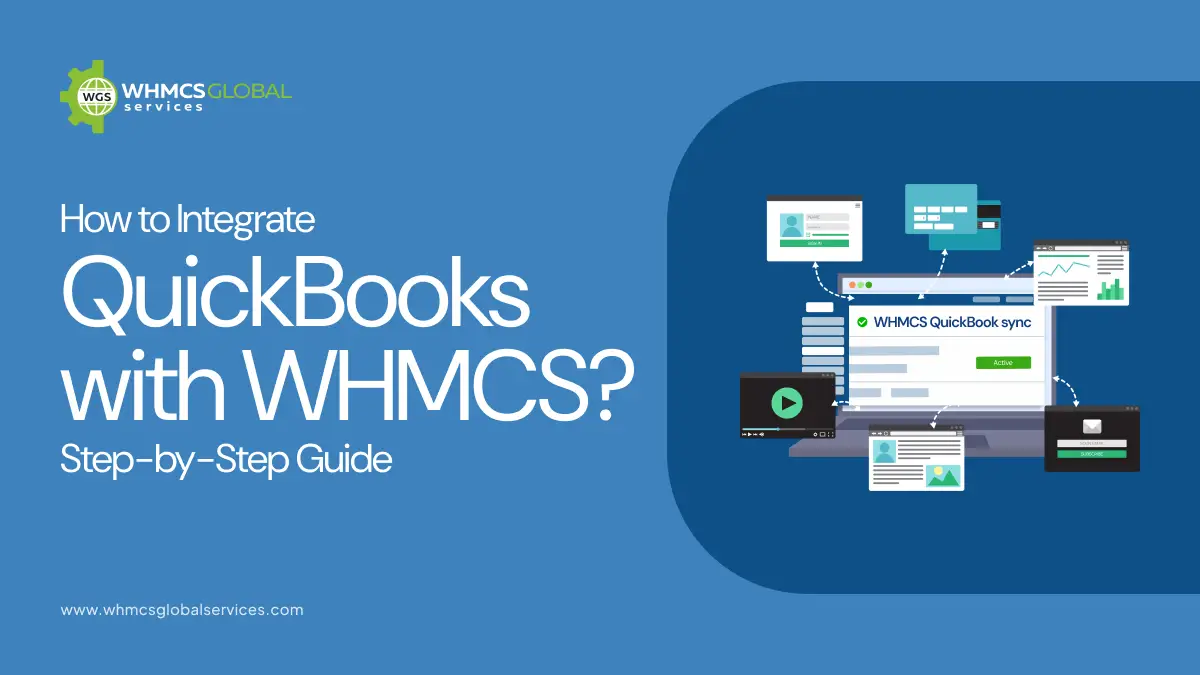
Accepting and processing payments efficiently is essential for any hosting or SaaS business. The QuickBooks Payments Gateway for WHMCS enables you to seamlessly accept credit cards, debit cards, and ACH payments directly within your WHMCS billing environment, eliminating the need for third-party payment processors.
By integrating QuickBooks Payments as a native payment gateway in WHMCS, businesses can automate payment collection, track transactions in real time, and securely store customer payment methods for recurring billing. This streamlined setup not only reduces manual effort but also enhances reliability, improves cash flow, and delivers a faster, more convenient payment experience for both you and your clients.
What is QuickBooks Payments?
QuickBooks Payments is a payment processing solution that enables businesses to securely accept and manage payments via credit cards, debit cards, and ACH bank transfers across online and invoicing channels.
QuickBooks Payments Gateway vs QuickBooks Online
| Feature | QuickBooks Payments | QuickBooks Online |
|---|---|---|
| Primary Purpose | Payment processing | Accounting & financial management |
| Core Function | Accept and process payments | Invoicing, reporting, tax, bookkeeping |
| Role in WHMCS | Acts as a payment gateway | Stores and manages financial data |
| Payment Handling | Processes credit/debit card payments | Does not process payments directly |
| Data Sync | Sends payment data to QuickBooks | Stores synced invoices & transactions |
| Recurring Billing | Supports auto-charging | Not native (depends on WHMCS) |
| Tax Management | Not responsible for tax calculations | Advanced tax features |
| Financial Reports | No reporting features | Full reporting dashboards |
| Integration Type | Payment gateway integration | Accounting integration (API/module) |
| Best For | Collecting payments inside WHMCS | Bookkeeping & compliance |
Who Should Use QuickBooks Payments Gateway for WHMCS?
Web Hosting Providers: Hosting companies handle large volumes of recurring invoices. QuickBooks Payments automates billing, ensures timely payments, and logs transactions in real time within WHMCS.
Domain Resellers: Managing domain renewals can be risky if payments are missed. The gateway securely stores cards and automatically charges clients on renewal dates, preventing expiries.
SaaS Businesses: SaaS companies depend on subscriptions. The gateway supports automated renewals, prorated billing, and secure payment storage for a seamless experience.
Managed Service Providers (MSPs): MSPs require consistent monthly billing. The gateway automates recurring charges, reducing manual work and avoiding payment delays.
Why Integrating QuickBooks Payments with WHMCS is Beneficial
Automates Financial Data Synchronization: Integrating QuickBooks payments and WHMCS to ensure payment transactions are automatically recorded and reflected in WHMCS. This helps to minimize human errors and manual bookkeeping work.
Accelerates Client Service and Credibility: Through Quickbooks payments and WHMCS integrations, one can enable instant service activation and faster support responses. It help to provide a seamless experience for customers that can significantly builds long-term client trust and foster on credibility.
Saves Time and Operational Effort: Automation will save a lot of administrative work. Companies will be able to spend more time growing their businesses and serving their customers rather than hours in marketing financial records.
Provides Clear Payment Visibility: The QuickBooks Payments Gateway logs every transaction in real time within WHMCS, giving administrators a clear and instant view of all payment activity. This makes it easy to track successful payments, failed transactions, and pending invoices directly from your WHMCS admin panel without switching platforms.
Requirements Before You Start the Integration
PHP 7.x & 8.x: Ensure your server is running PHP version 7.x or 8.x, as these versions are required for compatibility, performance, and security. You may need to confirm this with your hosting provider.
WHMCS 8/9.x: The integration is compatible with WHMCS versions 8.x.x and latest 9.x.x, which provide the necessary APIs and billing features required for seamless payment gateway functionality
QuickBooks Payments account: You need an active QuickBooks Payments account along with API credentials (Client ID and Client Secret) to securely connect and authenticate the integration using OAuth.
SSL Certificate: Your WHMCS installation must have a valid SSL certificate to ensure all payment transactions are encrypted and securely processed.
WHMCS Admin Access: You must have full administrator access to your WHMCS panel to install, configure, and manage the QuickBooks Payments Gateway module.
Step-by-Step Guide to Integrating QuickBooks with WHMCS
Instead of manual configuration, you can simplify the entire setup using a ready-made QuickBooks WHMCS module.
Step 1: Connects QuickBooks Payments Account Using OAuth Authentication
The integration begins by securely linking your QuickBooks Payments account to WHMCS using OAuth authentication. This means you authorize WHMCS to access your QuickBooks account without sharing sensitive credentials like passwords. OAuth generates secure tokens that allow both systems to communicate safely and exchange payment data.
Step 2: Add QuickBooks as a Payment Gateway in WHMCS
Once connected, the module automatically adds QuickBooks as a selectable payment gateway inside WHMCS. This allows your clients to choose QuickBooks during checkout just like any other payment method, and enables you to process payments directly through your WHMCS billing system.
Step 3: Supports Automatic Card Charging on Invoice Due Dates
The gateway supports recurring billing by automatically charging stored payment methods when an invoice becomes due. This is especially useful for subscription-based services like hosting plans, where payments need to be collected on a recurring schedule without manual intervention.
Step 4: Logs All Transactions in Real-Time Within WHMCS
Every transaction processed through the gateway is logged in real time within WHMCS. This ensures that administrators can track payments, verify statuses, and monitor financial activity directly from the WHMCS admin panel without needing to switch platforms.
Step 5: Offers Clients the Ability to Securely Store Cards for Future Billing
Clients can securely save their credit or debit card details in their WHMCS client area. These stored payment methods (tokens) are used for future transactions, enabling faster checkout and seamless recurring billing while maintaining PCI-compliant security standards.
Step 6: Fully Compatible with WHMCS Recurring Billing and Subscription Management
The gateway is designed to work seamlessly with WHMCS recurring billing features. It supports subscription-based invoicing, automatic renewals, and prorated billing, ensuring that all recurring services are billed and processed automatically without manual input.
QuickBooks Payments Gateway for WHMCS
QuickBooks Payments Gateway is a special purpose solution that allows the business to accept, process, and record payments directly in their WHMCS environment with QuickBooks Payments. Rather than using third-party payment processors and subsequently reconciling transactions, this gateway combines payment processing and accounting in one streamlined system.
It makes sure that all customer payments, including hosting service, domain, and subscription payments, are automatically recorded and recorded in your QuickBooks Payments account. QuickBooks WHMCS integration minimizes administration expenses and provides a single ecosystem in which billing and accounting work in tandem.
Key features of the gateway
- Secure payment processing
- Automatic transaction recording
- Support for multiple currencies
- Seamless integration with WHMCS billing workflows
How Our QuickBooks Payments Gateway Module is Different from Others?
| Feature | WGS Module | Others |
|---|---|---|
| Purpose | Payment gateway only | Accounting and sometimes Payment (mixed) |
| Data Sync (QB) | ❌ No | ✅ Only in accounting modules |
| Recurring Payments | ✅ Yes | ✅ Yes (gateways) |
| Refunds | ✅ Yes | ✅ Yes |
| Multi-currency | ❌ No | ✅ Only in accounting modules |
| Tax Management | ❌ No | ✅ Only in accounting modules |
| Open Source | ✅ Yes | ❌ Mostly no |
| WHMCS Compatibility | ✅ Wide (v8/v9) | ⚠️ Varies (v7.4–v9.0) |
| Test Mode | ✅ Yes | ⚠️ Limited (some modules only) |
| Price | 💲 $159.2/year | 💲 Varies |
| Money-back Guarantee | ✅ 10 days | ❌ Not clear |
| Support | ✅ Ticket + live help | ⚠️ Depends on vendor |
Best Practices for a Successful Integration
Gateway Logs: Always look at the gateway logs to make sure your customers payments are being handled properly.
Keep Software Updated: Make sure that the versions of both WHMCS and QuickBooks are updated to the latest version to prevent incompatibility.
Backup Your Data: To avoid losing your data accidentally, ensure you make copies of your data before effecting any significant changes on the configuration.
Use Sandbox Testing: You should always test changes to your system on a sandbox environment first before implementing them on your live system.
Common Challenges and How to Overcome Them
API Connection Errors: In some cases, the linkage between WHMCS and QuickBooks can be broken because of lapsed tokens or improperly set up credentials. This is normally addressed by re-authentication.
Duplicate Entries: Incorrect sync settings will cause duplication of invoices or clients. Make sure that the synchronization rules are well defined and tested.
Conclusion
QuickBooks Payments WHMCS integration can be an effective tool to automate your business processes.
Regardless of whether you go with a third-party module, API-based solution, or a payment gateway integration, the most significant thing is to have it properly set up and monitored. Your integration can change the way you handle billing and accounting, with the right approach.
Your integration can change the way you handle billing and accounting. If you want a hassle-free setup, expert WHMCS services can help you implement and manage the integration efficiently.