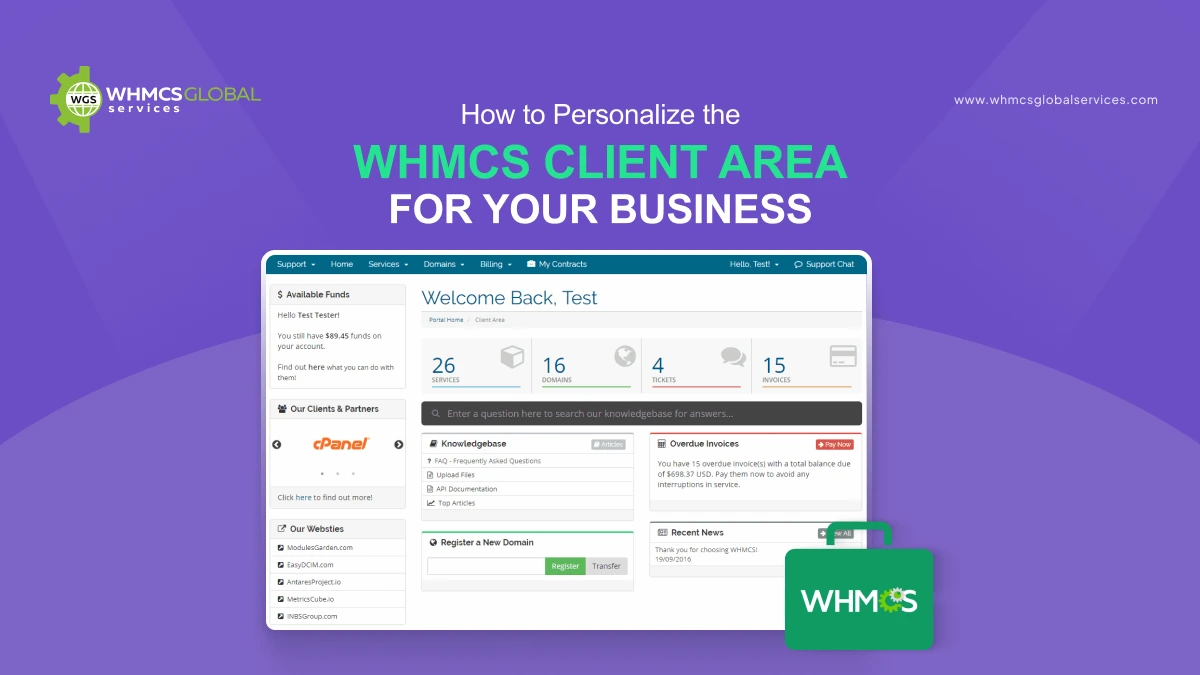
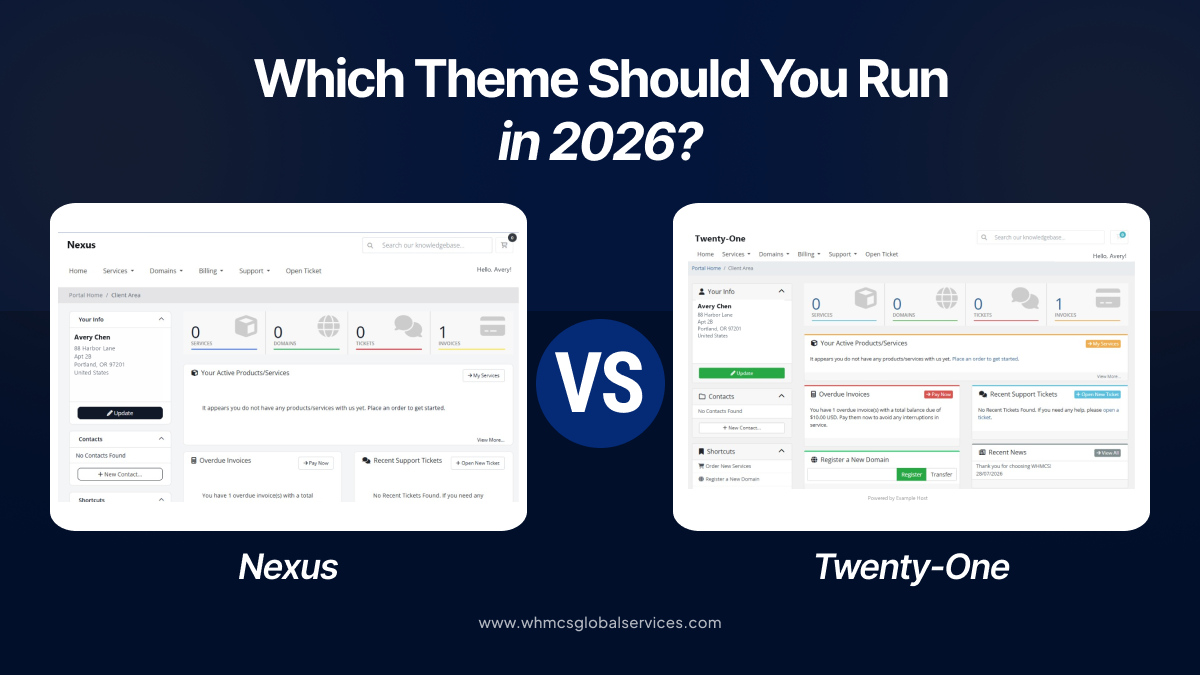
WHMCS has evolved considerably over the years, with the Client Area undergoing several major theme updates. Introduced in WHMCS 8.1, Twenty-One brought a modern, responsive Client Area built on Bootstrap 4. Later, WHMCS 9.0 introduced Nexus, offering another modern foundation for businesses focused on delivering a better customer experience.
So, which theme is the better choice? For a new WHMCS installation, is it better to stick with Twenty-One, switch to Nexus, or opt for a custom or third-party theme? This guide compares Nexus vs Twenty-One, highlights their key practical differences, and helps determine which option best suits a WHMCS installation.
What Is Nexus?
Nexus is the newer theme among WHMCS’s Client Area system themes, introduced in WHMCS 9.0. It’s built to serve as a modern foundation for the customer-facing experience, usable as-is or as a base for further customization. WHMCS currently recommends Nexus and Twenty-One equally for new development work.
(Source: WHMCS Documentation)
It’s worth noting that Nexus isn’t just an extra update to Twenty-One, it’s a genuinely separate theme foundation, reflecting the broader and ongoing evolution of WHMCS’s Client Area and templating architecture.
For developers and WHMCS providers, the key takeaway is that both Nexus and Twenty-One are official parent themes. That means either one can be used as the starting point for building a custom Client Area via child themes.
Twenty-One, for its part, remains a mature, well-established option. It brought a sectional, responsive layout to WHMCS, along with better usability on mobile and tablet devices, and was built on a Bootstrap 4 foundation.
If you’re looking to enhance Twenty-One further, our TwentyX theme builds on this foundation with additional design and UX improvements.
Nexus vs Twenty-One at a Glance
WHMCS currently offers three system themes for the Client Area:
- Nexus: Introduced with WHMCS 9.0.
- Twenty-One: Introduced in WHMCS 8.1 and remains the default system theme for new installations.
- Six: Served as the default theme from WHMCS 6.0 through 8.0.
It is recommended to use and customise Twenty-One or Nexus, as Six is planned for removal in a future version of WHMCS.
(Source: WHMCS Documentation)
If you run a WHMCS-powered site, you have probably bumped into this question. For a broader look at your options, check out our WHMCS themes and templates hub.
Should You Upgrade to Nexus?
If your WHMCS installation is currently running Twenty-One and the Client Area is functioning well, there’s no blanket rule saying you need to switch just because Nexus exists.
The right call really comes down to how customized your current setup is.
Nexus is Perfect, If:
- You are starting a brand-new WHMCS project.
- You are building a custom theme from the ground up.
- You want your design built on the newer theme foundation going forward.
- Your existing Twenty-One customization has grown hard to maintain.
- You are looking to cut down on reliance on heavily modified template files.
- You are planning a full redesign of the Client Area, not just tweaking colours or fonts.
Stick to Twenty-One, If:
- You already have a heavily built-out Twenty-One theme.
- Your third-party modules were specifically built and tested for Twenty-One.
- Your child theme is stable and working well.
- Your team has deep experience working with Twenty-One.
- Your Client Area already delivers the design and user experience you need.
At the end of the day, the deciding factor isn’t just that Nexus is newer, it’s whether migrating actually delivers enough practical value to be worth the development effort and compatibility testing it requires.
Once you’ve decided which theme to run, check our guide on installing a new WHMCS theme for the step-by-step setup process.
What This Means for Custom and Third-Party Themes
Theme compatibility is one of the most important considerations for WHMCS developers.
A WHMCS system theme controls the overall Client Area interface, while order form templates manage the shopping and checkout experience. These are separate components of the WHMCS template system.
If a custom or third-party theme is currently in use, switching the system theme should not be treated as a simple visual change. Third-party modules may include theme-specific templates because different themes can use different markup, CSS structures, and frontend behaviour.
Before moving from Twenty-One to Nexus, it is important to review the following areas:
1. Module compatibility
Check whether your important third-party modules officially support Nexus. Pay particular attention to:
- Client Area modules
- Hosting modules
- Domain-related modules
- Support/ticket extensions
- Payment-related frontend components
- Security modules
- Custom dashboards
- Client-area widgets
2. Custom template overrides
Any templates that have been manually modified for Twenty-One will not automatically become compatible with Nexus.
Review customisations within the /templates/ directory and identify any templates that have been overridden or modified. These should be reviewed and updated as part of the migration process.
3. Child themes
For customisation, WHMCS recommends using Child Themes. This approach allows developers to override only the files they need rather than maintaining a complete copy of the parent theme.
This can make future WHMCS upgrades easier to manage and reduce the amount of custom code that needs to be maintained.
For example:
4. Do not confuse themes with order forms
Switching from Twenty-One to Nexus does not necessarily mean the entire checkout design needs to be replaced.
WHMCS handles system themes and order form templates separately. The system theme controls the broader Client Area interface, while order form templates manage the shopping cart and checkout experience.
Understanding this distinction is important when planning a theme migration, as changing the Client Area theme does not automatically require replacing the existing order form design.
Nexus vs Twenty-One: Which One Should You Choose?
There is no single answer for every WHMCS installation. The right choice depends on the project’s requirements, existing setup, and future plans.
Choose Nexus for new projects
- Nexus is worth considering for new WHMCS projects.
- It provides a newer official theme foundation for developers.
- It can be a good starting point when there are no existing theme customisations or integrations to maintain.
- Starting with Nexus can help avoid building a new project around an older design foundation.
Choose Twenty-One for established installations
- If an installation already has a mature Twenty-One-based theme, customisations, and third-party integrations, an immediate migration may not be necessary.
- A stable Twenty-One setup can remain a practical choice if it continues to meet the project’s requirements.
- Migration should be based on actual project needs rather than simply switching because a newer theme is available.
For theme developers
- Supporting both Nexus and Twenty-One can help commercial theme developers reach a broader market.
- Supporting both themes also requires additional development and testing.
- Compatibility involves more than changing colours or CSS.
- Developers need to consider template structures, frontend components, and third-party module integrations when supporting both themes.
Conclusion
Nexus is the newer WHMCS Client Area theme, but that does not mean every existing WHMCS installation needs to migrate immediately. Twenty-One remains an official and recommended WHMCS theme, while Nexus offers a newer foundation for modern Client Area development. Both themes are currently recommended by WHMCS for new development.
For new projects, Nexus is a strong option to consider. For existing Twenty-One installations, however, the decision to migrate should depend on the project’s specific requirements rather than simply the availability of a newer theme. Businesses using custom or third-party themes should also evaluate module compatibility, template overrides, existing customisations, and ongoing maintenance requirements before making the switch.
Ultimately, the right theme is the one that offers the best balance of design, compatibility, customisation, maintainability, and long-term upgradeability.