10 Days money back guarantee
$19.99
$13.99
Order now
Free Module Updates
One-Click Upgrade
Access To Premium Offers
Multi-Level Tech Support
10 Days Money Back Guarantee
Development licence available for 30 Days on demand
10 Days money back guarantee
$199.00
$139.30
Order now
Free Module Updates
One-Click Upgrade
Access To Premium Offers
Multi-Level Tech Support
10 Days Money Back Guarantee
Development licence available for 30 Days on demand
$1199.00
$839.30
Order now
Hetzner WHMCS Module Overview
Hetzner Cloud Module is a WHMCS auto-provisioning tool, which allows you to manage Hetzner Cloud Instances using your WHMCS Billing Panel. Now let your clients manage all the features available in the WHMCS client area. We have integrated the interface of our Hetzner WHMCS Module in a way that your clients won’t need to face any issue in managing their own cloud server.
The server management interface of our Hetzner Cloud module is what distinguishes it from the cloud servers from other companies. Our Hetzner WHMCS Module is designed in a way so that WHMCS admin can easily sell/resell the cloud servers of Hetzner to their clients. You can now make your clients purchase the enlisted cloud server products on your website without even letting them know about its reference to Hetzner. Besides, all the user details will be indirectly registered on Hetzner only.
So waiting for what? Place your order for Hetzner Cloud WHMCS Module at WGS and let your clients manage their reseller services seamlessly!
Hetzner Feature List

Auto provisioning
It allows your clients to set up and deploy servers upon purchase. It also auto-suspends server if the user has not renewed it.

Server Management
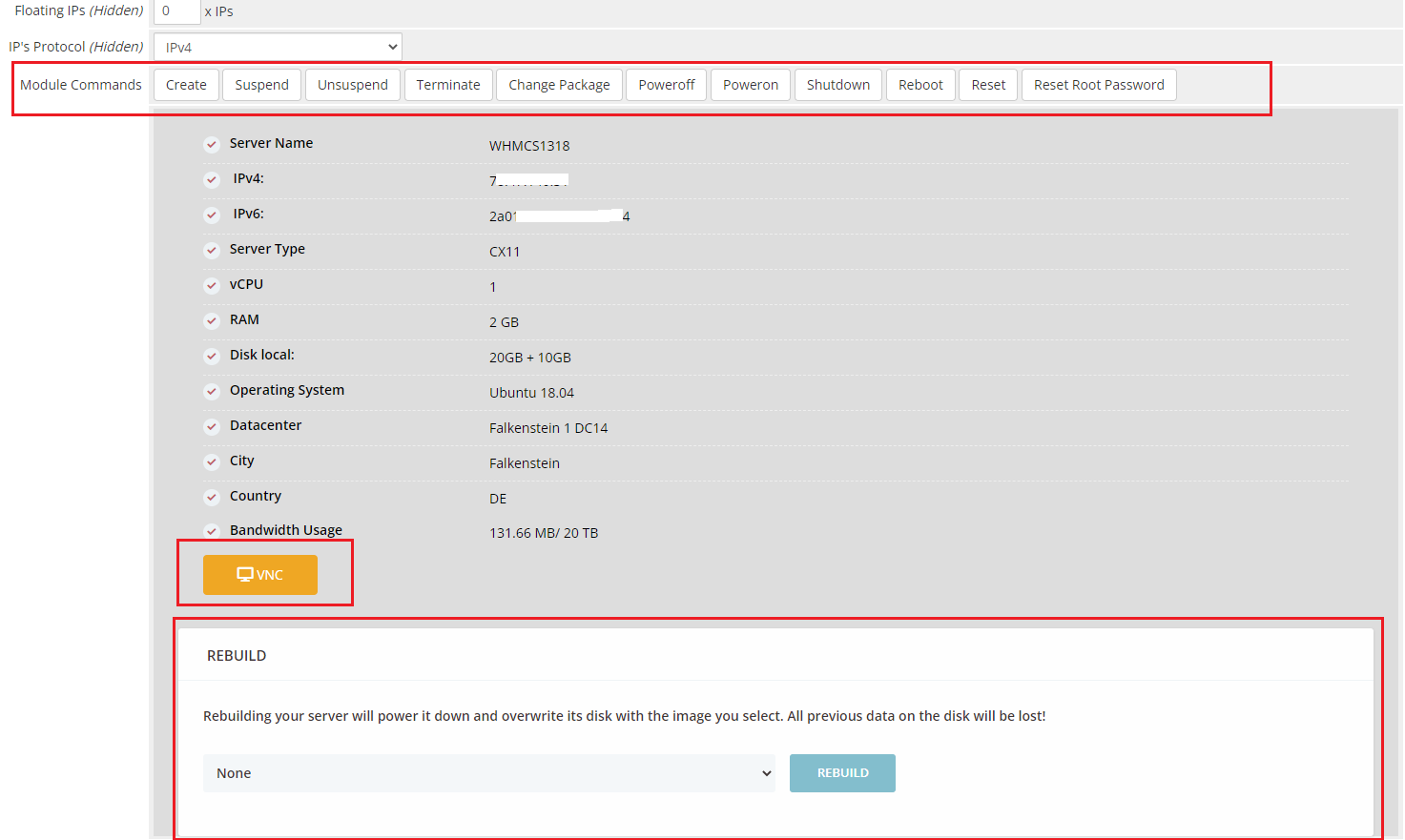
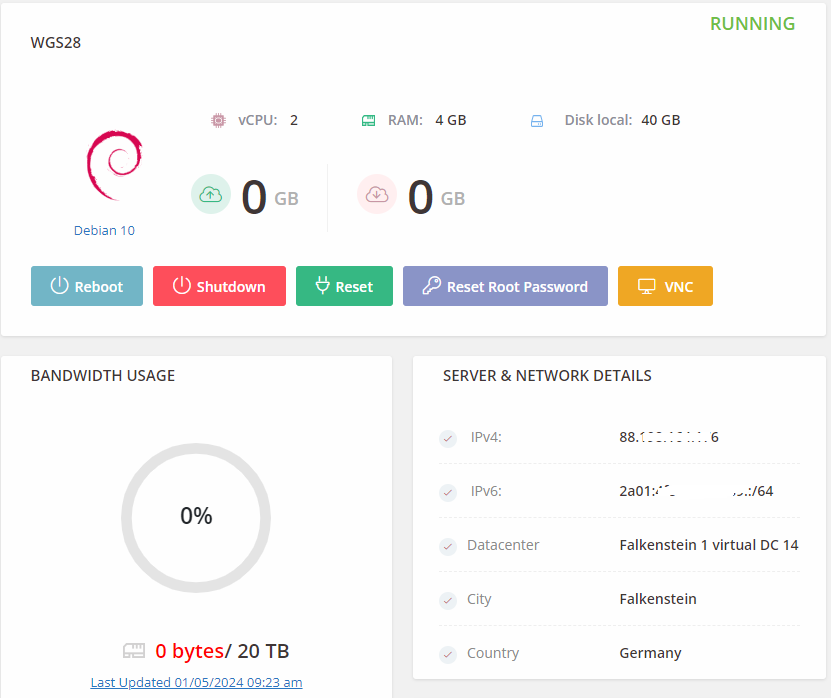
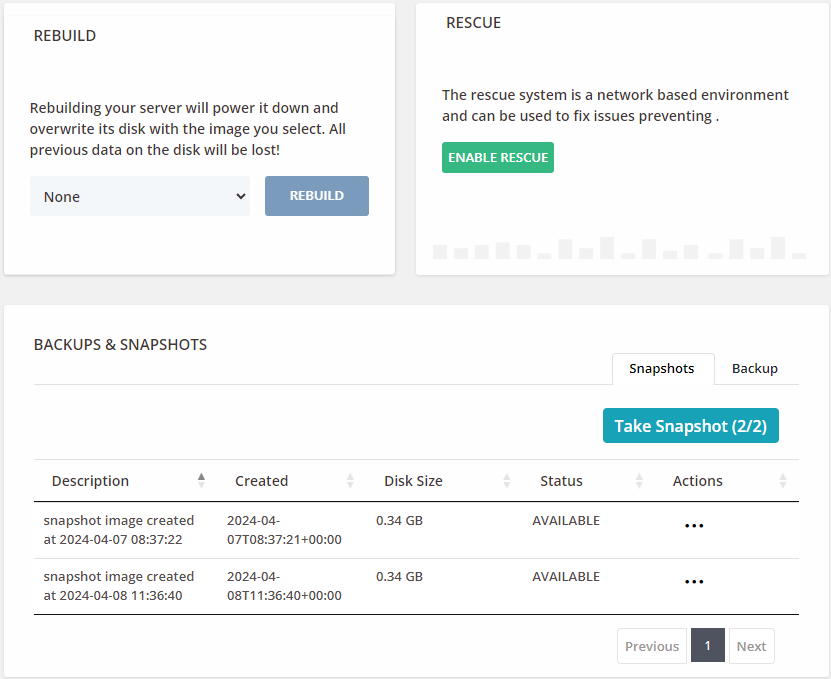
Your clients can perform various server-related tasks including server reboot, reset, rescue, and rebuild from within the WHMCS client area.

IP Management
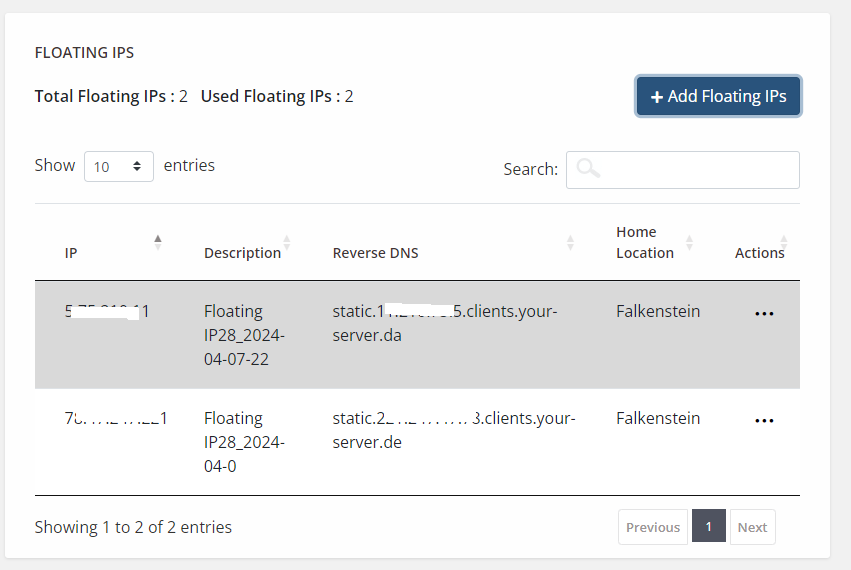
Hetzner WHMCS Module interface enables your clients to manage floating IPs from the WHMCS client area.

Monitor Bandwidth Usage
Your client can monitor the usage of the bandwidth easily from the WHMCS client area and can take the actions required to manage it.

Monitor Graphical Usage
Lets your clients give the option to see graphs and track the usage of CPU, disks IOPS, disk throughput, Network PPS, as well as Network traffic.

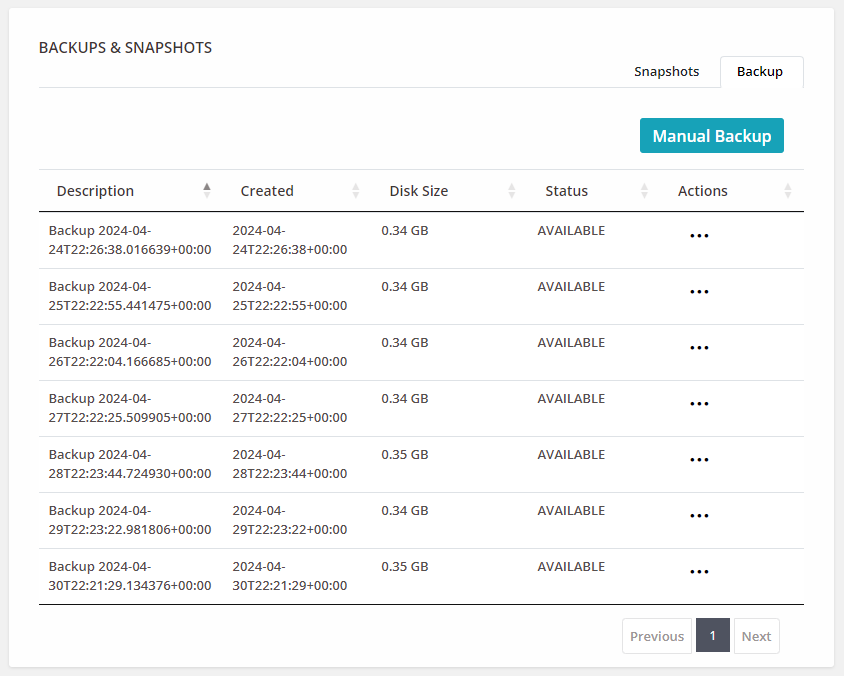
Manage backup and Snapshot
Your client has the option to use additional services like snapshot and back management, which can be resold to the user. The pricing structure depends on the frequency and backup size.

Access Remote Console Access
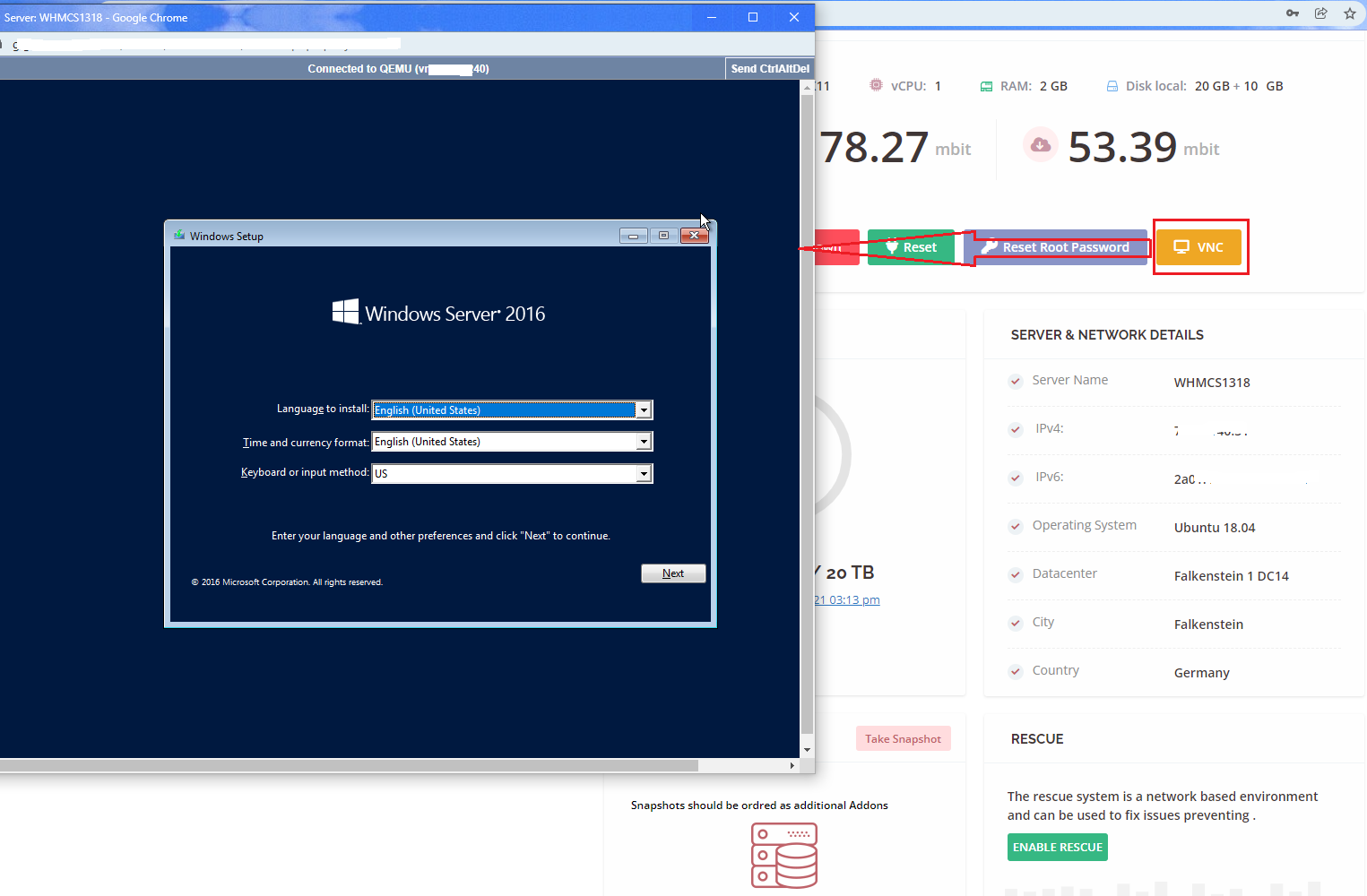
The module allows WHMCS admin users and clients to access the Remote Console Access from the admin and client areas, respectively.

Reset Root Password
Clients can reset the root password anytime in just a few minutes within the client area.
Upgrade or Downgrade Server or VM
Clients can change the type of the server by upgrading or downgrading the server as and when needed.

Mount/Unmount ISO
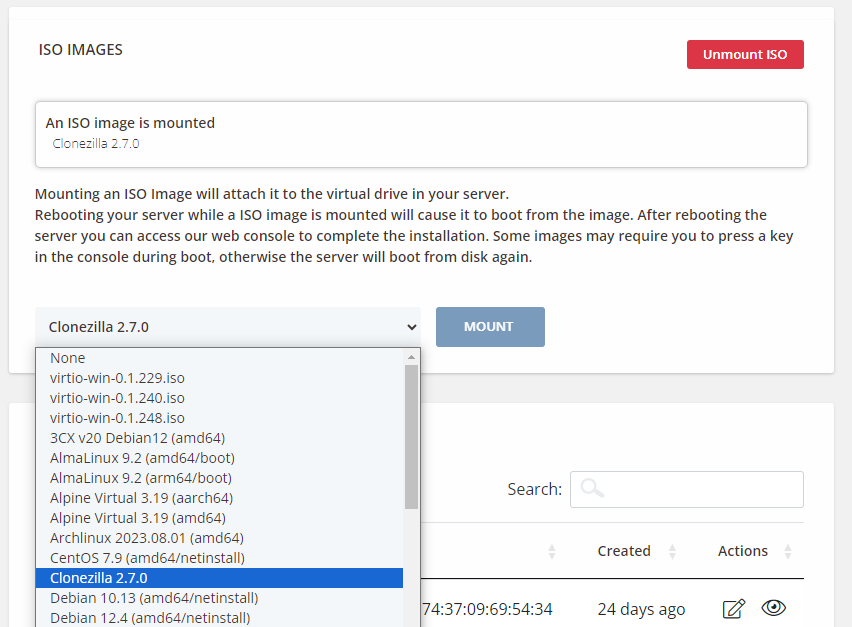
Clients can mount/unmount ISO images anytime from the WHMCS client area.
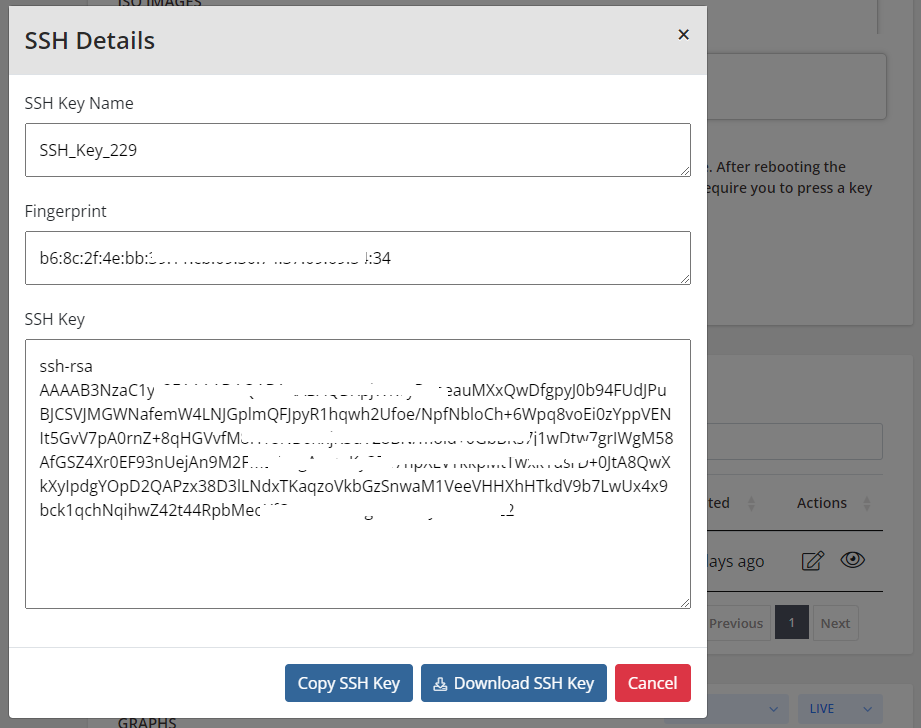
SSH Key Management
Users can easily manage and add SSH key and easily download the data from WHMCS client Area.

Activity Log or server log
Easily manage and maintain the detailed server log activities, allowing to track changes, diagnose issues, and maintain security.
Benefits To Admin and their Clients
Client
- View Server Info
- Power On/Power Off/Shut Down/Reboot Server
- Reset Server
- Reset Root Password
- Access Remote Console
- View Assigned IPv4 And IPv6 Addresses
- Mount/Unmount ISO Images
- View/Manage Floating IP Addresses
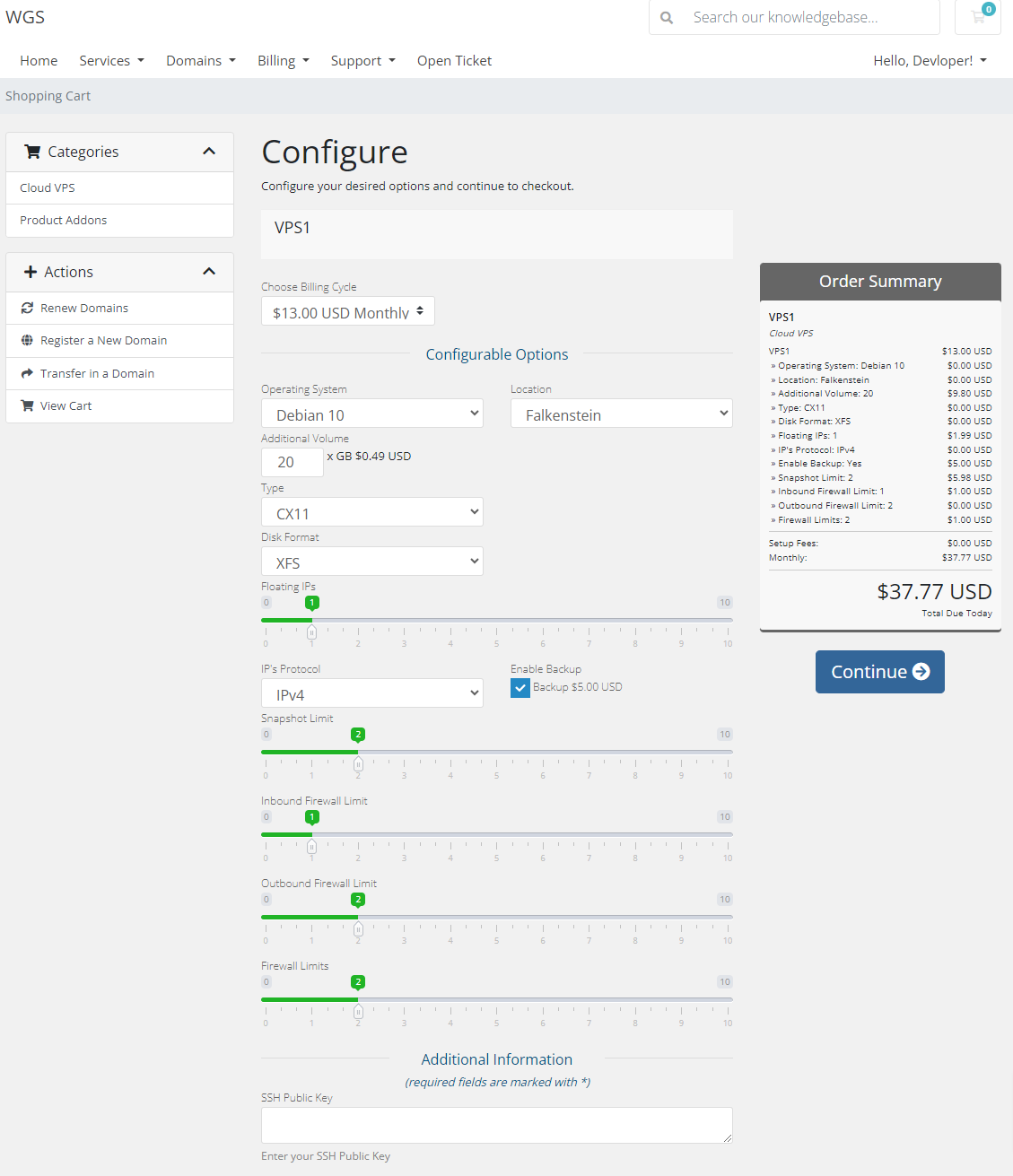
- Set SSH Key During Order
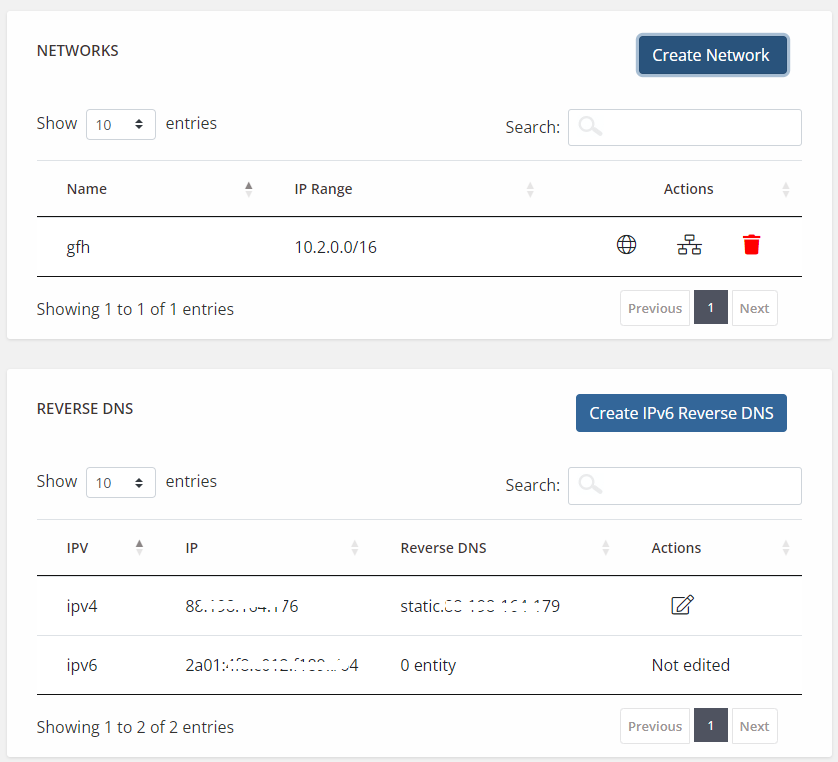
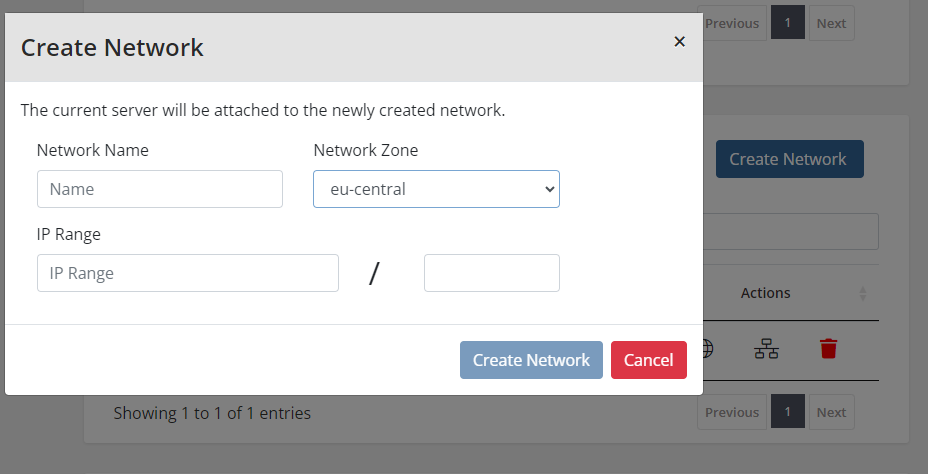
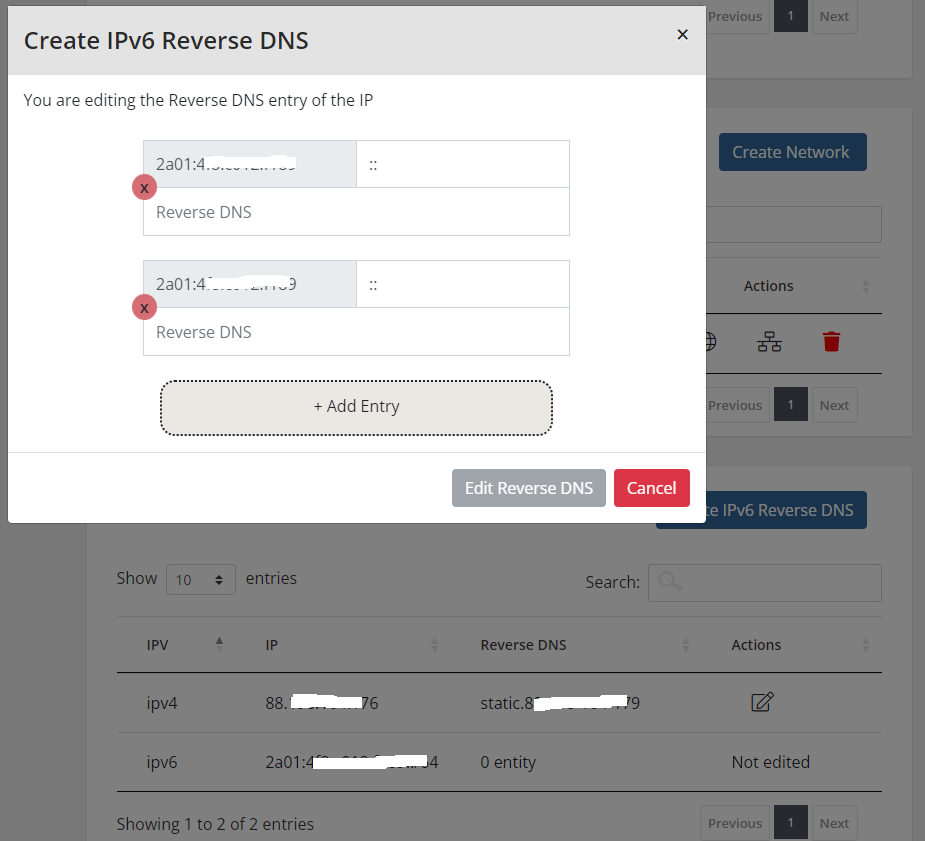
- Create/Manage Network and IPv6 Reverse DNS Records
- Manage Backups and Snapshots
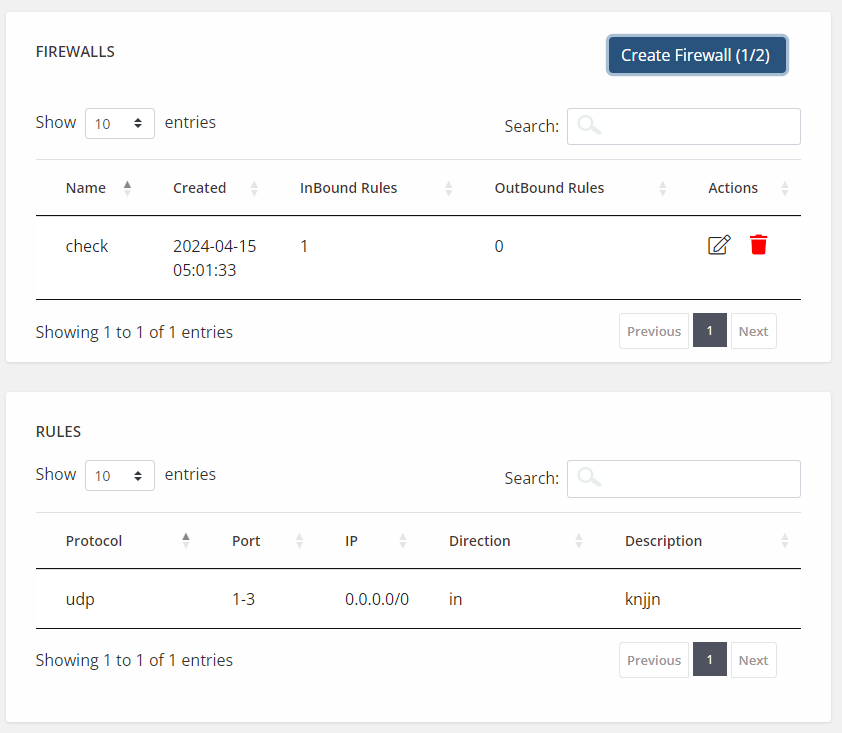
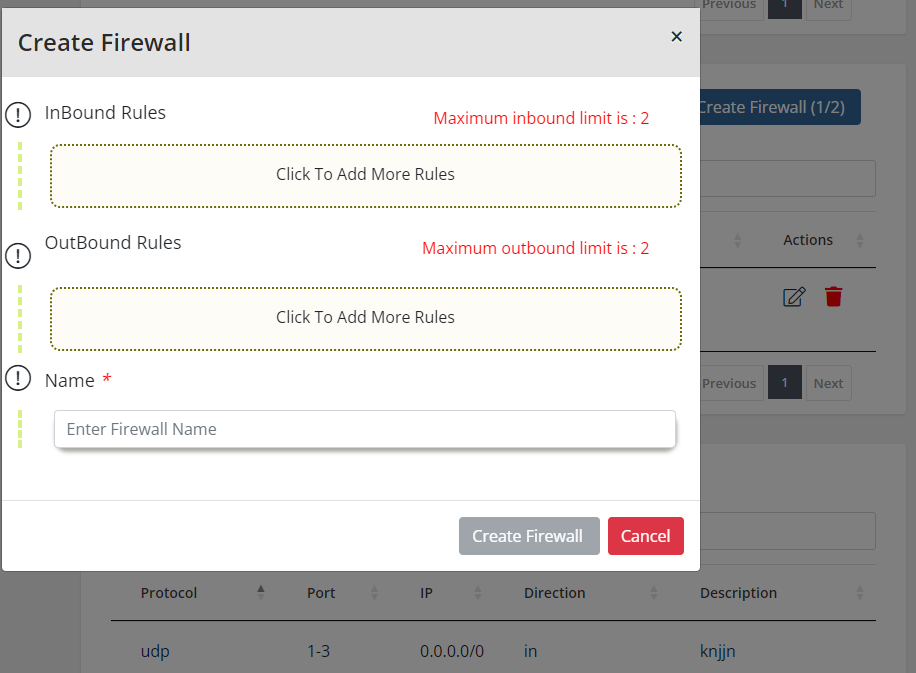
- Manage Firewall and Firewall rules
- View SSH detail
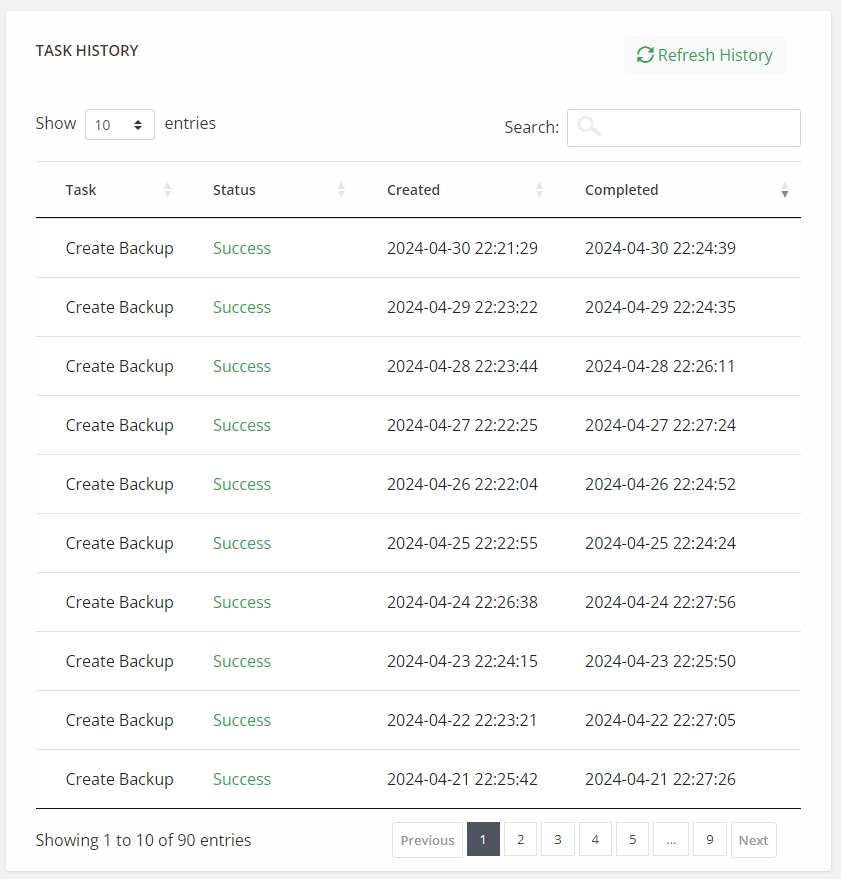
- View Server Task History
- Monitor Graphical Usage
- Upgrade or Downgrade Server or VM
Your questions, our answers
The Hetzner WHMCS Provisioning Module is an integration tool that allows you to connect and manage Hetzner Cloud services directly from your WHMCS billing and automation platform. It enables seamless provisioning and management of Hetzner Cloud servers for your clients.
The module offers a range of features, including the ability to provision Hetzner Cloud servers, automate the billing and invoicing process, manage server configurations, perform server monitoring, and handle server suspensions and terminations directly from the WHMCS interface.
To install the module, you typically need to purchase it from WHMCS Global Services or their official website. Once purchased, you will receive the module files and installation instructions. Follow the provided instructions to upload the module files to your WHMCS installation and activate it through the WHMCS admin interface.
Yes, the module is specifically designed to enable reselling of Hetzner Cloud services. It allows you to offer Hetzner Cloud servers to your clients, set pricing and billing options, and automate the provisioning and management process, providing a complete solution for reselling Hetzner Cloud services.